



Android held 72.36% of worldwide mobile operating system market share in October 2026, according to Statcounter, and every one of those phones has a dialer that answers to hidden sequences. Android’s API reference describes these secret codes as debug codes entered in the dialer to activate developer menus. Android secret codes fall into three groups: network codes your carrier handles, codes the phone software reacts to, and manufacturer test menus.
Many lists online mix those groups with menus from older feature phones and untraced reset shortcuts. This version keeps only codes traced to the document that defines them, and drops the rest, including the reset shortcuts the earlier page carried. Older LG and Sony Ericsson codes now get labeled legacy sections that explain why we no longer list them.
Key Takeaways
- Android held 72.36% of worldwide mobile operating system share in October 2026, per Statcounter.
- Dialing
*#06#shows the IMEI with or without a SIM card, as 14 digits plus a check digit, according to 3GPP TS 22.030. - Android 16 ran on 37.71% of Android mobile and tablet devices tracked by Statcounter in October 2026, so most of those devices run an older release.
- Samsung held 22.74% of worldwide mobile vendor share in October 2026, behind Apple at 27.61%, according to Statcounter.
- LG Electronics announced on April 5, 2021 that it was closing its mobile business unit, according to LG’s own release.
- Sony completed its purchase of Ericsson’s 50% stake in Sony Ericsson on February 15, 2012, according to Sony.
How Android Secret Codes Work
Android’s TelephonyManager API reference defines secret codes as debug codes of the form *#*#code#*#* that activate developer menus, and lists the ACTION_SECRET_CODE broadcast as added in API level 29. The system broadcasts the code, and manufacturer telephony apps may need to receive it.
In the Android Open Source Project (AOSP), the Dialer source describes a helper class that listens for “magic character sequences”. Its code treats input longer than eight characters that starts with *#*# and ends with #*#* as a secret code.
Two kinds of code: A code wrapped in
*#*#and#*#*is read by the phone and never leaves it. A short code that starts with*,#or**and ends with#is usually sent to your carrier, which decides the answer.
What is the difference between ## codes and *# codes?
The AOSP Dialer treats *#*#code#*#* and a shorter *#code# form as secret codes that open a screen on the phone, and it answers *#06# and *#07# itself. Under 3GPP TS 22.030, network procedures start with *, #, **, ## or *# and finish with #. So a code that starts with *# is not always a carrier code. A secret code opens a menu on the phone; a network code asks the carrier to change or report a setting.
The Universal IMEI Code, Plus Android and Pixel Codes
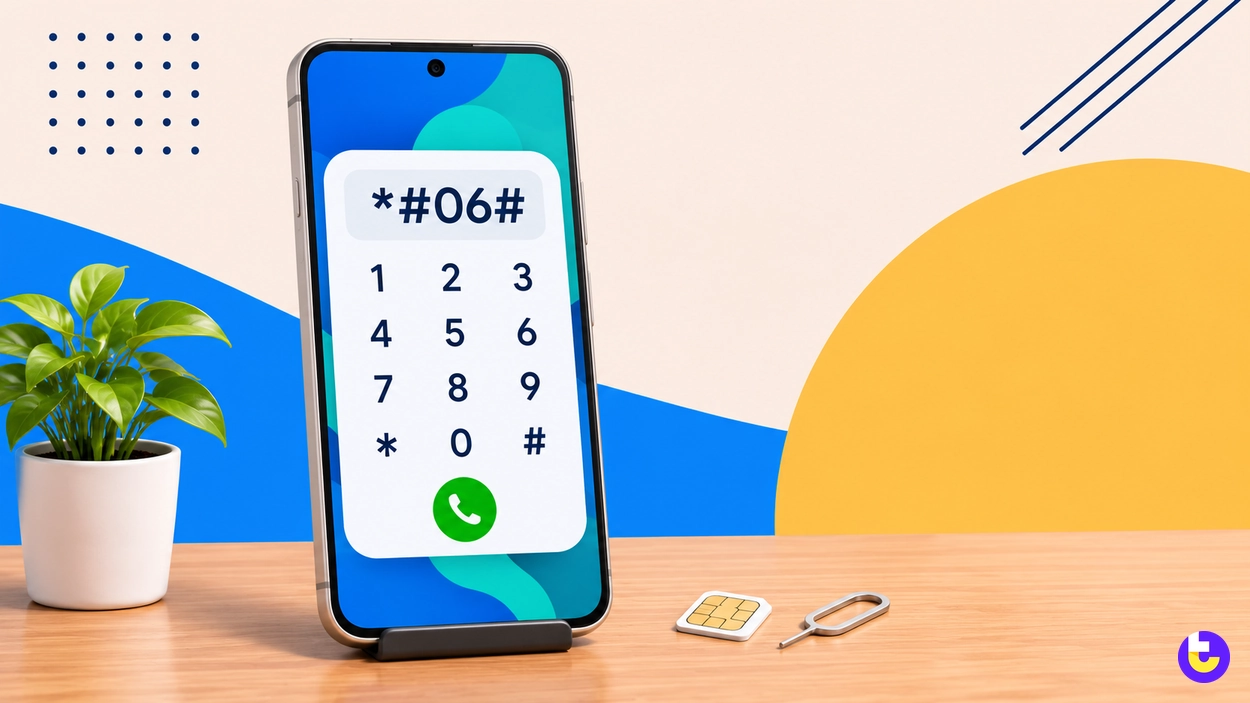
3GPP TS 22.030 requires every phone to display its IMEI when you dial *#06#, with or without an inserted SIM. IMEI stands for International Mobile Equipment Identity, the number carriers and insurers ask for after a theft. The AOSP Dialer hard-codes *#06# as its IMEI display and *#07# as its regulatory information display.
Code | What it does | Defined by |
|---|---|---|
*#06# | Shows the IMEI: 14 digits, the check digit and, optionally, the software version number | 3GPP TS 22.030 |
*#07# | Opens the phone’s regulatory information screen | AOSP Dialer |
*#*#7287#*#* | Opens Pixel Repair Diagnostics on Pixel phones | Google Pixel manual |
Source: ETSI TS 122 030 V17.0.0 (2022), AOSP Dialer source (November 2026), Google Pixel Repair Diagnostics manual (2023)
The IMEI string shows the 14 digits of the IMEI, the check digit and optionally the software version number, in that order. Write it down before you need it; a stolen phone cannot show it to you.
Carrier Codes for Call Forwarding, Caller ID and Call Waiting
3GPP TS 22.030 fixes one pattern for network codes: activation is *SC*SI#, deactivation #SC*SI#, interrogation *#SC*SI#, registration **SC*SI# and erasure ##SC*SI#. SC is a service code of 2 or 3 digits, and SI is supplementary information of variable length.
3GPP service | What it controls | Service code |
|---|---|---|
CLIP | Showing the caller’s number to you | 30 |
CLIR | Hiding your number from the person you call | 31 |
CFU | Forwarding every call | 21 |
CF Busy | Forwarding when you are on another call | 67 |
CF No Reply | Forwarding when you do not answer | 61 |
CF Not Reachable | Forwarding when the phone is off or out of coverage | 62 |
all CF | Every forwarding setting at once | 002 |
all conditional CF | Busy, no-reply and not-reachable forwarding together | 004 |
WAIT | Call waiting | 43 |
Source: ETSI TS 122 030 V17.0.0, Annex B, Table B.1 (2022)
In the 3GPP table, 21 is the service code for unconditional call forwarding and 43 is the code for call waiting. Put the pattern and the table together and *#21# asks whether all calls are being forwarded, while ##002# clears every forwarding rule at once.
Why it matters: 3GPP TS 22.030 lists CLIR under service code 31, and in temporary mode
*31#before a number suppresses CLIR for that single call while#31#invokes it. Your carrier still decides whether to honor either request, so test with a friend’s number before relying on it.
Google Pixel Diagnostic Code
Google’s Pixel Repair Diagnostics manual tells you to enter *#*#7287#*#* into the Pixel phone’s dialer to start the diagnostics. Google’s Pixel help page says Pixel 3 and later and Pixel Tablet include the Pixel Repair Diagnostics App. Google suggests running it before and after a repair to check the device for problems.
Does the Pixel diagnostic code need Wi-Fi?
Yes, the manual asks you to press confirm once the phone has a reliable Wi-Fi connection. Connect to Wi-Fi before you dial the code, then follow the on-screen steps. Google describes it as a way to check your device for problems.
Secret Codes by Phone Brand
The AOSP Dialer checks for manufacturer-specific secret codes before it handles the standard *#*#code#*#* form. That is why a code that opens a test menu on one brand does nothing on another. Use the table to find the right guide for your phone.
Brand | What the codes reach | Status | Guide |
|---|---|---|---|
Google Pixel | Pixel Repair Diagnostics | Current Android phones | Pixel section above |
Samsung | See the Samsung guide | Separate guide | |
Nokia | See the Nokia guide | Separate guide | |
LG | Legacy handset codes | LG announced the closure of its phone business in 2021 | LG section below |
Sony Ericsson | Legacy handset menu | Sony bought out Ericsson’s stake in 2012 | Sony Ericsson section below |
Source: AOSP Dialer source (November 2026), LG Electronics (2021), Sony Corporation (2012)
LG Secret Codes
LG Electronics announced on April 5, 2021 that it was closing its mobile business unit, and expected the wind down to be completed by July 31. LG said it would provide service support and software updates for existing phones for a period that varies by region.
The LG codes that circulated for years, including on this site, were built for LG feature phones and named specific older models. We could not confirm any of them against an LG source, so they are not listed here. On an LG Android phone, *#06# still shows the IMEI.
Sony Ericsson Secret Menu
Sony completed its purchase of Ericsson’s 50% stake in Sony Ericsson on February 15, 2012, and said it would rename the company Sony Mobile Communications. The Sony Ericsson secret menu printed on older pages, ours included, was a joystick key sequence on pre-Android handsets, not a code typed into a dialer. No Sony source confirms those sequences, so they are not reproduced here.
Why Android Secret Codes Differ by Phone
Statcounter put Android at 72.36% and iOS at 27.61% of worldwide mobile operating system share in October 2026. That Android share is split across many manufacturers and Android releases, and each pairing can answer a different set of codes.
View the data
Why does a secret code do nothing on my phone?
Android only broadcasts a secret code when it comes from the default dialer or an app with carrier privileges. A third-party dialer that is not set as the default, a manufacturer that removed the menu, or a code meant for another brand all produce the same silence. Try the phone’s own Phone app before you assume the code is dead.
Android Version Share and Code Support
Android 16 ran on 37.71% of Android mobile and tablet devices worldwide in October 2026, according to Statcounter, ahead of Android 15 at 16.34%. A code list written for one release can miss menus that moved in the next, which is why the version matters too.
View the data
By the numbers: In Statcounter’s October 2026 data, Android 14 held 11.45%, Android 13 10.9%, Android 12 7.11% and Android 11 6.08% of Android mobile and tablet devices. Releases that old still matter, because a list of Android versions shows how far apart their menus can sit.
Phone Brand Share and Manufacturer Codes
Statcounter’s October 2026 vendor data puts Samsung at 22.74% of worldwide mobile devices, followed by Xiaomi at 11.81%, Vivo at 7.33% and Oppo at 7.15%. Each of those brands ships its own phone software, so manufacturer test menus differ from one to the next.
View the data
Apple led the same table at 27.61%, and iPhones answer *#06#, with network codes handled by the carrier, but Android’s secret codes do nothing on an iPhone, since it does not run Android. For the Android brands, check the brand’s own guide before you trust a generic list.
Codes to Avoid: Factory Reset Shortcuts
Google’s Android Help states that a factory data reset erases your data from the phone and uninstalls all apps and their data. Several codes on older lists, including two the earlier version of this page carried, were described as instant factory-reset shortcuts.
Data loss risk: A code described as a reset shortcut can erase your data from the phone. None of those codes could be traced to a manufacturer source, so they are not listed here. If you need a reset, follow the steps in Google’s Reset your Android device to factory settings guide.
Back up the phone to your Google Account before testing any unfamiliar code. Treat any code that promises to “format” or “reset” as a reset, whatever the list calls it.
How to Enter a Secret Code Safely
The Pixel manual’s steps are short: make sure the device is turned on, then enter the code into the Pixel phone’s dialer. The same habit works on any Android phone.
- Open the phone’s own Phone app, not a third-party dialer.
- Type the code exactly, including every star and hash.
- Wait a moment after the last character to see whether a screen opens.
- Read the screen and leave any test menu with the back button.
Does *#06# work without a SIM card?
Yes: 3GPP TS 22.030 says the *#06# procedure shall be accepted and performed with and without an inserted SIM. That makes it a safe code to try on a secondhand phone before you buy it.
Are Android secret codes safe to try?
Information codes and diagnostic menus are safe to open and close. The risk sits with anything that triggers a factory reset, which erases your data from the phone. Stick to codes with a known source, and skip any code whose purpose a list cannot explain.
Conclusion
Android’s 72.36% share of mobile operating systems worldwide in October 2026, per Statcounter, spans many manufacturers and Android releases, so no single list of Android secret codes works everywhere. One code every phone must answer is *#06#, which shows the IMEI even without a SIM.
For anything beyond *#06#, start with your manufacturer: Pixel owners have Google’s documented diagnostic code, Samsung and Nokia owners have their own guides, and carrier codes come from the 3GPP pattern. Old LG and Sony Ericsson menus belong to handsets that predate Android on those brands, so treat them as history rather than tools.

Shuva
Have you any tips to root Samsung j2000H?
Kavya
Hello Abhijith N Arjunan,
Thanks for sharing this great and informative article, it’s amazing.