

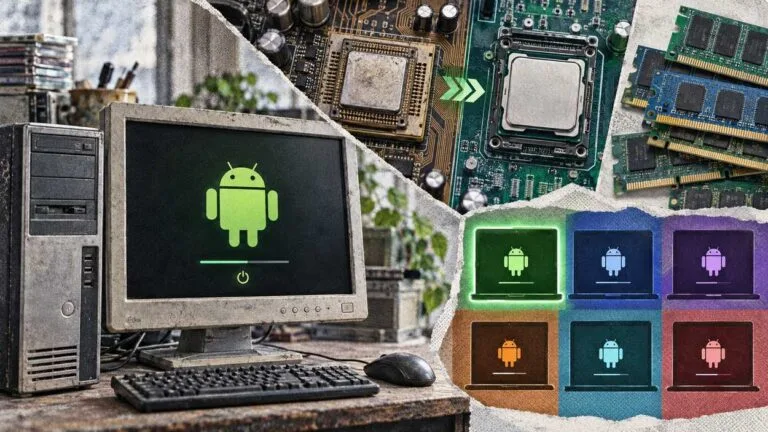

Windows 11 needs 4 GB of RAM, a 1 GHz or faster processor with 2 cores or more, and TPM version 2.0, and Windows 10 has reached the end of support on October 14, 2025. Picking the best Android OS for low end PC hardware below that line gives the machine a second life, but only a handful of builds target weak hardware, and whether one boots is usually decided by the processor’s instruction set rather than its RAM.
Six builds qualify once each project’s own documentation is checked, and two of them are dormant. Android-x86 8.1-r6, dated 2021/06/23, ships both a 64-bit and a 32-bit ISO, and the project says older devices with legacy BIOS may try the 32-bit ISO. Every status below was checked on September 26, 2026, on each project’s own pages.
Key Takeaways
- Bliss OS Go is based on Android Go and designed to run on low-end devices, including Intel Atom, Celeron N/M and Pentium machines, and its newest official Go build in the BlissOS16 folder, Bliss-Go-v16.9.7, is 2.3 GB and was modified 2024-10-12.
- FydeOS marks its Intel Legacy variant, which supports Intel Core Processors from 2011 – 2014, as no longer supported, so an old CPU can rule out a build that more RAM would not rescue.
- FydeOS recommends 4GB of RAM or more for running Android apps and requires SSE4.2 for its Android Subsystem.
- Android-x86 8.1-r6 is dated June 23, 2021 and still offers a 32-bit ISO, and Android-x86 is the only project here still shipping 32-bit.
- Google’s Android (Go edition) minimum RAM rises from 512MB for Android 9 to 2GB for Android 13.
- BlueStacks 5 needs at least 4GB of RAM and 5GB of free disk space on Windows 7 and above.
Quick Picks
The right build depends on two things you can check in a minute: whether the processor is 64-bit with SSE4.2, and what the PC already runs. Bliss OS says its native bridge for ARM apps requires an x86_64v2 CPU.
- Best overall: Bliss OS Go is based on Android Go and designed to run on low-end devices, the only build here tuned that way.
- Best maintained: FydeOS for PC still offers an Intel Slim variant for Celeron and Pentium processors from 2015 – 2019.
- Best for 32-bit PCs: Android-x86 8.1-r6 is the sixth stable release of oreo-x86, dated June 23, 2021, with a 32-bit ISO.
- Best if the PC runs Linux: Waydroid boots a full Android system in a container, with an image currently based on Android 13.
- Best if you keep Windows: BlueStacks 5 runs on Microsoft Windows 7 and above with at least 4GB of RAM.
Build | CPU and architecture | RAM the project states | Newest build | Best for |
|---|---|---|---|---|
Bliss OS Go | x86_64 only | Not stated | October 2024 | Atom, Celeron and Pentium laptops |
FydeOS for PC | 64-bit with SSE4.2 | 4GB or more for Android apps | Current download | 2015 to 2019 Celeron and Pentium PCs |
Android-x86 8.1-r6 | 32-bit or 64-bit | Not stated | June 2021 | 32-bit and legacy-BIOS PCs |
Waydroid | x86 or x86_64 Linux host | Not stated | Current (Android 13 image) | Old PCs already on Linux |
BlueStacks 5 | Windows 7 and above | At least 4GB | Current | Keeping Windows installed |
Android-x86 9.0-r2 | 32-bit or 64-bit | Not stated | March 2020 | A newer Android base on 32-bit |
Source: Bliss OS, FydeOS, Android-x86, Waydroid and BlueStacks documentation, September 2026
Each pick was scored across the weighted criteria in How We Ranked.
What counts as a low-end PC?
A low-end PC here is one below the minimum system requirements for installing Windows 11: a 1 GHz or faster processor with 2 cores or more, 4 GB of RAM and 64 GB of storage or more. Google’s Android (Go edition) minimum RAM is 512MB for Android 9 and 2GB for Android 13, so older Android bases ask less.
1. Bliss OS Go
Bliss OS Go is a variation of Bliss OS designed to run on low-end devices, and it is based on Android Go. That makes it the one build here tuned specifically for weak hardware. The project lists Intel Atom, Intel Celeron N/M, Intel Pentium and AMD APU/CPU devices among its targets.
The Go builds use lower-spec configs for recents and task management, plus expanded configuration options. Because of the low-spec devices they target, the project does not include native-bridge by default on Bliss OS Go builds. In practice, an app that ships only ARM code may refuse to open, so check your must-have Android apps before wiping a drive.
Key finding: Bliss OS documents Core2Duo as not fully supported because it needs SSE4.2, and its native bridge requires an x86_64v2 CPU. For an old PC, the processor generation is the first thing to check, ahead of the installed RAM, before downloading any Bliss OS image.
The catch is maintenance. The project home page states that Bliss OS is still under development and public images are paused, while the source is not. The newest official Go build in the BlissOS16 folder, Bliss-Go-v16.9.7-x86_64, is 2.3 GB and was modified 2024-10-12, and the BlissOS14 Go build, Bliss-Go-v14.10.3-x86_64, is 2.0 GB and was modified 2024-10-13. Both file names carry x86_64, so a 32-bit-only processor is out, and readers with stronger hardware will find more routes in the full Android OS for PC ranking.

Android Go Build for x86 PCs
Bliss OS Go
Best for Atom, Celeron and Pentium laptops
- Scorecard: weighted total 6.50: low-spec fit 8, maintenance 6, legacy reach 3, app compatibility 5, cost 10.
- Scored from the Bliss OS blog, documentation and SourceForge folders: the Android Go tuning earns the top low-spec score, and paused public images cap maintenance.
- Android Go base built for low-end devices.
- Named targets include Atom, Celeron and Pentium hardware.
- Two Go builds to pick from, on separate Android trees.
- Public images are paused on the project's home page.
- No native bridge by default, so some ARM-only apps will not run.
- No Go image for processors without the newer instruction set.
Is Bliss OS good for a low-end PC?
Yes, on a processor the project documents as supported, and the Go build is the one to use. Bliss OS documents Intel Atom as mostly supported and Intel Celeron M as fully supported, while Core2Duo is not fully supported because it needs SSE4.2. On those Atom and Celeron machines, download the Go build rather than the standard one.
2. FydeOS for PC
FydeOS states that browser use needs at least 2GB of RAM, and it recommends 4GB of RAM or more for running Android apps. That makes it a choice for a 4GB machine rather than a 2GB one, but it is the only low-spec option here with a live PC download page matched to your processor and graphics.
The FydeOS for PC download page offers an Intel Slim variant for Celeron and Pentium processors from 2015 – 2019 with Intel HD/UHD Graphics, and an AMD Graphics variant for AMD or Intel CPUs from 2011+. The Intel Legacy variant, which supports Intel Core Processors from 2011 – 2014, is marked no longer supported.
The processor must support SSE4.2 to use the Android Subsystem, and developer mode, which allows sideloading Android apps and accessing the Google Play Store, needs UEFI support. A BIOS-only desktop therefore never reaches the Play Store on FydeOS, whatever its RAM. FydeOS for PC is free of charge without time limitations, and major version updates cost £2.49 per update.

Desktop OS with an Android Subsystem
FydeOS for PC
Best for 2015 to 2019 Celeron and Pentium PCs
- Scorecard: weighted total 6.45: low-spec fit 5, maintenance 9, legacy reach 4, app compatibility 7, cost 8.
- Scored from the FydeOS Help Center and download page: a current, hardware-matched download earns the top maintenance score, and the 4GB recommendation for Android apps holds down low-spec fit.
- A live download page with variants matched to CPU and graphics.
- Runs Android apps alongside the browser, with Play Store access in developer mode.
- Free to use without a time limit.
- Android apps want 4GB of RAM or more.
- Major version updates are paid.
- The variant for older Intel Core processors is no longer supported.
3. Android-x86 8.1-r6
Android-x86 8.1-r6, dated 2021/06/23, is the sixth stable release for Android-x86 8.1 (oreo-x86) and mainly a security update of 8.1-r5 with some bugfixes. The project says most modern devices should be able to run the 64-bit ISO, while older devices with legacy BIOS may try the 32-bit ISO.
The release moves to Android 8.1.0 Oreo MR1 (8.1.0_r81), LTS kernel 4.19.195 and Mesa 19.3.5, and fixes an issue that left native bridge libraries unable to download. That kernel is newer than the one in the Pie release, which is why this build ranks above it despite the older Android base. It is still an old security baseline, so keep it away from banking and work accounts.
Oreo sits one release before Pie in the Android version history, so apps that demand a much newer Android will not install.
Legacy x86 Android Port
Android-x86 8.1-r6
Best for 32-bit and legacy-BIOS PCs
- Scorecard: weighted total 6.30: low-spec fit 7, maintenance 3, legacy reach 10, app compatibility 4, cost 10.
- Scored from the Android-x86 release note: the 32-bit ISO earns a perfect legacy-reach score, and a release dated June 2021 caps maintenance.
- A download that still targets legacy-BIOS machines.
- A newer kernel and Mesa than the Pie release.
- No newer stable release from the project since this one.
- An old Android base that many current apps no longer target.
- A dated security baseline.
Which Android OS works on a 32-bit PC?
Android-x86 is the only project on this list that still publishes 32-bit images. Its 9.0-r2 release offers a 32-bit ISO for older devices with legacy BIOS, and 8.1-r6 does the same. Pick 8.1-r6 for the newer kernel and security fixes, or 9.0-r2 for the newer Android base.
4. Waydroid on a Lightweight Linux Distro
Waydroid is a container-based approach to boot a full Android system on a regular GNU/Linux system like Ubuntu, and its image is based on LineageOS and currently on Android 13. On an old PC that already runs a lightweight Linux, it adds Android apps without replacing anything, which no bare-metal build here can offer.
Waydroid supports most common architectures, including x86 and x86_64 CPUs, and its mesa integration for passthrough enables support for Intel/AMD GPUs on the PC side. For Nvidia GPUs (except tegra) and VMs, the project recommends software rendering. On an old machine with integrated Intel graphics, that passthrough matters more than the RAM figure.
On Debian and Ubuntu, the install guide says to make sure a Wayland session is enabled (Ubuntu 22.04+). Waydroid will not work while running in live mode and must be installed before working properly. Moving an old Windows PC to Linux first is a bigger change than it sounds, and the differences between Windows and Linux decide whether it suits you.

Android Container for Linux
Waydroid
Best for Old PCs already running Linux
- Scorecard: weighted total 6.25: low-spec fit 5, maintenance 8, legacy reach 4, app compatibility 6, cost 10.
- Scored from the Waydroid documentation: a current LineageOS image earns a high maintenance score, and the need for a Wayland Linux host holds down low-spec fit.
- Keeps the Linux desktop you already run.
- A current LineageOS-based system image.
- GPU passthrough on Intel and AMD graphics.
- Needs a Wayland session on Debian and Ubuntu.
- Nvidia graphics fall back to software rendering.
- No live-USB trial; it must be installed first.
5. BlueStacks 5
BlueStacks 5 lists Microsoft Windows 7 and above, an Intel or AMD processor, at least 4GB of RAM and 5GB of free disk space as its minimum system requirements. It is the route for a weak PC that has to stay on Windows, because it runs Android apps in a window instead of replacing the operating system.
The recommended setup is Microsoft Windows 10 and above, 8GB of RAM or higher, an SSD and virtualization enabled.
By the numbers: BlueStacks 5 lists at least 4GB of RAM and 5GB of free disk space as its minimum, and 8GB of RAM or higher with an SSD as its recommended setup. A low-end laptop that meets only the floor can run lighter Android apps, and the gap to the recommendation shows up first in games.
On Windows 7 or Windows 8, you can use BlueStacks versions 5.21.300 and below, and the latest version needs Windows 10 or above.
Before installing it, try to speed up Windows 10 on the same machine, and compare the other Windows routes in the guide to running Android apps on a PC.
Android App Player for Windows
BlueStacks 5
Best for Keeping Windows installed
- Scorecard: weighted total 6.15: low-spec fit 3, maintenance 8, legacy reach 5, app compatibility 9, cost 10.
- Scored from the BlueStacks Support requirements article: the widest app compatibility here, held down by an 8GB recommendation that most low-end PCs miss.
- Leaves Windows in place.
- Older releases still install on older Windows versions.
- Works on Intel or AMD processors.
- The recommended setup asks for 8GB of RAM and an SSD.
- The latest version drops the oldest Windows releases.
- Installing requires administrator rights on the PC.
6. Android-x86 9.0-r2
Android-x86 9.0-r2, dated 2020/03/25, is the second stable release for Android-x86 9.0 (pie-x86), based on Android 9.0.0 Pie (android-9.0.0_r54). It is the newest Android base this project offers for older processors, but it trails the Oreo release on kernel and security fixes.
The release updates to LTS kernel 4.19.110 and fixes an ISO that could not boot in UEFI mode. On the project’s download folder, the 32-bit android-x86-9.0-r2.iso is 761.3 MB and the 64-bit android-x86_64-9.0-r2.iso is 965.7 MB, both modified 2022-03-14. The dates below show how little of this field has moved since.
Pie-Based x86 Port
Android-x86 9.0-r2
Best for A newer Android on a 32-bit PC
- Scorecard: weighted total 6.05: low-spec fit 7, maintenance 2, legacy reach 10, app compatibility 4, cost 10.
- Scored from the Android-x86 release note and download folder: the legacy-BIOS ISO keeps legacy reach perfect, and the oldest release date here sets the lowest maintenance score.
- Android Pie, the newest base the project offers for legacy PCs.
- An ISO that still boots older legacy-BIOS machines.
- Fixes the UEFI boot problem of the earlier ISO.
- The oldest release in this ranking.
- An older kernel than the Oreo release.
- No newer stable release from the project since.
Verdict by Use Case
The six builds score between 6.05 and 6.50 out of 10 on the weighted criteria, a spread narrow enough that the hardware you own decides more than the rank does. Match the machine to the bullet below first.
- Best for an Atom, Celeron or Pentium laptop: Bliss OS Go, because its Android Go configuration targets exactly that class of hardware.
- Best for a 32-bit or legacy-BIOS PC: Android-x86 8.1-r6, accepting a dormant build as the price of booting at all.
- Best for a Celeron or Pentium PC with 4GB of RAM: FydeOS for PC, the only option here with a maintained download page.
- Best for an old PC already running Linux: Waydroid, which adds Android apps without replacing the desktop.
- Best if Windows has to stay: BlueStacks 5, on Windows 7 and above.
How We Ranked
Six builds were scored on five criteria weighted to 100%, led by low-spec fit at 35%. Each score comes from the project’s own documentation, release notes and download folders. Low-spec fit leads because a build that will not boot on weak hardware fails the question, and cost carries the lightest weight.
Evidence per criterion. Low-spec fit came from each project’s stated RAM, processor and instruction-set requirements, and from whether a build is tuned for low-RAM devices. Maintenance came from release-note dates, download-folder dates and the project’s own status page.
Legacy reach came from published architectures and BIOS support. App compatibility came from native-bridge and Play Store notes, and cost from published pricing pages.
Candidate pool. Eleven routes to Android on a weak PC were evaluated, and six were scored. Inclusion required a project-owned page stating the build’s requirements or release, and a build a reader can download today.
The spread is narrow because every build trades one strength for one weakness: Bliss OS Go and Android-x86 score well on weak hardware and badly on maintenance, while FydeOS, Waydroid and BlueStacks are maintained but ask more of the PC.
Exclusions. Five widely recommended options were evaluated and not ranked:
- PrimeOS: the primeos.in site is titled Primebook India: Laptop for learning and presents Android 15-built PrimeOS 3.0, so it is Primebook hardware software rather than a PC download.
- ChromeOS Flex: Google’s differences page states that ChromeOS Flex supports the deployment of some Android VPN apps, not the Play catalog. Its minimum is an Intel or AMD x86-64-bit compatible device with 4 GB of RAM and 16 GB of internal storage, and Intel or AMD components from 2012 and earlier are not recommended or supported.
- Phoenix OS, Remix OS and Google Play Games on PC: no requirements page on the owner’s own domain could be retrieved during the check, so none of the three is scored here.
Evidence completeness. Each build was scored against the criteria above using its project’s release notes, documentation, download folders and support articles. Where a project publishes no RAM floor, low-spec fit was scored from its processor requirements and Go tuning instead, and the item’s scorecard says so through the Quick Picks table.
Last reviewed: September 26, 2026 by Vedant Kumar. Next review: March 2027.
Is PrimeOS still available for PC?
No, going by the project’s own site: the primeos.in site is now titled Primebook India: Laptop for learning, and it presents PrimeOS 3.0 as Android 15-built, software for Primebook laptops.
How much RAM do you need to run Android on a PC?
Plan on 4GB of RAM for any maintained option, because FydeOS recommends 4GB of RAM or more for running Android apps and BlueStacks 5 needs at least 4GB of RAM.
Google’s own Android (Go edition) minimum is 512MB for Android 9 and 2GB for Android 13, and the table shows how that floor climbs with each release.
| Android version | Minimum RAM (Go edition) |
|---|---|
| Android 8.1 | 512MB |
| Android 9 | 512MB |
| Android 10 | 512MB |
| Android 11 | 1GB |
| Android 12 | 1GB |
| Android 13 | 2GB |
Source: Android Developers, Android (Go edition) specifications, 2026
A 2GB machine is therefore better served by an older Android base or by the Go build of Bliss OS than by a current Android image.
Conclusion: The Best Android OS for Low End PC Hardware
Bliss OS Go is the best Android OS for a low-end PC whose processor is 64-bit with SSE4.2, because it is the only build here designed for that hardware. FydeOS is the safer choice for a Celeron or Pentium from its Intel Slim range, and it recommends 4GB of RAM or more for running Android apps, and Windows 11 needs 4 GB of RAM as well.
A 32-bit or BIOS-only PC has one project left, Android-x86, and both of its builds are dormant. Keep that machine off accounts that matter, and check the processor before anything else: the instruction set rules out more old PCs than a shortage of RAM does.

Leave a comment
Have something to say about this article? Add your comment and start the discussion.