


Setapp, the popular app subscription service, continues to become a fan favorite every passing day. You may also want to try this platform to get some high-quality apps. But we completely understand if you are a bit concerned about the security and privacy that Setapp provides. We also know that you may not have the time to go through the specifics of Setapp’s privacy policy. Don’t worry; this detailed guide shall help you.
Overview of Setapp’s Privacy Policy
Let’s first look at how Setapp deals with user data.
Data Collection Practices
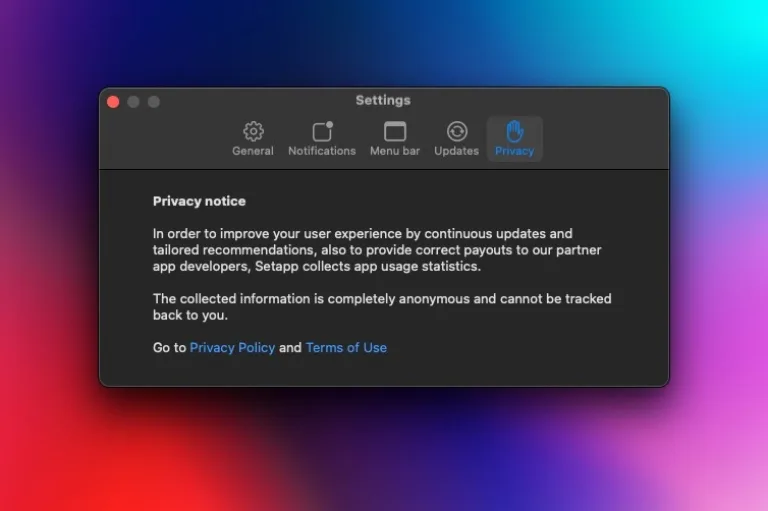
Like other platforms, Setapp collects both personal and non-personal data from users. Personal Data can be used to trace things back to your identity, whereas Non-Personal Data is kept anonymous. According to the privacy policy, Setapp does not transfer or sell the personal data that it collects from users. However, non-personal data may be shared with third parties, as it can be used to improve the service. Keep in mind that Setapp will ask for your explicit consent when it wants to collect and/or share your data.
For instance, an app developer does not have access to your email address by default. However, when you log in to the developer’s website using your Setapp account, the developer may get your email ID (because you have expressed your consent).
Purpose of Data Collection
Different types of data are used for different purposes. For instance, your contact and login information will be used to provide the services that you actually want. Similarly, log data will be used to understand whether the service is working fine and to fix things whenever things go wrong. Similarly, location data, service usage, and device data will be used for purposes like calculating aggregate statistics, securing usage, internal analytics, or creating other forms of statistical data. Data collection is also done to comply with legalities.
User Control
Because Setapp complies with GDPR and other rules for data protection, users have ample control over how their data is processed. The first thing here is that you don’t have to provide your data if you wish to. However, it would mean that you may not be able to use some of the features or services from Setapp. It also imposes a few restrictions on how data is shared. Setapp makes sure that your data will be shared only in the ways that are mentioned in the privacy policy document.
Security Measures Implemented by Setapp
Even when handling non-personal data, Setapp appears to follow some well-grounded security measures.
Data Encryption
Throughout the platform and the website, Setapp uses TLS and SSL encryption protocols to protect all those transactions on the website as well as the Setapp interface apps. It also makes use of additional encryption technologies in different instances. In addition, Setapp recommends the use of FileVault on macOS, which uses the XTS-AES-128 encryption.
Compliance with Security Standards
For starters, Setapp is compliant with the General Data Protection Regulation (GDPR) in the European Union. If you live in this location, you can use all the privileges available to you to control how your data is collected and managed. Setapp is also an ISO-27001-certified company as well as SOC 2 Type 1 compliant. While the first one relates to the strategy of risk management, SOC 2 Type 1 compliance means the security system of Setapp has been audited by a third-party authority.
Third-party App Vetting
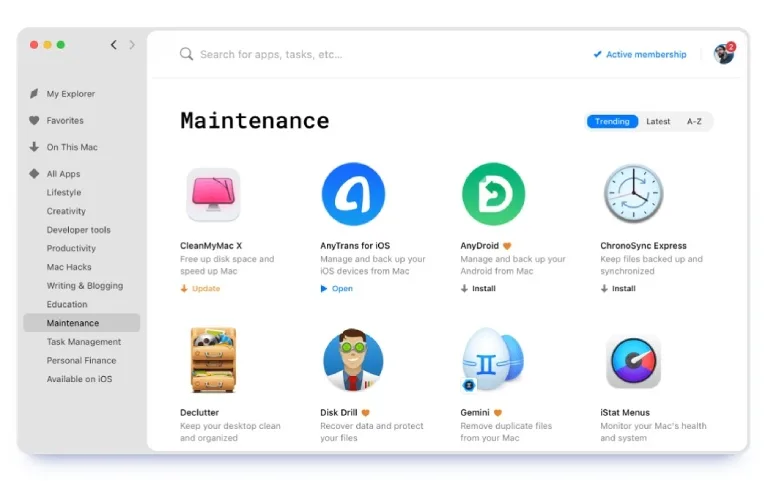
Setapp follows some methods to make sure that the applications that you install through the platform are up to the mark in terms of security. First of all, every app needs to go through a rigorous review process. For instance, it will check for safety and privacy complaints while also making sure that in-app purchases, privacy violations, advertisements, and malicious codes are not passed on to the next stage.
Setapp also makes sure that all the applications in the catalog are notarized by Apple, making sure that they are safe to use with macOS and other platforms. The company also continuously monitors privacy and security for each app in the collection, and apps that violate the policies are likely to get booted. Long story short, you can expect all apps in the Setapp catalog to work great.
User Responsibilities and Best Practices
Though Setapp follows its share of methods to ensure user privacy and security, you can also follow your set of responsibilities. Some of them are:
- Account Security: As you do with other online accounts, the Setapp account must also be kept safe. The first step is using a strong and difficult-to-guess password. It is a good idea to change it once in a while, too.
- Regular Updates: Though Setapp does its share of checking, there may be occasional issues with apps in the catalog. So, it is important to install the updates for Setapp as they become available.
- Awareness of Permissions: You are also responsible for the permissions you give to installed apps. So, if you think an app does not require the permission it is asking for, you should use your discretion.
These practices can ensure that you have a super-optimized Setapp experience.
Addressing Common Concerns
Given below are explanations for some common concerns.
Data Sharing with Third Parties
As mentioned earlier, Setapp does not share your personal information with third parties or app developers. However, it may share non-personal information with third parties to improve the service.
Transparency Reports
Setapp does not currently have a transparency report that you may be familiar with in the case of Apple’s macOS App Store.
Conclusion
In the end, it is clear that Setapp offers a strong suite of security and privacy offerings. There is no need to worry about getting these applications from the store while using the platform. If anything, this analysis can give you more confidence in getting the app subscription plan.

Leave a comment
Have something to say about this article? Add your comment and start the discussion.