


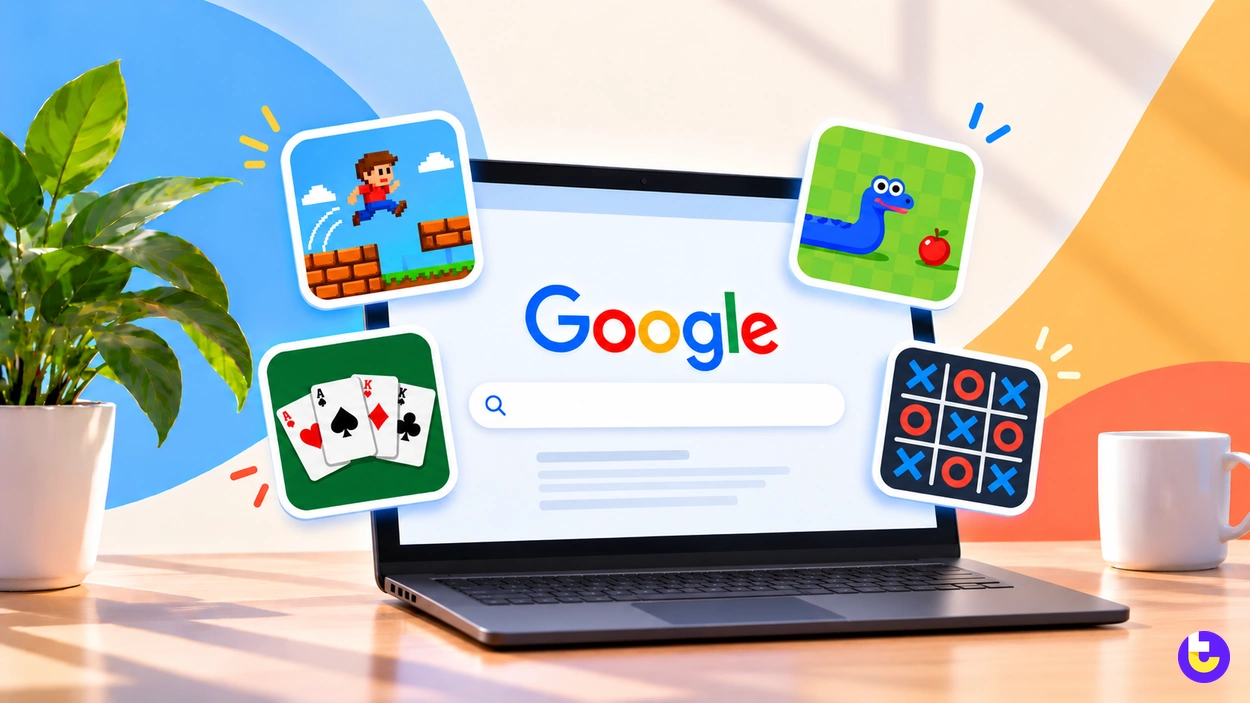


Google hidden games start with the Chrome Dino: 270 million Dino games are played every month, both on laptop and mobile, Google’s Chrome team said in 2018. It sits alongside card games in Search, a mystery in Google Earth and a long run of playable Doodles.
The first-ever playable Google doodle was PAC-MAN, on May 21, 2010. Since then, the Doodle Champion Island Games of July 23, 2021 packed seven sport mini-games into one Doodle. The eleven games below are ranked on how fast you can open them, whether they still play, how much game there is and which devices run them. Every launch date and figure comes from Google’s own pages, checked on October 25, 2026.
Key Takeaways
- Chrome’s Dino game logged 270 million games played every month, both on laptop and mobile, Google’s Chrome team said in 2018.
- The chrome://dino URL lets you play the Dino game without going offline, and it scores 8.70 on our weighted criteria.
- PAC-MAN became the first-ever playable Google doodle on May 21, 2010.
- The Doodle Champion Island Games launched on July 23, 2021 with seven sport mini-games and a real-time global leaderboard.
- Solitaire and tic-tac-toe play inside Google Search on desktop and in the Google app, a feature Google announced on August 25, 2016.
- The Quick, Draw! Dataset holds 50 million drawings across 345 categories, contributed by players of the game.
Quick Picks
Most of these games open from a single search or a click on a Doodle page. The Chrome Dino game alone logged 270 million games played every month when Google’s Chrome team counted them in 2018, so the picks below sort the rest by time and players.
- Best overall: Chrome Dino Game, played 270 million times a month and reachable at chrome://dino (Google’s 2018 count).
- Best for a long session: Doodle Champion Island Games, with seven sport mini-games and dozens of daring side quests.
- Best quick card game: Google Solitaire, which opens when you search for “solitaire” on Google, and scores 8.30.
- Best for two players: Pac-Man Doodle, where another coin brings in Ms. PAC-MAN so you can play together with someone else.
- Best for kids learning to code: Coding for Carrots, a coding game across 6 levels built on Scratch-style blocks.
Game | Google product | How to start | Best for |
|---|---|---|---|
Chrome Dino Game | Chrome | Go offline and press the spacebar, or open chrome://dino | A dropped connection |
Doodle Champion Island Games | Google Doodles | Click the Doodle and join one of four color teams | A long session |
Google Solitaire | Google Search | Search for “solitaire” | A quick card game |
Pac-Man Doodle | Google Doodles | Press “Insert Coin”; a second coin adds Ms. PAC-MAN | Two players on one keyboard |
Quick, Draw! | Google Creative Lab | Open quickdraw.withgoogle.com and draw | Seeing machine learning guess |
Google Tic-Tac-Toe | Google Search | Search for “tic-tac-toe” | Playing a friend |
Coding for Carrots | Google Doodles | Click the Doodle and snap coding blocks together | Kids learning to code |
Magic Cat Academy | Google Doodles | Press play and swipe spells | Halloween |
Garden Gnomes | Google Doodles | Click the Doodle to launch gnomes | Short casual play |
Carmen Sandiego in Google Earth | Google Earth | Find the special edition Pegman icon | Geography practice |
Doodle Baseball | Google Doodles | Click the Doodle | Baseball fans |
Source: Google Doodles, The Keyword (Google) and Google Creative Lab, October 2026
Each pick was scored across the weighted criteria in How We Ranked.
1. Chrome Dino Game
The Dino game shows itself on the new tab page when Chrome users find themselves offline, and pressing the spacebar turns the dino into a runner game. It ranks first on the scores table, and it is the one game here with a monthly play count: 270 million games were played every month, both on laptop and mobile, by the Chrome team’s 2018 count.
You do not have to lose your connection to play. Google created the chrome://dino URL, where folks can play without going offline, and it offers an “arcade mode” for a full-window experience. Over the years the game picked up pterodactyls and night mode.
By the numbers: The endless runner idea was born in early 2014, the Easter egg was submitted in September 2014, and by December 2014 the game had scaled to all platforms. In 2018, Google’s Chrome team counted 270 million games played every month, both on laptop and mobile.
Most players come from markets with unreliable or expensive mobile data, like India, Brazil, Mexico, or Indonesia. Chrome is not the only software that hides a toy behind a command. The Linux terminal Easter eggs are typed rather than discovered offline.
On school and work computers: Google gave enterprise admins a way to disable the game because school kids, and even adults who were supposed to be working, really got into it.

Offline Endless Runner
Chrome Dino Game
Best for Waiting out a dropped connection
- Scored from Google’s Chrome team interview: laptop plus mobile support earns the top reach mark and a typed URL earns high access marks, while a single endless runner holds down depth.
- Plays offline, the one game here that needs no connection.
- Has its own address for playing on demand.
- Runs on laptops and phones alike.
- A single endless runner with no levels to work through.
- Admins can switch it off on managed devices.
- Only a few upgrades over the years, like pterodactyls and night mode.
2. Doodle Champion Island Games
Doodle Champion Island Games, launched on July 23, 2021, is a world filled with seven sport mini-games, legendary opponents, and dozens of daring side quests. Champion Island ranks second overall and takes the top depth score, since you play as Lucky, a calico cat, and defeat each sport Champion to collect all seven sacred scrolls.
When you start, you join one of the four color teams to contribute to the real-time global leaderboard. Google made the Doodle in partnership with Tokyo-based animation studio STUDIO 4°C.
Sports Role-Playing Doodle
Doodle Champion Island Games
Best for A long session with side quests
- Scored from the Doodle archive page: seven sports and side quests earn the top depth mark, and opening it from the archive costs a step on access.
- The largest Doodle game in this list, with sports and side quests.
- Team play feeds a global leaderboard.
- Made in partnership with Tokyo-based animation studio STUDIO 4°C.
- Takes far longer than a one-search game.
- Opens from the Doodle archive, not a search.
- Best on a larger screen.
3. Google Solitaire
Google Search added solitaire on August 25, 2016, so you can play it on desktop and in the Google app. Solitaire ranks third because the whole game is one search away: when you search for “solitaire” on Google, the familiar patience game appears.
Google described solitaire and tic-tac-toe as two of the oldest and most popular games for all ages. Small hidden tools turn up across Google’s apps, from these Search cards to the shortcuts in Gmail tricks.
Search Card Game
Google Solitaire
Best for A quick card game
- Scored from Google’s Search announcement: a one-word search earns full access marks, and one standard game holds down depth.
- Opens with a single search.
- Works on desktop and in the Google app.
- No sign-in or download.
- Plays the familiar patience game, with nothing new to learn.
- Lives on a results page you may navigate away from.
- No score history to come back to.
4. Pac-Man Doodle
PAC-MAN arrived on May 21, 2010 as the first-ever playable Google doodle, and the Doodle ranks fourth on the strength of its two-player mode. If you throw in another coin, Ms. PAC-MAN joins and you can play together with someone else, using arrow keys and WASD keys.
Google’s doodle team included PAC-MAN’s original game logic, graphics and sounds, and even recreated original bugs from the 1980s game. The archive page still invites you to click the Doodle to play.
Arcade Maze Doodle
Pac-Man Doodle
Best for Two players on one keyboard
- Scored from the Doodle archive post: the two-player mode lifts depth, and keyboard controls hold down reach on phones.
- Two players share one keyboard.
- Faithful to the original arcade logic and sounds.
- Plays straight from the archive page.
- Keyboard controls suit a desktop more than a phone.
- A single maze, as in the original.
- No longer on the Google homepage itself.
5. Quick, Draw!
Quick, Draw! is a game built with machine learning: you draw, and a neural network tries to guess what you’re drawing. Quick, Draw! ranks fifth because it learns from its players: Players have contributed 50 million drawings across 345 categories to the Quick, Draw! Dataset. Google Creative Lab and the Data Arts Team built it, and its page says it has been trained on a few hundred concepts so far.
Key finding: The Quick, Draw! Dataset holds 50 million drawings across 345 categories, captured as timestamped vectors and tagged with what the player was asked to draw and the player’s country. Every round you play is a small labeled example, which is why the game guesses better the more it is played.

Machine Learning Drawing Game
Quick, Draw!
Best for Seeing machine learning guess
- Scored from the game’s page and its dataset documentation: a direct address and touch or mouse drawing lift reach, and short rounds hold down depth.
- Shows a neural network guessing in real time.
- Plays with a mouse or a finger.
- Each round takes seconds.
- The network does not always recognize a drawing.
- Rounds repeat once you know the prompts.
- Lives on its own site, not in Search.
6. Google Tic-Tac-Toe
Google added tic-tac-toe to Search on August 25, 2016, alongside solitaire, on desktop and in the Google app. Tic-tac-toe ranks sixth. It opens as fast as solitaire, but the game itself is shorter. You can select your level of difficulty or go head to head against a friend.
Search Board Game
Google Tic-Tac-Toe
Best for Playing a friend
- Scored from Google’s Search announcement: the one-word search earns full access, and the short game scores lowest on depth.
- A friend can play on the same screen.
- Difficulty levels for children and adults.
- Opens with a single search.
- Short games with little variety.
- The board sits on a results page.
- No online opponent.
7. Coding for Carrots
Coding for Carrots, the December 4, 2017 Doodle, was the first coding Doodle ever, made with the Google Blockly team and researchers from MIT Scratch. You program a furry friend across 6 levels by snapping together coding blocks based on the Scratch programming language for kids.
Coding for Carrots ranks seventh, with puzzles that reward thought over reflexes. The Doodle celebrated 50 years since kids programming languages were first introduced to the world.
Block-Coding Puzzle Doodle
Coding for Carrots
Best for Kids learning to code
- Scored from the Doodle archive post: puzzle levels lift depth, and drag-and-drop blocks hold down reach on small phones.
- Teaches block coding through play.
- Built with MIT's Scratch researchers.
- Levels get harder in steps.
- Only six levels.
- Drag-and-drop works best with a mouse.
- Opens from the Doodle archive.
8. Magic Cat Academy
Magic Cat Academy, the Halloween Doodle of October 31, 2016, has you swipe spells to save your friends and restore the peace at a school of magic. You cast out spirits by swiping in the shape of the symbols above the ghosts’ heads.
Magic Cat Academy ranks eighth. The swipe controls are fun, but the game is short. It includes five levels set in a school: the library, cafeteria, classroom, gym, and the building’s rooftop. The hero, Momo, was inspired by a real-life black cat that belongs to Doodler Juliana Chen.
Spell-Swiping Doodle
Magic Cat Academy
Best for A Halloween break
- Scored from the Doodle archive post: swipe controls lift reach on touch screens, and five levels hold down depth.
- Swipe controls suit a touch screen.
- A clear goal in each level.
- Bright, simple symbols for younger players.
- Five levels finish quickly.
- Fast symbols can frustrate new players.
- Seasonal theme.
9. Garden Gnomes
In Garden Gnomes, the Doodle from June 10, 2018, you use your trusty catapult to launch your clay gnomes into the farthest reaches of your garden. The farther a gnome travels, the more flowers you plant and the more points you earn.
One mechanic carries the whole game, which places it ninth. You can choose from six colorful gnomes with different shapes, weights, and bounciness. That one-mechanic loop is the same design that keeps casual Android games short.
Catapult Physics Doodle
Garden Gnomes
Best for Short casual play
- Scored from the Doodle archive post: a single catapult mechanic holds down depth.
- Learned in seconds.
- Six gnomes behave differently.
- A score to beat on each launch.
- One mechanic only.
- Little to do once you find the best gnome.
- Opens from the Doodle archive.
10. Carmen Sandiego in Google Earth
Google introduced The Crown Jewels Caper on March 13, 2019, the first in a series of Carmen Sandiego games in Google Earth. It was created in collaboration with Houghton Mifflin Harcourt, the home of Carmen Sandiego, as an homage to the original.
The game ranks tenth because its entry point takes the most finding. To get your assignment, you look for the special edition Pegman icon in Google Earth for Chrome, Android and iOS.

Globe-Trotting Mystery Game
Carmen Sandiego in Google Earth
Best for Geography practice
- Scored from Google’s Earth announcement: the Pegman hunt costs access, and the clue chase earns depth.
- Teaches geography through a real map.
- Runs in Chrome and on Android and iOS.
- A story-driven chase.
- The entry point takes some finding.
- Needs Google Earth rather than a plain search.
- Slower than a one-click Doodle.
Is there a hidden game in Google Earth?
Yes. Google Earth hides The Crown Jewels Caper, a Carmen Sandiego game you start from a special edition Pegman icon in Google Earth for Chrome, Android and iOS. You follow clues from city to city on the real globe, so it doubles as geography practice for children.
11. Doodle Baseball
Doodle Baseball celebrates U.S. Independence Day with a backyard BBQ ball game, and classic American summertime snacks are stepping up to the plate. A single batting game puts it last. Timing each swing is the whole game, and the snack-themed players are the charm. The first Doodle launched in 1998, before Google was officially incorporated, according to the Doodle archive.
Batting Game Doodle
Doodle Baseball
Best for Baseball fans
- Scored from the Doodle archive post: one batting mechanic scores lowest on depth.
- One-button timing anyone can learn.
- Playful food characters.
- Plays from its archive page.
- Batting only, no fielding.
- Short rounds.
- Opens from the Doodle archive.
Verdict by Use Case
The eleven Google hidden games score between 6.75 and 8.70 out of 10, a spread of under two points, so the right one depends more on your time, your device and who is playing with you than on the rank.
- Best for a dropped connection: the Chrome Dino Game, which needs no internet at all.
- Best for a long session: Doodle Champion Island Games, with sports and side quests.
- Best for a two-minute break: Google Solitaire, one search away.
- Best for two players: the Pac-Man Doodle, where a friend joins on the WASD keys.
- Best for kids: Coding for Carrots for logic, or Carmen Sandiego for geography.
- Best for touch controls: Magic Cat Academy, built around swipes.
All eleven run in a browser or a Google app, so none needs a dedicated graphics card.
When Each Google Hidden Game Launched
The eleven Google hidden games span 2010 to 2021, and most arrived as Doodles tied to a date. PAC-MAN opened the run on May 21, 2010 as the first-ever playable Google doodle, and Champion Island Games is the most recent, from July 23, 2021. Google’s own blog dates Quick, Draw!, by Google Creative Lab, to November 2016, and players had drawn one billion doodles in it by December 2017.
View the data
How We Ranked
Eleven games were scored on four criteria weighted to 100%. Access leads at 30% because a hidden game is only useful if you can open it. Each score comes from Google’s own launch pages: the Doodle archive, The Keyword and the Quick, Draw! site and dataset documentation.
View the data
Evidence per criterion. Access came from the way Google says each game opens, and availability from whether its Google page still offers the game. Depth came from the levels, modes and players each page describes, and reach from the devices Google names.
Game | Access (30%) | Availability (25%) | Depth (25%) | Reach (20%) | Weighted total |
|---|---|---|---|---|---|
Chrome Dino Game | 9 | 10 | 6 | 10 | 8.70 |
Doodle Champion Island Games | 7 | 9 | 10 | 8 | 8.45 |
Google Solitaire | 10 | 8 | 6 | 9 | 8.30 |
Pac-Man Doodle | 8 | 9 | 7 | 8 | 8.00 |
Quick, Draw! | 8 | 9 | 6 | 9 | 7.95 |
Google Tic-Tac-Toe | 10 | 8 | 4 | 9 | 7.80 |
Coding for Carrots | 7 | 9 | 7 | 7 | 7.50 |
Magic Cat Academy | 7 | 9 | 6 | 8 | 7.45 |
Garden Gnomes | 7 | 9 | 5 | 7 | 7.00 |
Carmen Sandiego in Google Earth | 5 | 7 | 8 | 8 | 6.85 |
Doodle Baseball | 7 | 9 | 4 | 7 | 6.75 |
Source: TechLila scoring rubric, October 2026
Candidate pool. Seventeen games were evaluated and eleven were scored. Inclusion required a game made by Google and a Google page describing how it plays.
Exclusions. Six games were evaluated and not ranked:
- Snake and Minesweeper in Search: left out because we could not capture a Google page that announces them.
- Snake in Google Maps: its Google announcement page no longer loads.
- Atari Breakout in Image Search: No Google page describing it could be captured.
- Google Gravity and Google Feud: left out because neither is listed on a Google page as a Google product.
Evidence completeness. Each game was scored against the criteria above using its Google launch page. Where a page did not describe a criterion, that criterion was scored at the midpoint, and the item’s writeup says so.
How do you find Google hidden games on your phone?
Start with Chrome and the Google app. The Chrome Dino game is played on both laptop and mobile, and solitaire and tic-tac-toe play in the Google app as well as on desktop. The Dino is the one game here built for no signal at all, the same need dedicated offline Android games answer.
On Android and iOS, Google Earth hides the Carmen Sandiego game behind a special edition Pegman icon. None of these needs an install beyond Google’s own apps, unlike the downloads in our fun Android games ranking.
Conclusion: Which Google hidden game should you play first?
Start with the Chrome Dino Game. It is the one game on this list that works offline, and chrome://dino opens it any time. Google’s Chrome team counted 270 million Dino games played every month in 2018, while the PAC-MAN doodle from May 21, 2010 lets you play together with someone else.
For a longer session, the Champion Island Games carry the most game, and Coding for Carrots or Carmen Sandiego suit children. Each one opens from Google’s own page, so bookmark the ones you like before the next Doodle pushes them down the archive.

James
I was looking for such a list for a while now and I have to admit that these games are pretty entertaining. I used to be addicted to the endless running dinosaur and PacMan. Now that I know how to try them all, I will certainly be playing every time I open Google! :P