



Google announced Googlebook on May 12, 2026, a laptop category built by bringing together Android and ChromeOS. That makes this the first year the question has an official answer coming. Until those machines ship, the practical choices split by the operating system already on your PC and by what you actually want to run.
Eight options install or run today, and they differ far more in maintenance than in features. Three widely recommended names belong in neither group, because their owners have published notices that competing lists have not caught up with. This ranking weighs maintenance evidence from each project’s own documentation ahead of feature lists, which is why the name other lists recommend most often finishes last here.
Key Takeaways
- Google announced Googlebook on May 12, 2026, built by re-baselining ChromeOS on the Android stack with 5 named OEM partners.
- Google Play Games on PC is free and available in more than 140 regions.
- Waydroid runs a LineageOS-based system image currently based on Android 13 inside a Linux container.
- PrimeOS 3.0 is built on Android 15, with Gemini and Cloud PC access.
- Windows Subsystem for Android left the Microsoft Store on March 5, 2025.
- The newest stable Android-x86 release named on the project’s own page is 8.1-r6, dated June 23, 2021.
Quick Picks
Eight of these ten options install or run today, and the split is decided by the operating system already on your PC. Google Play Games on PC covers more than 140 regions on Windows, Waydroid covers Linux on Android 13, and bare-metal installs cover the rest.
- Best overall: Genymotion Desktop tops the weighted scoring and covers Android 5.0 to 15.0 free for personal use.
- Best official client: Google Play Games on PC is free in more than 140 regions.
- Best without installing anything: Android Desktop Mode turns a recent Android phone or tablet into a windowed desktop, with nothing to put on the PC.
- Best for Linux: Waydroid runs a LineageOS image on Android 13 with direct hardware access.
- Best for an old or low-end PC: Android-x86 still boots on hardware nothing else will, at Android 8.1.
Pick | Host OS | Cost | What it actually runs | Best for |
|---|---|---|---|---|
Genymotion Desktop | Windows, Linux, macOS | Free tier | Configurable virtual devices | App developers and testers |
Google Play Games on PC | Windows | Free | Google Play games catalog | Gaming without an Android phone |
Android Desktop Mode | Android phone | Free | Your phone, in windows | People with a recent Android phone |
Waydroid | Linux | Free | Full Android system in a container | Linux desktops |
PrimeOS | Bare metal, Primebook | Free | Desktop-style Android | Laptop-first Android |
FydeOS | Bare metal | Free tier | Web, Android and Linux apps | Managed and kiosk deployment |
BlueStacks | Windows, macOS | Free | Android games, plus cloud | The widest game catalog |
Bliss OS | Bare metal | Free | Full Android as the only OS | Enthusiasts who build from source |
Android-x86 | Bare metal | Free | Older Android on x86 | Legacy and low-spec hardware |
Googlebook | Ships as the OS | Hardware cost | Android plus ChromeOS | Buyers who can wait |
Source: Project and vendor documentation, September 2026
Each pick was scored across the weighted criteria in How We Ranked.
1. Genymotion Desktop
Genymotion Desktop scores best on the weighted criteria, because it is the only route here that offers Android 16.0 at all and the only one that installs on Windows, Linux and macOS alike. The vendor states that Android 5.0 to 15.0 are available for free, and Android 16.0 is only available with a paying license. That range covers essentially every version a tester needs.
Genymotion ships over 40 ready-to-use customizable phone and tablet templates, runs on Windows, Linux and macOS, and is compatible with any ADB-based IDE such as Android Studio. Native ARM64 images are available on Apple Mac M series without any translation layers, which is the cleanest Apple Silicon story on this list. Readers weighing how much that matters will find the numbers in our breakdown of Apple’s ecosystem lock-in.
Key finding: Per Genymotion’s own product page, the free for personal use edition includes GPS spoofing, Screen Capture, Battery, Call and SMS simulation, Android Identifiers, Google Play Store and Storage Speed, while the same page’s emulated-features list marks Network Settings, Advanced Developer Tools, Media injection, Gamepad, Baseband and Biometrics as PRO. For app testing rather than app use, that division puts the essentials on the free side.
Android Virtual Device Platform
Genymotion Desktop
Best for app developers and QA testers
- Scorecard: weighted total 8.4 across four of the five criteria: maintenance 9, compatibility 8, hardware 9, security not scored, cost 6.
- Scored from Genymotion’s own product page, which supplies the version range, the host list and the free-tier split, and publishes no patch policy, so security stayed unscored.
- Free personal tier spans Android 5.0 to 15.0
- Over 40 device templates out of the box
- Works with any ADB-based IDE
- Native ARM64 images on Apple Mac M series
- Full GPU acceleration from the host machine
- Android 16.0 requires a paid license
- Personal-use tier has no technical assistance
- Several widgets are reserved for the paid tier
- Built for testing rather than daily app use
2. Google Play Games on PC
Google Play Games on PC is the only route here that Google ships for an existing Windows PC, rather than for a phone or for hardware you have to buy. Per Google Play, it is available in more than 140 regions, at no cost. It installs as a Windows executable. Signing in carries progress across devices, because setting up an account through Google Play Games on PC automatically sets up the Google Play Games profile.
The security posture is the part competing lists skip. Google Play runs over 10,000 safety checks on every game it offers. That is a materially different proposition from side-loading an unsigned system image onto a laptop.
An iPhone owner can still use Google Play Games on a Windows PC, so no Android handset is required. Readers assembling a wider toolkit can pair it with our roundup of must-have Android apps.
Official Google Play Client
Google Play Games on PC
Best for gaming on a PC without owning an Android phone
- Scorecard: weighted total 8.1 across all five criteria: maintenance 9, compatibility 5, hardware 8, security 10, cost 10.
- Scored from Google’s own product page and its safety-check disclosure; no other route here documents its security in that detail, and compatibility is the drag, because it runs games rather than general apps.
- Built, signed and updated by Google, so it never goes stale mid-year
- Free, with no license tier or watermark
- Available in more than 140 regions
- Play profile and progress sync across PC and mobile
- Games pass Google Play's own safety checks
- Games only, so it will not run a general Android app
- Windows only
- Catalog is limited to titles developers opt into
- No system-level Android access for tinkering
If you want more than games, and your desktop is Linux, a container gives you the whole Android system instead. For the broader app-compatibility picture, our guide to running Android apps on a PC covers the trade-offs per route.
3. Android Desktop Mode
Android’s own desktop mode needs no PC install at all, and it scores well because it runs the full Android app catalog on documentation Google still maintains. That documentation describes it precisely: desktop windowing enables users to run multiple apps simultaneously in resizable app windows. The same page adds a taskbar in a fixed position at the bottom of the display showing the running apps and a customizable header bar decorating the top of each window with controls such as minimize and maximize.
Entering and leaving it is a keyboard action. Users can invoke desktop windowing with the Meta key plus Ctrl plus Down, and the Meta plus H shortcut exits desktop windowing and runs apps full screen again. Apps with locked orientation are freely resizable in desktop windowing, which removes the single biggest annoyance of phone apps on a large display. Version numbering across releases is set out in our reference on Android version names.
Built-In Android Windowing
Android Desktop Mode
Best for people who already own a recent Android phone or tablet
- Scorecard: weighted total 7.4 across three of the five criteria: maintenance 9, compatibility 9, hardware 3, security not scored, cost not scored.
- Scored from Google’s current developer documentation, which is neither a pricing page nor a security page, so those two criteria stayed empty; hardware reach scores 3 because nothing runs on the PC.
- Nothing to install on the PC
- Resizable windows, taskbar and per-window controls
- Keyboard shortcuts to enter and exit
- Orientation-locked apps become resizable
- Runs on the Android device, not on your PC
- Availability depends on the device and release
- App layouts vary in how well they adapt
- No access to your PC's storage or GPU
4. Waydroid
Waydroid is the strongest Linux option, because it runs Android as a container rather than as a guest machine. The project states that it uses Linux namespaces to run a full Android system in a container and provide Android applications on any GNU/Linux-based platform (arm, arm64, x86, x86_64). That architecture is why it performs the way it does on modest hardware.
The Android system inside the container has direct access to needed hardware through LXC and the binder interface, and the runtime ships with a minimal customized Android system image based on LineageOS, currently based on Android 13. Android 13 is three releases behind a current phone, which matters less here than it looks: app compatibility, not version number, is what a desktop user actually hits.
Worth noting: Waydroid’s own install reference is specific about graphics. Waydroid uses Android’s mesa integration for passthrough, which enables support for Intel and AMD GPUs on the PC side, and the project recommends software rendering for Nvidia GPUs except Tegra, and for VMs.
Containerized Android Runtime
Waydroid
Best for Linux desktops that need real Android apps
- Scorecard: weighted total 7.2 across all five criteria: maintenance 7, compatibility 8, hardware 6, security 6, cost 10.
- Scored from the project’s own page, which supplies the container architecture, the Android 13 base and the OTA endpoints; the Nvidia software-rendering note and the live-mode restriction hold hardware reach down.
- Container approach gives near-native performance
- Android apps appear in the Linux applications folder
- Multi-window mode and a full-screen UI mode
- Free and open source
- Supports 4 architectures: arm, arm64, x86 and x86_64
- Linux and Wayland only
- System image sits on Android 13
- The project recommends software rendering for Nvidia GPUs except Tegra
- It will not work while running in live mode and must be installed before working properly
Choosing between Waydroid and the Windows options is really a choice between host systems, which our comparison of Windows and Linux differences sets out in more detail.
5. PrimeOS
PrimeOS is the desktop-style Android build that ships on retail hardware. The vendor calls the current version Android 15-built PrimeOS 3.0, lightning-fast, zero bloat, with contextual in-built AI powered by Gemini and seamless Cloud PC access. That is a newer Android base than Waydroid’s or Android-x86’s, and the catch is that PrimeOS 3.0 is presented as Primebook software rather than as a generic PC download.
The Cloud PC feature is the genuinely unusual part of the package. PrimeOS advertises launching Windows applications such as AutoCAD, Excel or Photoshop straight from the cloud, with no heavy installs. That addresses the one thing a pure Android laptop cannot do locally.
Desktop-Style Android Build
PrimeOS
Best for laptop-first Android with Windows apps from the cloud
- Scorecard: weighted total 7.0 across three of the five criteria: maintenance 8, compatibility 9, hardware 3, security not scored, cost not scored.
- Scored from the vendor’s own site, where the Android 15 base is newer than anything else here, and where no generic download, no price and no update policy are published, which caps hardware reach and empties two criteria.
- Runs on Android 15, a newer base than Waydroid's or Android-x86's
- PrimeOS 3.0 lists keymapping among its features
- Cloud PC launches Windows applications without local installs
- Gemini integrated at the system level
- Presented as Primebook hardware software rather than a generic download
- Hardware support outside Primebook is not guaranteed
What is the best Android OS for a low-end PC?
Android-x86 is the pick for genuinely old x86 machines, since its 8.1-r6 line still boots where newer images will not. On anything reasonably modern, PrimeOS is the better answer. PrimeOS 3.0 uses an Android 15 base, and its desktop shell targets keyboard and mouse rather than adapting to them.
6. FydeOS
FydeOS is the managed-deployment answer, and the vendor’s own feature list is the reason it ranks here: FydeOS supports Web, Android, and Linux apps seamlessly, with an 8-second boot and built-in security through read-only access. Running all three application types on one machine is the thing ChromeOS Flex cannot do, and it is why FydeOS keeps appearing in kiosk and signage deployments.
The vendor positions FydeOS against Windows on pricing, stability, security, performance, update handling and hardware compatibility, claiming broad compatibility with PCs, tablets and ARM single-board computers.
ChromiumOS-Derived Desktop
FydeOS
Best for kiosks, signage and fleet-managed devices
- Scorecard: weighted total 6.9 across all five criteria: maintenance 6, compatibility 7, hardware 7, security 8, cost 7.
- Scored from the vendor’s own feature list, where the read-only file system, the automatic background updates and the management console earn a strong security mark, while no version number or dated release holds maintenance down.
- Runs web, Android and Linux apps on one device
- Boots in roughly 8 seconds
- Read-only file system limits malware persistence
- FydeOS Management Cloud controls and configures thousands of devices and policies, and brand customization replaces the system logo with your own
- Broad hardware support including ARM boards
- Not a pure Android system
- Full management features sit in the enterprise tier
- Free version is feature-limited
- Smaller community than the Android-first projects
7. BlueStacks
BlueStacks leans hardest into games, and the company positions it plainly: play Android games on PC, Mac or try instantly from the cloud. It is an application running on your existing desktop rather than an operating system replacing it, which is exactly why it is the lowest-risk way to test whether Android on a big screen suits you at all.
Because it installs alongside Windows or macOS, it repartitions nothing and overwrites nothing. Our figures on macOS market share show how much of that Mac audience is actually out there. The trade-off is that you run Android inside another operating system, which caps performance below a bare-metal install or a Linux container. A desktop-style shell still ships with it, and readers comparing launcher behavior will find our roundup of Android launchers useful for the same reasons.
Android App Player
BlueStacks
Best for trying Android games with zero risk to your install
- Scorecard: weighted total 6.9 across four of the five criteria: maintenance 7, compatibility 5, hardware 8, security not scored, cost 9.
- Scored from the download page, which names a current version and two host systems and says nothing about security; it ties FydeOS once rounded and ranks below it because every criterion could be scored for FydeOS.
- Installs alongside Windows or macOS with no repartitioning
- Games-first client built around the Android game catalog
- Cloud option runs titles without a local install
- Free to use
- An application, not an operating system
- Performance ceiling below bare metal or a container
- Advertising and promotional surfaces in the client
- Games-first, so general app use is secondary
8. Bliss OS
Bliss OS is the full-desktop Android project that competing lists still recommend, and its current status is easy to get wrong. The project’s own home page is unambiguous: Bliss OS is still under development, public images are paused, and the source is not. That single line is why it sits near the bottom of this list. A project you cannot download today is not a recommendation you can act on today, however good the code is.
The project states that new installer, kernels and trees are landing, and invites contributors who can write code, test hardware, rewrite docs or spare a build machine. For anyone able to build from source, the project’s own status note says that work is landing now.

Full Android Desktop Distribution
Bliss OS
Best for enthusiasts who can build from source
- Scorecard: weighted total 4.4 across two of the five criteria: maintenance 6, compatibility not scored, hardware 2, security not scored, cost not scored.
- Scored from the project’s home page, which gives its development status and its paused images and says nothing about Android version, apps, security or licence, the thinnest evidence base on this page.
- Source tree stays active while images are paused
- New installer, kernels and device trees in progress
- Free and open source
- Open contributor route through Matrix and Telegram
- Public images are paused, so there is no ready ISO
- Building from source is a real prerequisite
- No fixed release date published
- Hardware support varies by machine
9. Android-x86
Android-x86 is the project every list still names and the one with the weakest current evidence. It is an open source project, licensed under Apache Public License 2.0, that created its own code base to provide support on different x86 platforms. Its stated goal is to provide a complete solution for Android on common x86 platforms.
The changelog disagrees: its What’s New list dates the Android-x86 8.1-r6 release, the sixth stable release of oreo-x86, to 2021-06-23. That is also where the trail ends, at a 2022-04-15 entry recording that the r-x86 branch is ready for developers.
By the numbers: Android-x86’s own page lists its newest stable build as 8.1-r6 from June 23, 2021, and its newest news item as a branch note from April 15, 2022. The project is licensed under Apache Public License 2.0, with some components under GNU General Public License 2.0 or later, so the code remains freely forkable even while releases have stalled.
It still earns a place, because on a genuinely old machine it is often the only image that boots at all. Install it knowing you are running an Android release that stopped receiving security patches years ago, and keep it off any account that matters.
AOSP Port to x86
Android-x86
Best for old and low-specification x86 machines
- Scorecard: weighted total 3.8 across all five criteria: maintenance 1, compatibility 3, hardware 8, security 1, cost 10.
- Scored from the dated changelog on the project’s own page, which sets both the maintenance and the security mark; hardware reach is the single reason it still appears at all.
- Boots on hardware newer projects will not touch
- Free and open source under Apache 2.0
- The reference codebase much of this field forked from
- Multiple download mirrors still available
- Newest stable release dates from June 2021
- No security patches for years
- Newest changelog entry of any kind is from April 2022
- The newest stable build is Android 8.1, a base its own changelog dates to 2021
10. Googlebook
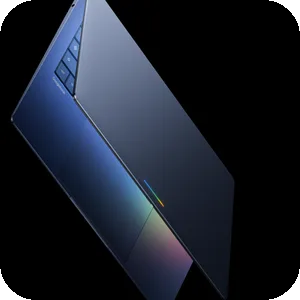
Googlebook is the answer Google intends to give this question. The company set out the reasoning at announcement. Google described bringing together Android, which comes with powerful apps on Google Play and a modern OS, and ChromeOS, which comes with the world’s most popular browser, into Googlebook, a new category of laptops. Google framed the move against the Chromebook it introduced over 15 years ago, as an opportunity to rethink laptops again.
Google named Acer, ASUS, Dell, HP and Lenovo as partners on the first Googlebooks, and said devices become available this fall. Google also stated that being built on part of the Android tech stack lets it bring new innovations faster to all users, including on laptops. Buyers weighing the hardware side will find our comparison of laptop brands covers four of those five partners.
Official Android Laptop Category
Googlebook
Best for buyers who can wait for official hardware
- Official Google platform with first-party support
- 5 major OEM partners named at announcement
- Built on the Android stack, so Play apps are native
- Ships as the machine's operating system, with no install risk
- Not purchasable yet
- No published pricing
- Cannot be installed on hardware you already own
- Unscored here, because no shipping device exists to evaluate
Verdict by Use Case
Seven of the nine scored routes land between 8.4 and 6.9, so use case decides more than rank does. Bliss OS at 4.4 and Android-x86 at 3.8 sit apart, one because it publishes no images and the other because its newest build is five years old.
- Best overall and for developers: Genymotion Desktop, because it scores highest on the weighted criteria, and because Android 5.0 to 15.0 free plus ADB-based IDE support covers the whole test matrix on three host systems.
- Best official client: Google Play Games on PC, free in more than 140 regions.
- Best for Linux: Waydroid, because container architecture with direct hardware access beats every virtualized alternative on the same machine.
- Best for gaming: BlueStacks for catalog breadth, Google Play Games on PC for titles Google distributes directly and checks.
- Best if you already own a recent Android phone: Android Desktop Mode. It costs nothing and installs nothing.
- Best for an old or low-end PC: Android-x86, accepting a build dated June 2021 as the price of booting at all.
- Best to wait for: Googlebook, if your upgrade can hold until this fall.
How We Ranked
Five criteria, weighted to 100%, were scored from each project’s or vendor’s own published documentation, with maintenance and release recency carrying the heaviest weight at 30% and cost the lightest at 10%. Every score traces to a page the owner publishes.
Thirteen routes were evaluated and nine scored, which produced weighted totals of 8.4, 8.1, 7.4, 7.2, 7.0, 6.9, 6.9, 4.4 and 3.8 out of 10. Each scored route carries its own scorecard under its heading.
Evidence per criterion. Maintenance scores came from each project’s own changelog, release notes or status page. Compatibility scores came from published system images, Android base versions and stated app-type support. Hardware reach came from published architecture and minimum requirements.
Security posture came from published update policy, store safety checks and file-system design. Cost came from published pricing and license pages.
Candidate pool. Thirteen routes to running Android on a PC entered the evaluation. Inclusion required a reachable primary source on the owner’s own domain stating current status. The route also had to be one a reader can act on without contacting the vendor.
Pick | Weighted total (out of 10) | Criteria scored |
|---|---|---|
Genymotion Desktop | 8.4 | 4 of 5 |
Google Play Games on PC | 8.1 | 5 of 5 |
Android Desktop Mode | 7.4 | 3 of 5 |
Waydroid | 7.2 | 5 of 5 |
PrimeOS | 7.0 | 3 of 5 |
FydeOS | 6.9 | 5 of 5 |
BlueStacks | 6.9 | 4 of 5 |
Bliss OS | 4.4 | 2 of 5 |
Android-x86 | 3.8 | 5 of 5 |
Source: TechLila weighted scoring, September 2026
Why each scored where it did. Genymotion Desktop leads on the version range it offers and on running across three host systems. Google Play Games takes the highest security score of any route here and loses the lead on compatibility, because it runs games rather than apps. Android Desktop Mode scores well on maintenance and compatibility and badly on hardware reach, since it runs on the phone rather than on the PC.
Waydroid trades an older Android base against direct hardware access, and PrimeOS trades the newest Android base against availability on generic hardware. FydeOS and BlueStacks tie on the rounded total, and FydeOS ranks higher because every criterion could be scored for it.
Bliss OS scores on two criteria only, because its home page reports status and nothing else. Android-x86 finishes last because maintenance carries the heaviest weight and its newest stable build is the oldest here.
Exclusions. Three widely recommended options were evaluated and rejected:
- Windows Subsystem for Android: Microsoft’s documentation states that starting March 5, 2025, Windows Subsystem for Android and the Amazon Appstore are no longer available in the Microsoft Store.
- ChromeOS Flex: Google’s differences page states that ChromeOS Flex supports the deployment of some Android VPN apps, not the Play catalog, so it fails the category test. Its minimum requirements are an Intel or AMD x86-64-bit compatible device with 4 GB of RAM and 16 GB of internal storage.
- Intel’s Project Celadon: the celadon-documentation repository was archived by the owner on January 27, 2026 and is now read-only.
Phoenix OS, Remix OS and OpenThos were also considered and left unranked, because no reachable primary source on their own domains states a current release.
Rounding. Weighted totals are rounded half up to one decimal place, so a route computing to 6.85 is published as 6.9.
Evidence completeness. The scoring drew on each project’s or vendor’s own published documentation, Google’s help centers, Microsoft Learn and repository status. Where a criterion had no evidence, it stayed unscored, the item’s scorecard names it, and that item’s weighted total was calculated across the criteria that were scored. A total resting on fewer criteria is less comparable than one resting on all five, so the table above prints how many each pick covers. Googlebook stays unscored, because no shipping device exists to evaluate.
Last reviewed: September 20, 2026 by Vedant Kumar. Next review: March 2027.
Will there be an Android OS for PC in 2026?
Yes, and Google is building it. Google announced Googlebook on May 12, 2026 as a new category of laptops bringing together Android and ChromeOS, with Acer, ASUS, Dell, HP and Lenovo as partners and devices arriving this fall.
That does not replace the nine options above for existing hardware. Googlebook ships as the operating system on new machines, not as an image you install on a PC you already own. Anyone wanting Android on current hardware still chooses between the official Windows client, a Linux container and a bare-metal install.
Is a full Android OS better than an Android emulator on a PC?
It depends on whether you want Android to be the machine or to be an application on it. A full install or container gives direct hardware access: Waydroid’s Android system has direct access to needed hardware through LXC and the binder interface. No application-level player can match that.
An emulator wins on reversibility and on breadth. Genymotion’s virtual devices use full GPU acceleration from the host machine and work with any ADB-based IDE, and BlueStacks installs without touching your partitions. If the host machine is the bottleneck, our roundup of Windows tuning tips is the place to start. For most readers the emulator is the right first move, because it answers the question of whether you want Android on a big screen before you commit a disk to finding out.
Is it safe and legal to install Android on a PC?
Installing Android on a PC is legal, and the safety question turns on maintenance. Every project here ships under a published open-source or free-tier license, so installing one breaks no terms. The risk sits in unmaintained images, not in the install itself.
Android-x86 is an open source project licensed under Apache Public License 2.0, with some components licensed under GNU General Public License 2.0 or later. Those terms are what permit these forks to exist at all, and none of them requires a key or a paid tier to install.
Safe depends on the build. A maintained route keeps its patch pipeline: Google Play runs over 10,000 safety checks on every game it offers. An unmaintained image does not, which is the real cost of installing a build whose newest stable release is years old. Keep an aging Android install off accounts that hold payment details, and treat it as a second machine rather than a primary one. Anyone running an older build should also read our roundup of antivirus apps for Android.
Conclusion
Google announced Googlebook on May 12, 2026. That changes what this question means: for the first time the category has an official answer arriving, which turns nine community and vendor routes into a bridge rather than a destination. Until those machines ship, the pick follows the host system: Google Play Games on PC in more than 140 regions on Windows, Waydroid on Linux, PrimeOS or FydeOS on bare metal, and Genymotion for anyone testing apps rather than using them.
The names to drop are the ones with published notices behind them. Windows Subsystem for Android has been out of the Microsoft Store since March 5, 2025, and the celadon-documentation repository went read-only on January 27, 2026. Meanwhile, Android-x86’s What’s New list still dates its 8.1-r6 stable release to 2021-06-23. Anyone recommending those three today is working from a version of this field that no longer exists.

Robert
Nice post. Thanks for sharing tips. I am also an android user. I am trying your tips on my desktop.
Thank you.
Mahesh Dabade
Thanks Robert, let us know your experience :)
Alex Papaconstantinou
Very few people use Android as an OP system in an desktop environment. However, now a lot more developers port Android OS for PC.
Pankaj Rawat
Kindly review PrimeOS – Android-based OS for PCs/Laptops. Its daily use and gaming experience are really amazing! You can also download it for free!
Vimal Rathod
You write well I learned a lot from this blog. My question was answered but I also got the information I needed.
Roslia Santamaria
Nice. I liked your blog posts. Thanks for sharing useful information.