


Windows 10 ships with a built-in dark mode, and third-party dark themes go further by restyling window frames, the taskbar and File Explorer. Every theme below is a free download. Know this before you start: Windows 10 reached end of support on October 14, 2025. Microsoft no longer ships security fixes or technical assistance for it, and Extended Security Updates are now the only supported route to keep receiving patches. The themes still work. You are just styling an operating system that is no longer being repaired.
Current as of September 2026. Ten dark themes follow, starting with the official one that needs no download, then nine third-party visual styles, and finally the manual route for apps and browsers.
Key Takeaways
- The built-in dark mode in Settings → Personalization → Colors is the zero-risk pick, since it needs no download and never touches a system file.
- All 10 themes are free, and every third-party style except Dark/Grey needs a patcher such as UltraUXThemePatcher, so set a restore point before installing one.
- Penumbra 10 stays closest to the stock layout, while Templaero Revamped adds translucent windows through Aero Glass for Windows 10.
- Check the build each theme names before installing, since Penumbra 10 lists Build 10586 and Build 14393, Matte and Gray Dark list 1703 through 2009 (20H2), and nARC names no specific Windows 10 build.
- Windows 10 reached end of support on October 14, 2025, so a PC that qualifies for Windows 11 gains more from the upgrade, where dark mode needs no patcher.
Before You Install a Third-Party Theme
The official dark mode is a settings toggle and carries no risk. Eight of the nine third-party visual styles are different: Windows only loads themes signed by Microsoft, so each of them needs a patcher such as UltraUXThemePatcher or SecureUxTheme to lift that restriction. Dark/Grey is the exception, because it is built on Windows’ own High Contrast theme. That is a change to system files, not a wallpaper. Downloads from DeviantArt also require a free DeviantArt account.
- Create a restore point first. Press Start, type Create a restore point, open System Protection, and click Create. This is the one step worth not skipping.
- Match the theme to your build. Visual styles are written against a specific Windows 10 release, and one built for 1909 can break the shell on a later build.
- Remember that Windows 10 is out of support. A future update will not quietly repair a bad patch, because there are no more feature updates. ESU covers security fixes, not theme breakage.
- If the shell breaks, boot into Safe Mode, switch back to the default Windows theme, then uninstall the patcher.
How do I download a dark theme for Windows 10?
The official dark mode needs no download at all: open Settings → Personalization → Colors and set the app mode to Dark. Third-party themes are free downloads from DeviantArt, SkinPacks or GitHub, and all but Dark/Grey need a patcher such as UltraUXThemePatcher before Windows will load them.
Is Windows 10 still supported in 2026?
No. Windows 10 reached end of support on October 14, 2025. Microsoft no longer issues security fixes or technical assistance, and Extended Security Updates are the only supported way to keep receiving patches. Dark themes still install and run normally.
Do dark themes slow Windows down?
A visual style changes how the shell is drawn, not how it runs, so day-to-day speed is unchanged. The real cost is stability: a theme built for a different Windows 10 build can break Explorer, which is why a restore point matters more than benchmarks here.
#1 The Official Windows 10 Dark Theme
We previously mentioned that Windows 10 doesn’t have an official Dark Theme; however, this was only partially correct. Windows 10 does have a dark theme, but it isn’t visible from the standard Settings area. If you have the Windows 10 Anniversary update, you will have the option to enable a dark theme on your device.
To do this, go to Settings > Personalization > Colors. There, you can switch between Dark and Light themes. One limitation is that the theme may not be effective on third-party apps and in some areas of the operating system.
But what about those who haven’t updated to the Windows 10 Anniversary version? Don’t worry; there’s an unofficial method to enable a Dark Theme on your PC.
If you are running Windows 10, you can follow these steps.
- Start > Run.
- Type RegEdit in the Run command box.
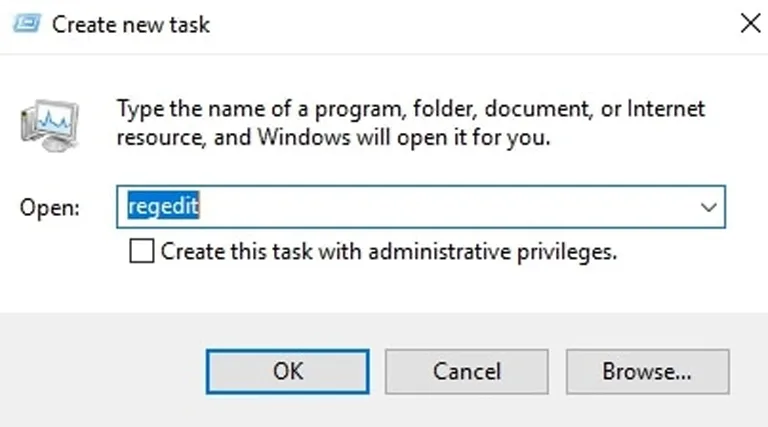
- In the coming window, go to:
HKEY_LOCAL_MACHINE\SOFTWARE\Microsoft\Windows\CurrentVersion\Themes\Personalize
- Here, you have to add a new DWORD. Name it AppsUseLightTheme and give the value as ‘0’.
- Now, go to:
HKEY_CURRENT_USER\SOFTWARE\Microsoft\Windows\CurrentVersion\Themes\Personalize
- You have to add the same DWORD. AppsUseLightTheme and value ‘0’.
- Once you are done, you need to reboot your PC.
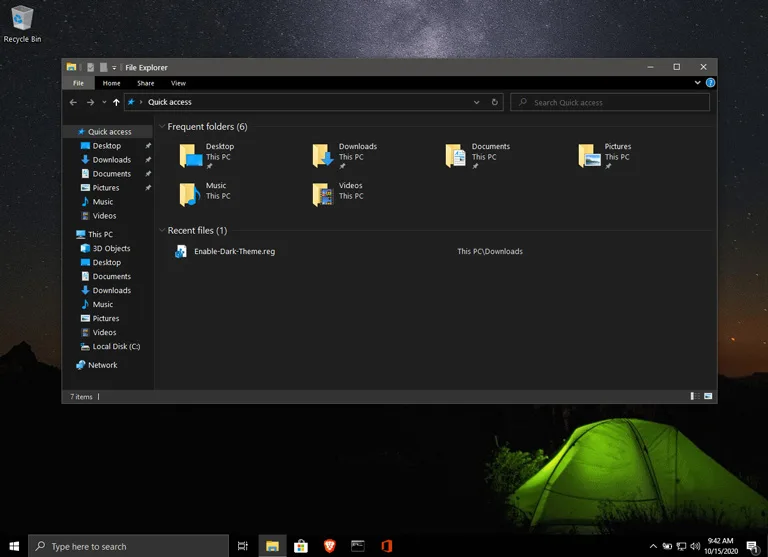
Now, your Windows Apps should be running on the Dark Theme. We would like to mention that this tweak is not complete either. So, if you can have the Windows 10 Anniversary update, that’s the best method to bring Dark Theme.
Alternative Method
If you don’t want to make changes in the registry manually, then the alternate and easy way is to create a win10-enable-dark-theme.reg file with the following contents:
Windows Registry Editor Version 5.00

[HKEY_LOCAL_MACHINE\SOFTWARE\Microsoft\Windows\CurrentVersion\Themes\Personalize]
"AppsUseLightTheme"=dword:00000000

[HKEY_CURRENT_USER\SOFTWARE\Microsoft\Windows\CurrentVersion\Themes\Personalize]
"AppsUseLightTheme"=dword:00000000
Double-click on the file and the dark theme will be applied immediately (no need to reboot). Thanks to Chris for sharing this method. He confirmed it on Windows 10 version 1909, and the key is the same on every later Windows 10 build.
#2 W10 Dark Graphite
W10 Dark Graphite by arsonist1234 is a dark graphite visual style that its author lists for Windows 10 versions 1909 through 22H2, the last Windows 10 release. The download includes the theme plus matching icons and cursors, and the author last revised it in 2022, when the scrollbars became more minimal. It was built at 150% display scaling on a 3840 x 2160 screen.
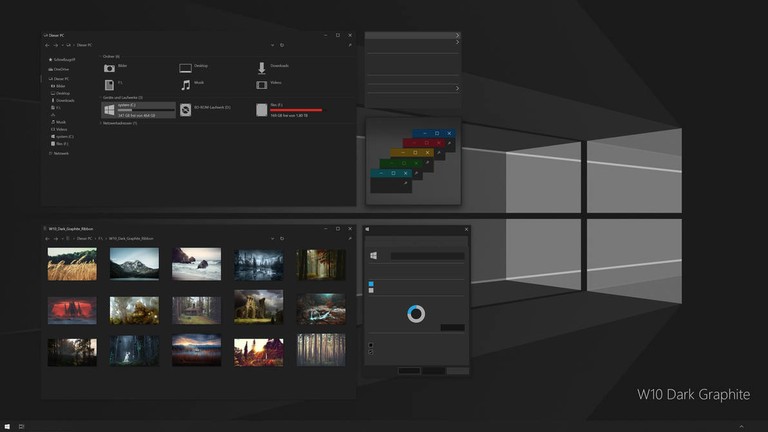
Installing it takes three steps. Install the latest UltraUXThemePatcher and restart, copy the contents of the Theme folder to the Windows\Resources\Themes folder, then select the theme in Settings, which also switches Windows to dark mode. For a more minimal File Explorer, the author recommends adding OldNewExplorer.
#3 Ades Theme for Windows 10
Ades Theme is an excellent Windows 10 dark theme that can be easily installed. Unlike other themes in this list, Ades uses a mixture of gray and soft colors. So, even without true darkness, you can reduce eye strain and other related issues. The theme employs a combination of soft blue, green, and gray in different parts of the Windows UI. For instance, here’s how the Windows Explorer interface looks:
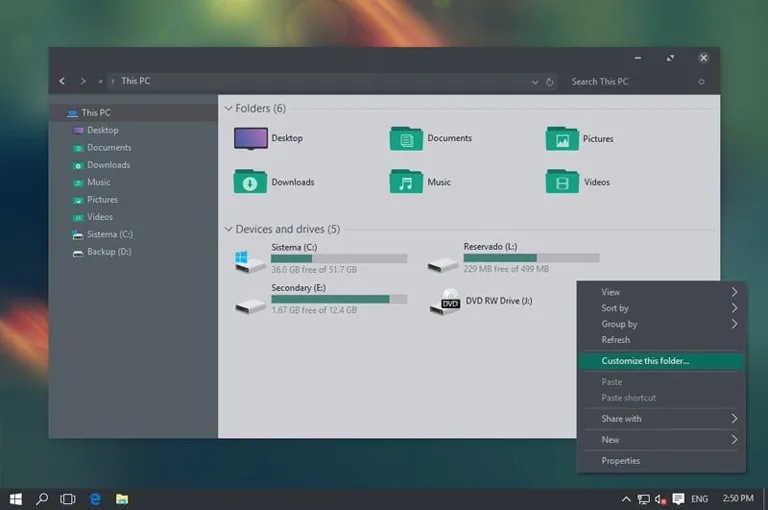
Regarding compatibility, Ades Theme should work well with Windows 10 Build 10586 and the Anniversary Update. If you’re running it on an older version, the installation may cause some issues. Installing Ades is a straightforward task. You still need to use UltraUXThemePatcher, a third-party tool, but it’s not a significant hurdle. You should download the icon pack from the developer. Using these icons, your Windows 10 dark theme will revamp the entire UI.
#4 Penumbra 10 for Windows
If you are looking for a complete Windows 10 Dark Theme, you can go with Penumbra 10. Instead of blending colors into the interface, Penumbra 10 prefers neutral dark colors. It would work fine with Build 10586 and Build 14393. Despite its simplicity regarding color selection, you can’t install this theme easily.
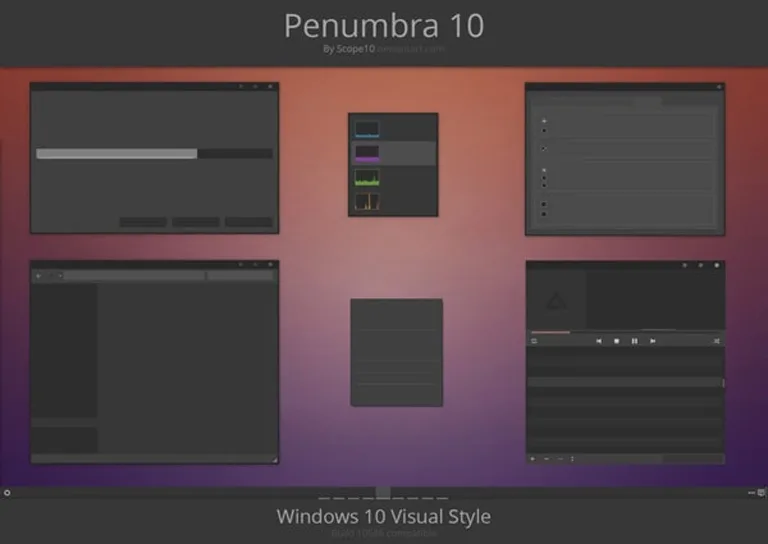
To install Penumbra 10, you need a few third-party tools. Before that, it is advised to take a System Restore point, just in case. Also, you need to install the Open Sans font on the PC. Once you have done both, you can follow these steps to install this dark theme.
- The theme’s author pointed to the UxStyle patch, but uxstyle.com is no longer online, so download and install UltraUXThemePatcher instead and restart your PC.
- From the downloaded theme package, you have to copy the ‘Visual Style’ folder into C:\Windows\Resources\Themes.
- Now, go to the Themes menu via Desktop Right-Click> Personalize > Themes > Theme Settings.
- From the available themes, you can select Penumbra W10.
Now, you should have installed Penumbra 10 on your Windows 10 PC. If you are ready to follow these steps, it will be fun to have this fresh, dark theme.
#5 Dark/Grey Windows 10 Dark Theme
Do you want to have a Windows 10 black theme without much ado? If so, the Dark/Grey Windows 10 Theme is a good option. If you haven’t received the official Windows 10 theme, you can count on this free-to-use theme. From the Start Menu to Task Manager and from File Explorer to Context Menus, everything becomes dark with a Dark/Grey Windows 10 Theme.
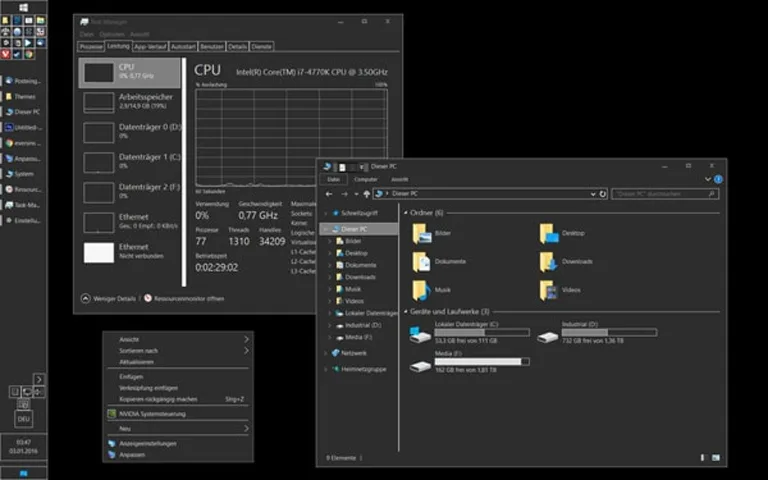
The author now keeps it on GitHub under the name GreyEveTheme. It is built on Windows’ own High Contrast theme, so it needs no patcher: download the .theme file and double-click it. To undo it, select the default Windows theme again.
How do I get a black theme instead of dark gray?
Windows 10’s own dark mode renders as dark gray rather than true black. For a black desktop, use the Dark/Grey High Contrast style, or switch on Settings → Ease of Access → High contrast and pick the black theme.
#6 Templaero Revamped
Templaero Revamped by devillnside is a dark gray visual style with translucent windows and blue highlights, shown in the author’s preview over a blue abstract wallpaper. The author lists it for Windows 10 1903 through 2009 (20H2) builds. It was published in December 2020 and updated to version 1.1 in early 2021. The download also includes lock screen images at 1920 x 1080 and 2560 x 1440, and the theme supports 100% display scaling only.
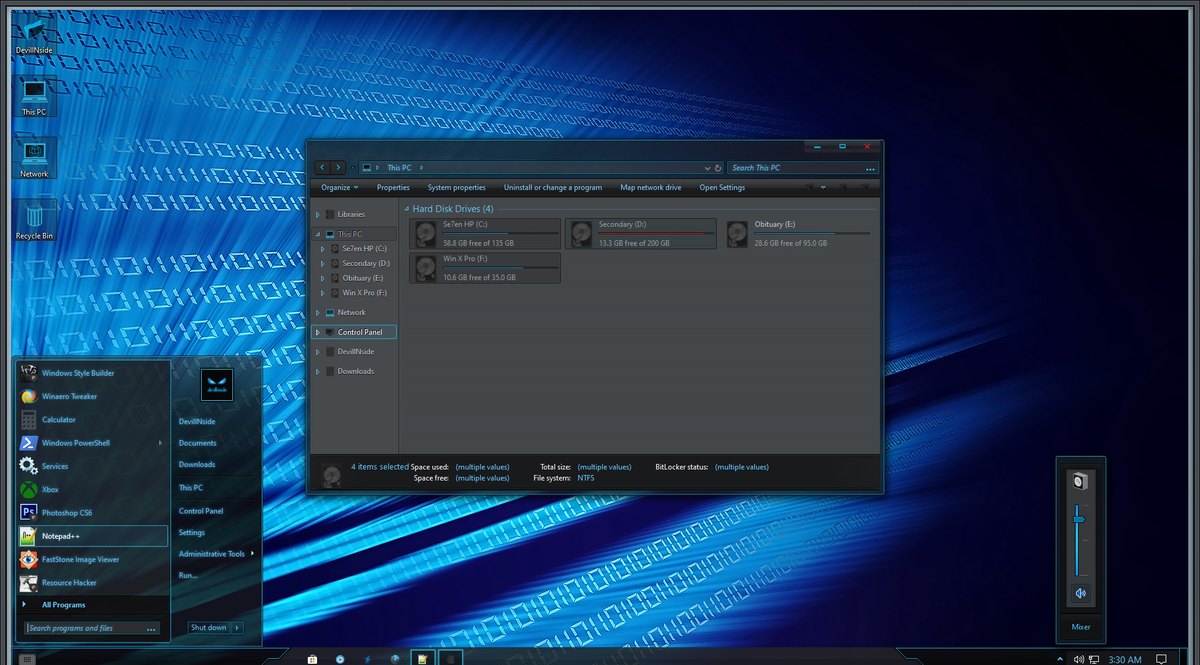
Like the other third-party styles here, it needs a UX theme patcher, so install the latest UltraUXThemePatcher first. The translucency comes from Aero Glass for Windows 10, and the author warns that Aero Glass puts a watermark on the desktop. The look in the preview also uses StartIsBack and OldNewExplorer, so add those only if you want to match it exactly.
#7 After Dark Cyan
If you are running Windows 10 November Update (10586), you can consider After Dark Cyan as your dark theme for Windows 10. It’s completely dark and gives you the option for customization as well. You will have to use PatchUxtheme to install the theme and personalize it later. However, it’s undoubtedly one of the best dark themes that can give you a completely eye-friendly Windows 10 experience for you.
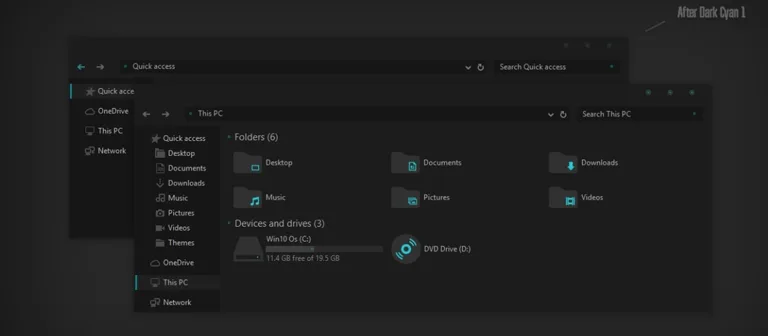
Apart from having no ads and being completely free, After Dark Cyan is wholly optimized for the November update version of Windows 10. You are going to love how completely darkness is spread throughout the PC interface. Additional instructions are available in the Readme file, which you will find with the theme files. The most attractive thing we loved in After Dark Cyan is that it transforms every part of the Windows interface. Once rebooted, you will have an all-new experience.
#8 Matte
Matte by KDr3w pairs charcoal windows with teal accents and teal folder icons. The author lists support for Windows 10 versions 1703, 1709, 1803, 1809, 1903, 1909, 2004 and 2009 (20H2). It was published in August 2018, and the last listed update is dated December 2020.
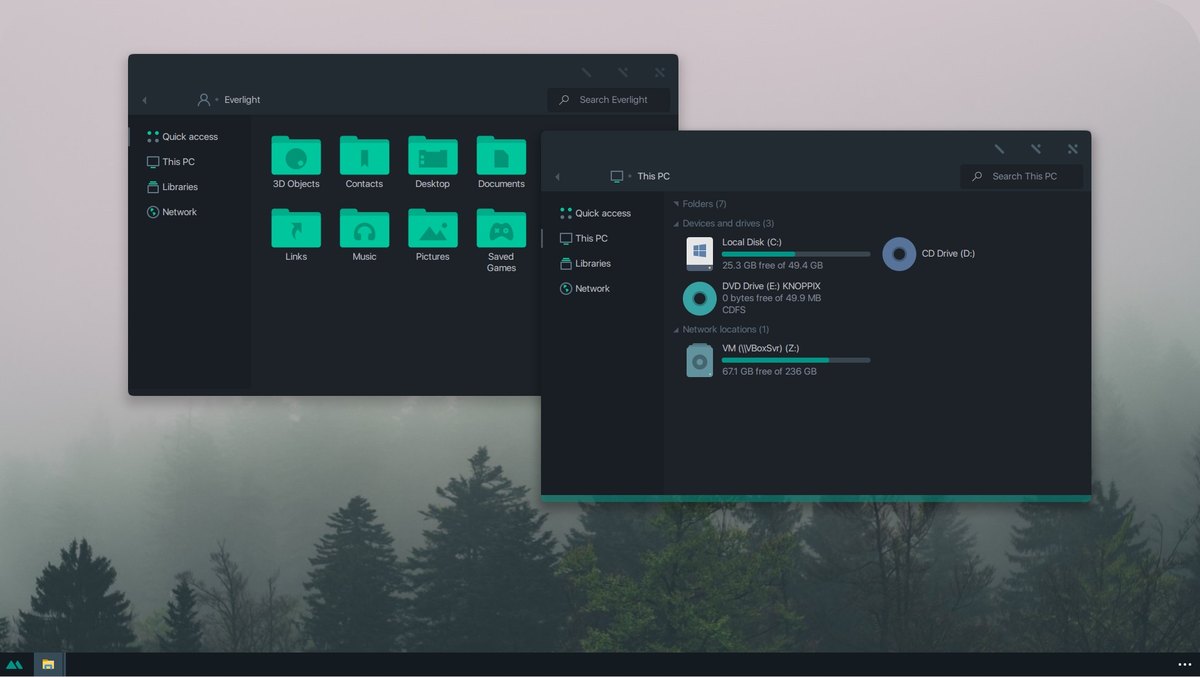
The download includes an icon pack for 1903 and later, plus instructions and links to resources. It also needs a patcher such as UltraUXThemePatcher before Windows will load it. Matte is shared under a CC BY-NC license.
#9 Gray Dark
Gray Dark, also by KDr3w, is a flat style with near-black windows. It supports the same Windows 10 versions as Matte, 1703 through 2009 (20H2). It was published on July 27, 2019, and its last update, on December 13, 2020, added rounded-corner variants. Earlier updates added dark mode variants and one variant that supports Microsoft Office colors.
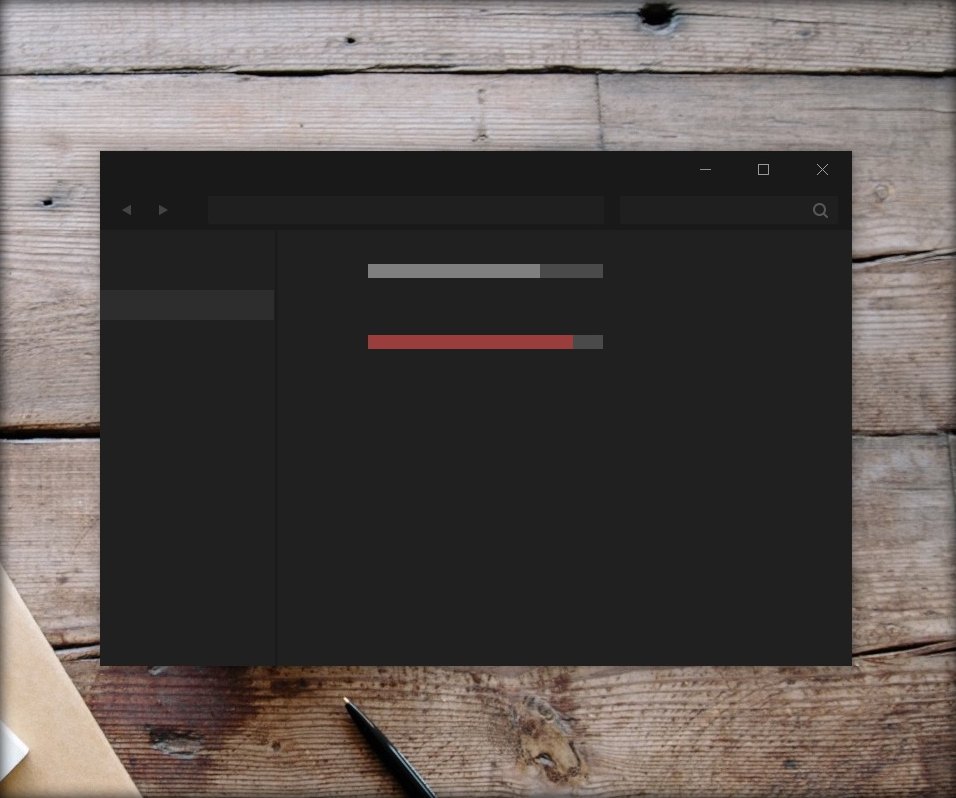
Instructions come with the download, and it needs a patcher such as UltraUXThemePatcher. On version 1909, the author says to disable the new address bar and search box. Like Matte, it is shared under a CC BY-NC license.
#10 nARC
nARC by niivu is a set of visual styles named Arc, Flatabulous, NX and NXmac, published on the author’s own GitHub. The dark versions are Arc Dark Night, Arc Darker, Flatabulous Dark, Flatabulous Darker, NX dark and NXmac dark, and light versions sit alongside them. The author’s preview, which shows both dark and light variants, calls it a set of themes for either Windows 10 or 11, and no specific Windows 10 build is named.
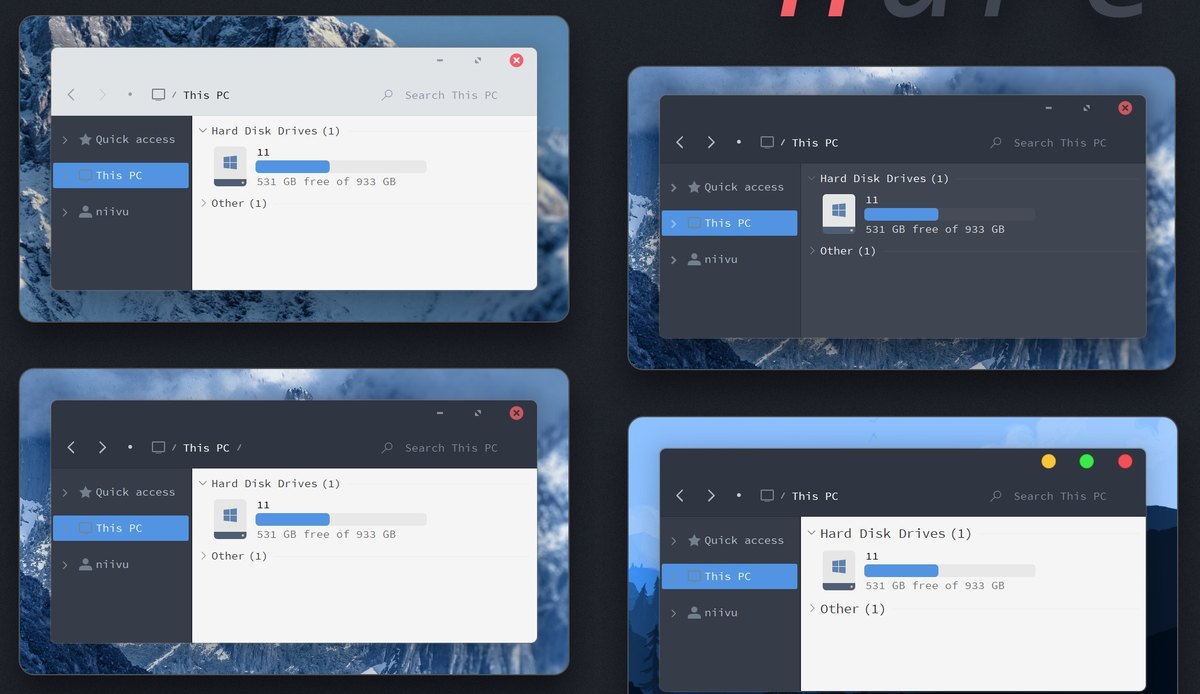
The repository asks for UltraUXThemePatcher or SecureUxTheme before you apply a style. Because no build is listed, the restore point from the start of this guide matters even more here. The set is free for personal use under the author’s terms, and it does not include icons or wallpapers.
The Manual Method to Get the Best Windows 10 Dark Themes
We’ve seen the ten best Windows 10 dark themes available. Sometimes, it may not be possible to follow the complex installation methods. In such cases, you can use a manual method. To bring a somewhat dark interface to your Windows 10 experience, follow these steps:
Dark Mode for Windows 10 Apps and Settings
- Go to Settings > Personalization > Colors.
- Find the option named “Choose your app mode.”
- Select “Dark” from the menu.
This step will apply a dark interface to all your Windows Apps and Settings. On Windows 10 version 1809 (the October 2018 Update) and later, File Explorer follows this setting too. Note that this change doesn’t affect the Desktop.
Enable Dark Mode in Microsoft Edge
If you’re using Microsoft Edge as your browser, you can also apply a dark theme:
- Go to Settings.
- Select “Choose a theme.”
- Click “Dark” from the available options.
This will bring an overall dark interface to the Microsoft Edge browser.
In Chrome, Mozilla, and Other Browsers
To give your web browsers a dark feel, you can choose specific dark themes. Dark themes are available for Google Chrome and Mozilla Firefox. We’re not confident that these will work with other browsers.
Google Chrome
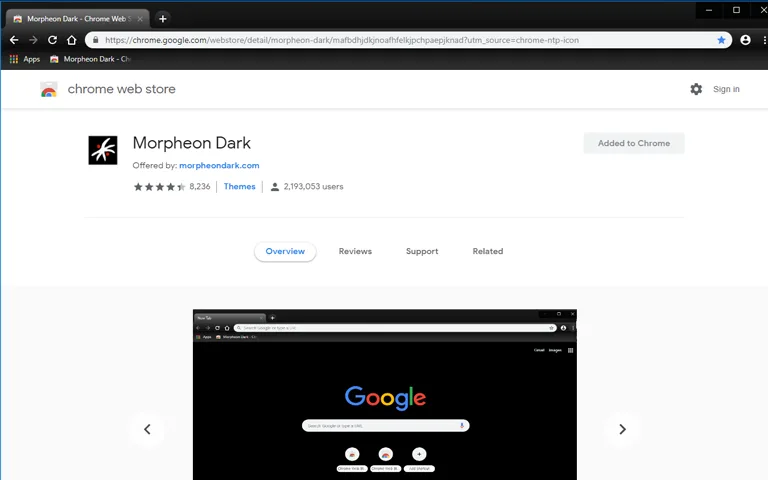
- Get the Morpheon Dark Theme from the Chrome Web Store.
Mozilla Firefox
- Head to the official gallery of themes to find dark options.
Make sure to pick an eye-friendly, stress-free theme for your browsing experience.
Applying a Dark Theme to Microsoft Office
If you frequently work with documents, try the dark theme in Microsoft Office:
- Go to File > Options > General Settings tab.
- In the Personalization section, find the option to enable the Black Office Theme.
Effectiveness of Manual Dark Theme Methods
This method provides a partially effective way to bring dark themes into your Windows 10 experience. It changes select areas of Office, Settings, and browsers. While not comprehensive, this approach complements other dark themes you may have running.
Which Windows 10 dark theme should you use?
Start with the official dark mode if you want zero risk: it covers Settings, File Explorer, and most modern apps without touching a system file. Reach for a third-party visual style only when you want the window frames and taskbar dark too.
Theme | Source | Needs a patcher | Look |
|---|---|---|---|
Official Windows 10 dark mode | Built into Windows | No | Settings, File Explorer, modern apps |
Penumbra 10 | DeviantArt | Yes | Closest to the stock layout |
W10 Dark Graphite | DeviantArt | Yes | Dark graphite, with matching icons and cursors |
Ades Theme | DeviantArt | Yes | Flat dark with squared corners |
Dark/Grey High Contrast | GitHub | No | Maximum contrast, accessibility |
Templaero Revamped | DeviantArt | Yes | Translucent dark gray with blue highlights |
After Dark Cyan | SkinPacks | Yes | Dark base with cyan accents |
Matte | DeviantArt | Yes | Charcoal with teal accents and teal folder icons |
Gray Dark | DeviantArt | Yes | Flat, near-black windows |
nARC | GitHub | Yes | Dark and light sets: Arc, Flatabulous, NX, NXmac |
Source: each theme’s download page, September 2026
That is, when you have installed a Dark Theme like Penumbra or W10 Dark Graphite, you can use the manual way to enhance areas like Web Browser, Office, and Edge.
Of the third-party options, Penumbra 10 stays closest to the stock layout, so less moves where you do not expect it. Check that a theme names your Windows 10 build before you install it. If you have since moved to Windows 11, its dark mode is built in and needs no patcher at all: see our guide to dark themes for Windows 11, and sound equalizers for Windows 10 if you are still tuning this machine.
Are Windows 10 dark themes free?
Yes. All ten on this page are free to download, including the patchers needed to run the third-party ones. Several carry license terms: Penumbra 10 is shared under CC BY-NC-SA, Matte and Gray Dark under CC BY-NC, Ades Theme under CC BY, and nARC is free for personal use under its author’s terms.
Is a Windows 10 dark theme still worth it?
For anyone still on Windows 10, the built-in dark mode is an easy yes: it is free, it reverses with one toggle, and it never touches a system file. The patched third-party styles are worth it only if you want the window frames and taskbar dark too, and only if you keep the restore-point habit, because a patcher is the price of admission. Choose by how much you want to change: Penumbra 10 keeps the stock layout and darkens it, while Templaero Revamped adds translucency through Aero Glass and relies on extra tools for its full look.
The bigger decision in 2026 is the operating system underneath the theme. Windows 10 stopped receiving security fixes on October 14, 2025, so a PC that qualifies for Windows 11 gains more from the upgrade than from any visual style, and Windows 11 darkens itself with no patcher at all. A PC that cannot move should be on Extended Security Updates first and themed second. If Explorer misbehaves after a third-party install, boot to Safe Mode, switch back to the default Windows theme, and uninstall the patcher. Nothing else is lost.

Soniya
I like 3rd one Ades Dark Theme :)
Mahesh Dabade
It’s a wonderful theme Soniya. You have good choice :)
Shiva Sai
The last theme is a good choice for people who work late night on their PCs. Anyway thanks for the share mate!
Mahesh Dabade
That’s a good point out Shiva. Yes, it is useful for people who work late night on their PCs.
Chandra prakash
Good Well written post. Nocturnal W10 Dark Theme is a Good theme and we can use it on Night time.
Mayuresh
Hi,
Very nice post, you shared a very nice information for what I am looking for.
I am amazed no one thought of this before! I have gotten more and better information from you in just a few minutes, Now I am a regular reader of this blog, keep up the good work.
George
The Nocturnal looks good. It also kinda reminds me of a Linux distro which I just can’t remember at this point!
Ruchi Gupta
I like the second one because it just looks awesome and my system and browser look like a sky and color combination is very perfect. I really love this theme very much and thank you for sharing this with us. Great job.
Kitere Pulman
Nice thanks.
Karthick
There is an official Dark Theme available.
Durga
Awesome collection! Dark themes not only look sleek but also reduce eye strain—perfect for long working hours. Can’t wait to try a few of these!