




As developers, our Macs are our workshops, creative hubs, and command centers. The endless search for the perfect developer tool, the cycle of purchasing and regretting, it’s a familiar story, especially for me. Setapp genuinely changed the game.
“Setapp for Developers” isn’t just a sentence; it’s a solution bundling top-tier Mac apps into one subscription. It felt like I finally had a personal assistant, hand-picking the best software so I could focus on what I do best: developing.
My 5 Top Setapp Tools for Developers
1. TablePlus
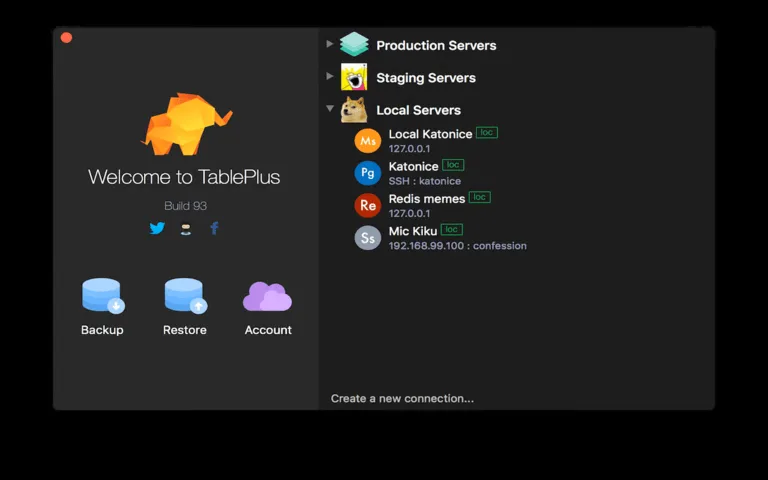
If you work with databases, and what developer doesn’t? TablePlus is worth checking. Back then, I balanced various clients for MySQL, PostgreSQL, SQLite, and MongoDB. It was a code compliance nightmare.
TablePlus puts them all together under one beautifully designed roof. Its intuitive interface allows you to easily query, edit, and manage the data. The times I need to touch something, either to check a user record quickly or optimize a complex query I’m working on, TablePlus just gets out of the way and lets me work efficiently. It’s pure, it’s lean, it’s incredibly powerful and flexible.
2. Proxyman
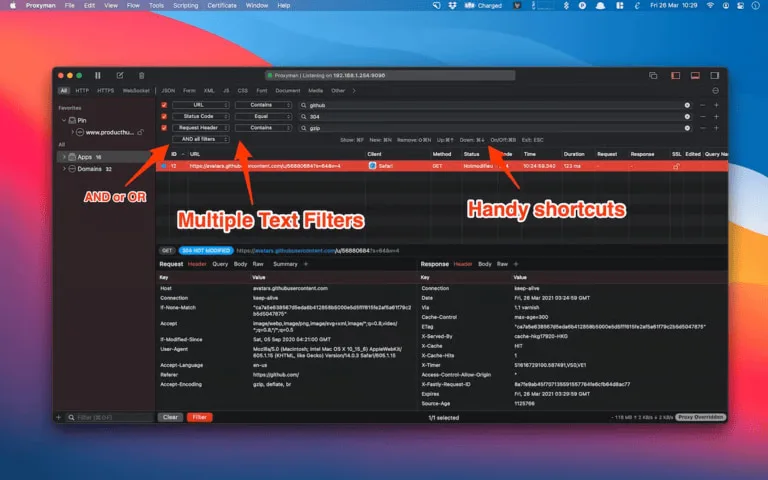
When you’re building web applications or APIs, the ability to inspect the network traffic is often imperative. Proxyman is a vital debugging proxy with which you can monitor, change, and replay HTTP/HTTPS requests and responses.
It’s an amazing tool for troubleshooting API call problems, figuring out how your app talks to the service providers behind the scenes, or even reverse-engineering your network traffic. The new interface is very clean, and features such as the breakpointing and the map local/remote are just a godsend for troubleshooting!
3. CodeRunner
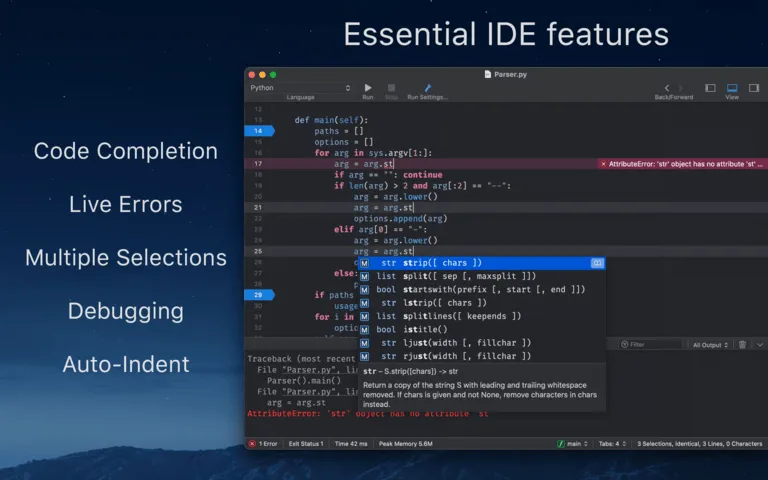
Whether you’re learning a particular language or just need to quickly test a snippet of code in it, you don’t always want to spin up an entire IDE or project. CodeRunner is well-suited for that. Its deep integration with GitHub makes it easy to automate CI/CD pipelines, and it supports nearly any language, including Python, Node.js, Swift, Ruby, and others.
It’s super lightweight, extremely fast, and allows you to run code track right inside the app and see the output in real time. For rapid prototyping, algorithm exercises, or even general sanity checking, it’s my hands-down favorite.
4. Gitfox
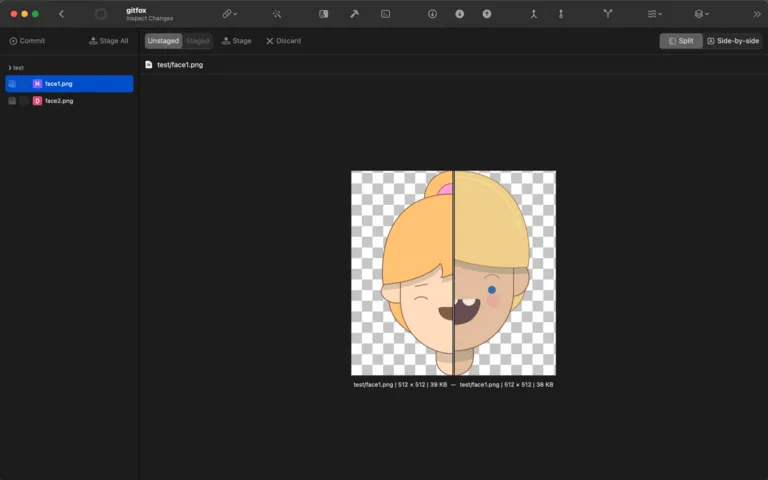
Though the command line is an incredibly powerful interface for Git, at times, having a visual representation of your repository can help open up more complex operations that will be much clearer. With a clean and easy-to-use design, Gitfox provides a powerful Git client. It makes branching, merging, rebasing, and exploring your commit history seamless and simple!
It makes a lot of everyday Git tasks as easy as point and click, so I can spend more time working on my code instead of fighting with terminal commands, particularly when I’m managing big or complicated repos.
5. CleanShot X
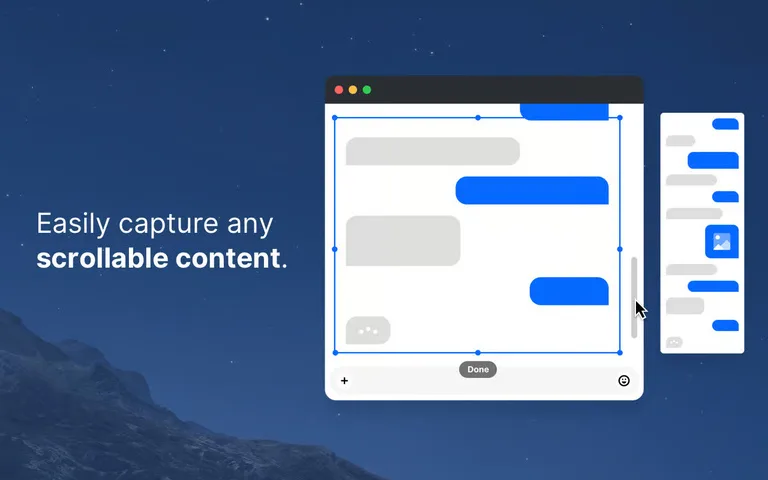
Alright, so this one isn’t technically a “developer tool,” but just trust me on this one. For us developers, we always want to take screenshots, record GIFs of bugs, or just create a quick screen recording to document something or explain a problem to someone on the team.
CleanShot X turns this annoying task into a fun, fun-filled one. What they do provide is amazing annotation tools, scrollable screen records, and high-quality video screen recordings, all integrated. It’s a kind of app you didn’t know you needed until you got it, and then you can’t imagine doing work without it. Trust me.
Our Takeaway
Until Setapp came along, I was always balancing the price of separate licenses against the value. With “Setapp for Developers,” that mental overhead just disappeared. While forking over a single, predictable monthly fee, I received access to an ever-growing library of high-quality tools that really helped improve my productivity and make my developer workflow easier. It’s not merely a bundle of code, and that’s the point. Despite the appearance, this is no run-of-the-mill app bundle.
Final Thoughts
This app suite isn’t just an affordable bundle of apps. In concert, every developer has a unique way of working with code. If you’re a Mac-based developer and haven’t checked out Setapp already, I highly suggest giving their free trial a go. You’ll discover your new favorite tools, promise, all in one place.

admen
Thoughtful wrap-up. For developers new to Setapp, which tools do you think deliver the biggest productivity boost right out of the gate?
Jeeva Shanmugam
Thanks for the question. For most developers CleanShot X pays off on day one, because every bug report, pull request and doc needs screenshots or short recordings. After that it depends on your stack: TablePlus if you work in databases every day, Proxyman if you spend your time debugging APIs.