

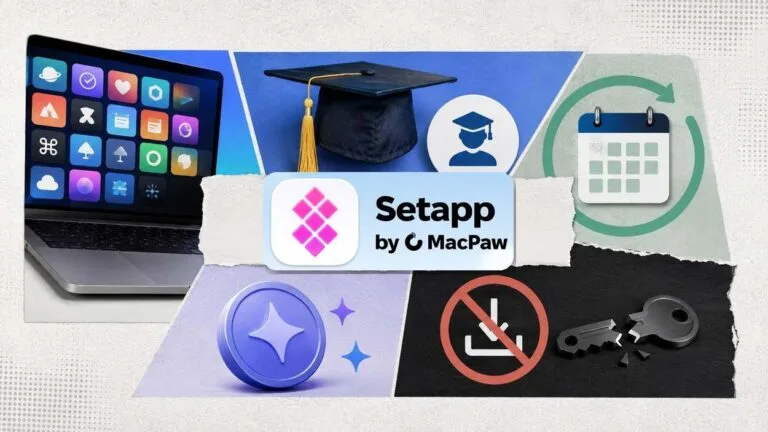

Setapp has no permanent free version, and anyone promising one is selling you trouble. What does exist: a real 7-day free trial with the full catalog unlocked (30 days through our reader coupon), a 20% discount for students and educators, and annual billing that cuts the price by up to 40%. This guide walks through each route, what it actually includes, and the shortcuts you should skip. Prices and terms below come straight from Setapp’s pricing page, checked in September 2026.
Get 30 Days Free with the TechLila Coupon
Before you weigh the standard routes, use the one built for readers of this site. Setapp’s affiliate team issued us the coupon code TechLila, which extends the free trial from 7 days to 30 days on the Mac + iOS plan for new users. The code is already applied when you sign up through the button below, so nothing needs typing at checkout, and it stays valid through December 31, 2026. We keep the live status of this offer on our Setapp coupon page.
Every Way to Get Setapp Free or Discounted
Five routes exist, and the TechLila coupon leads: it turns the standard 7-day trial into 30 days. Here is the whole menu at a glance.
Route | What you get | Who qualifies |
|---|---|---|
7-day free trial | Full catalog, AI credits included | Everyone, all plans |
TechLila reader coupon | 30-day extended trial, code pre-applied via our link | New Setapp users, through Dec 31, 2026 |
Student and educator discount | 20% off the Mac + iOS annual plan ($107.88/year + tax, down from $134.88) | New subscribers with an educational email |
Annual billing | Up to 40% off versus monthly rates | Everyone |
Seasonal promotions | Occasional coupon-style offers | Everyone, timing varies |
Source: Setapp pricing page, Setapp education discount page and Setapp Support; the reader coupon terms are TechLila’s Setapp partner offer.
The 7-Day Free Trial
The trial is the genuine free week. You sign up, and every app in the catalog opens up from day one, along with the plan’s AI credits. Nothing is held back for paying members. If Setapp isn’t for you, cancel before the week ends and you pay nothing, since every plan carries a cancel-anytime term.
Seven days is enough to answer the real question: do the apps you’d otherwise buy separately live here? Our getting-started guide shows how to make the most of that first week, and you can start the trial here.
The 20% Student and Educator Discount
Setapp runs a real education program, and it’s the deepest standing discount the company publishes. Per the educational-discount page, students and educators get 20% off the Mac + iOS annual plan, which lands at $107.88 per year plus tax, down from $134.88 for 1 Mac and 4 iOS devices.
- Sign up with an educational email address (edu, ac, and similar academic domains qualify).
- The 20% discount applies automatically at checkout. No coupon code exists or is needed.
- The full catalog is available from day one, and the 7-day trial still applies first.
Annual Billing and Seasonal Deals
Monthly plans run $14.99 (Mac), $18.99 (Mac + iOS), and $22.99 (Power User, 4 Macs) plus tax. Switching to annual billing cuts the total by up to 40%, which makes it the easiest saving available to everyone. Setapp also runs occasional seasonal promotions around big shopping events; we track current offers on our Setapp coupon page so you don’t have to hunt through expired-code sites.
What the Trial Includes: AI Credits and iOS Access
Two newer parts of the subscription confuse people, so here is how they work. First, every plan now bundles AI credits, a monthly allowance the catalog’s AI-powered apps draw from: 1,000 credits on the standard plans and 2,000 on Power User. They’re included in the trial, so you can test the AI tools before paying anything.
Second, iOS. Setapp Mobile, the separate iOS app marketplace Setapp piloted in the EU, was discontinued in early 2026. Today the way to run Setapp’s iOS apps on an iPhone or iPad is the Mac + iOS plan, which covers 1 Mac and 4 iOS devices.
What Doesn’t Work
- Cracked or torrented Setapp copies. The apps authenticate against your account, so pirated builds either fail or arrive bundled with malware. A free trial you can cancel makes this risk pointless.
- Coupon-site promo codes. The education discount applies automatically, and Setapp doesn’t distribute standing codes to third-party coupon sites, so “verified” codes there are almost always expired or fake. The TechLila code above is the exception; it comes directly from Setapp’s affiliate team, not from an aggregator.
- The old family plan. It was retired, so shared access now means the seats your plan already includes, like Power User’s 4 Macs.
Common Questions
Is there a permanently free version of Setapp?
No. The trial is the only free access, 7 days as standard or 30 days with our TechLila coupon, and after it ends the subscription starts at $14.99 per month plus tax. Whether that’s worth paying is a separate question, and our cost analysis runs the numbers.
Does the free trial include every app?
Yes. The trial unlocks the full catalog plus your plan’s AI credits, with no feature tiers held back.
How do students claim the 20% discount?
Sign up with an educational email address. The 20% comes off the Mac + iOS annual plan automatically at checkout, bringing it to $107.88 per year plus tax. Educators qualify on the same terms.
What happens when the trial ends?
Billing starts on the plan you picked at signup unless you cancel first. You can cancel anytime from your account, and the apps stop authenticating once the subscription lapses.
Conclusion
Free means seven days, and the honest discounts are two: 20% for anyone with an academic email and up to 40% for anyone willing to pay yearly. Everything else circulating is noise. Start with the trial, decide inside the week, and if you stay, pick annual billing so the price works as hard as the apps do.

Leave a comment
Have something to say about this article? Add your comment and start the discussion.