



Nowadays all PC users want to keep their computers safe from Viruses. As these viruses damage or interrupt our precious work and the last option remain for us is to format our computer. Sometimes, we lose our important files due to these viruses. Still, we say that virus is a dangerous program that can harm our computer and sometimes can result to data loss. Nowadays, viruses have been growing rapidly and we always want to assure maximum security for our computer. Well, no one wants that he may lose his data, so it’s necessary to protect our PC against such harmful viruses.
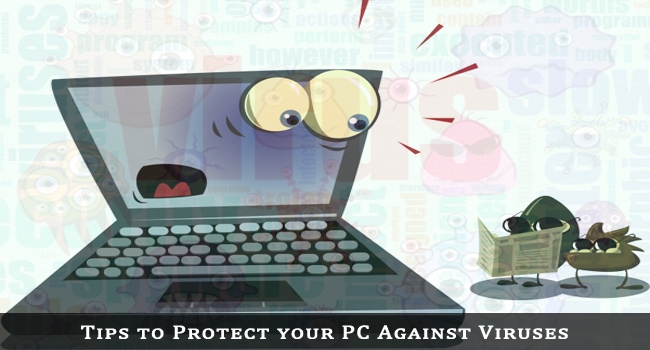
Up to today’s data, more and more types of viruses and worms are growing and even hackers have been sending various kinds of viruses to various people to make them a victim of such viruses. So it’s necessary for us to prevent from them and take necessary precautions.
Tips to Protect your PC against Viruses:
Install Good Antivirus
Well, Antivirus has been the most delicate way to protect your PC against viruses and it will safeguard your PC with full protection. Well, if you want to assure maximum security, then go and purchase the latest and trusted antivirus from the market or online. It’s a bit painful to spend few bucks on an antivirus, but what if your most important files get infected by a virus. In that condition, you will feel helpless. So, a good antivirus always ensures maximum security. For our side, get a premium antivirus and keep updating it.
Install only Trusted Software
Nowadays much software comes up on the internet. Well, there is no guarantee that this software is trusted. Some files may contain keyloggers or some may contain infected files. As such, you need to be aware about the developer of that software from which you are downloading the software.
Avoid Pirated Downloads
Well, nowadays downloading pirated files a risky task. As these pirated software are of low quality and infected with viruses. Well, torrents have been the most viral source of such pirated downloads. So, download files only from trusted sites to stay safe from viruses.
Recommended Reading: Virus Attack? Not Again!
Careful with Removable Devices
Nowadays most viruses that enter into your PC come from some external storage devices. Well, whenever you plugin any kind of such devices (memory Card, Pen Drive, CD/DVD, etc.) Don’t forget to scan it. So confirm that there are no viruses in it. If any viruses found, delete the infected files in them.
SEE ALSO: Movavi Video Converter Review »
Careful with Email Attachments
Never forget that internet is a wide source of knowledge but viruses go viral here. Never forget to scan any email attachment before opening it. Use common sense as opening them without awareness can cost you heavy. Many attachments contain viruses and if you open them, your PC gets infected with viruses.
So, the above points will be found really beneficial if you implement them. Keep these points in mind to safeguard your PC against Viruses.


sandeep Kumar
Thanks for your article kuldeep…..
Recently I had a very bad weekend due to virus in my Laptop.
Thanks for your article…I am agree with one of your point – removable device – as per my understanding most of the virus come to our system through these devices.
Kuldeep
Glad to know that you find this post helpful!
Yes, removable devices are very dangerous. One needs to scan every time he attaches it.
Thanks for commenting here!