



Today, we will show you how to create a repository in Linux. We know that we can install packages in Linux by using RPM (Red Hat Package Management) but the disadvantage is that by using RPM we can’t install packages which depend on other packages i.e dependencies. so in order to install packages which depend on other packages, we have to install packages by using YUM (Yellowdog Updater Modified). Actually, YUM is added from RHEL5 onwards. YUM uses a repository for installation. YUM automatically computes dependencies and figure out what things should occur to install packages. YUM can install, remove upgrade or query the packages.
How to Create Repository?
Follow these tips to add a local repository in your hard drive, here I am showing how to create repository in RHEL6.
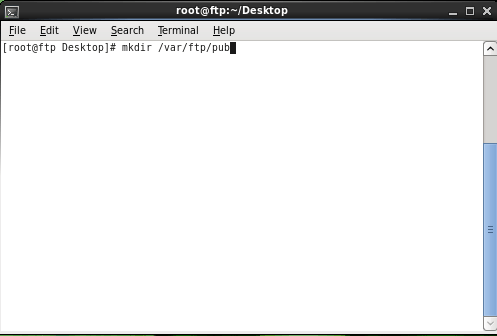
Step 1: Create any folder i.e Directory
# mkdir /var/ftp/pub

Step 2: Move all RHEL DVD files to this directory /var/ftp/pub
# cd /var/ftp/pub

Step 3: Append the file localRepo:
# cd /etc/yum.repos.d

# vi localRepo.repo

[localRepo]
name=localRepo
baseurl=file:///var/ftp/pub
enabled=1
gpgcheck=0

:wq! (Save and Quit)

Step 4: Create repository
#cd /var/ftp/pub/Packages

#rpm -ivh createrepo* --force


#createrepo -g /var/ftp/pub/repodata/repomd.xml /var/ftp/pub/Packages


Step 5: Run following command
# yum clean all

To check out the list of installed packages use the following command:
# yum list installed
So this is all about how to create a repository. Actually, we make our system to know where the repository is located i.e index.
Following video is not created by me, this video is created by Tim Tan, so the procedure is bit difference, you can follow any procedure :)

Phoenix
Nice Post! Worked ya :D
Anyways this works for every distro ?
I have Arch Linux Installed and I work on that only :D
Rajesh Namase
This method will surely work on Red Hat, not sure about other distros.
Hassan
Thank you for this useful information, i have only one probleme with linux is that a many of my fav software can’t find it with linux version only windows and mac, there is a way to make windows software work with linux? or maybe the company should make a linux version?
Thank you Rajesh you have such a great website.
Rajesh Namase
You can use Wine software to run Windows software on Linux. Also you could ask the company to release Linux version.