


There are times when you face issues such as mailbox deletion, profile corruption, and inaccessible OST file issues. You might think your email information and other mailbox data are lost, but OST files can actually help you in these situations.
However, Outlook cannot read these orphaned OST files in their current state, and you will have to convert them into a local file that Outlook can understand. The problem? Outlook does not allow you to perform an OST-to-PST conversion unless you have access to the original account.
Fortunately, this is where a tool like Stellar Converter for OST becomes essential. We have been testing this OST to PST converter for a while, and here’s a review to help you.
What Is Stellar Converter for OST?
Stellar Converter for OST is a dedicated tool that helps you convert OST files to PST files that Microsoft Outlook software can manage. So, even when you encounter an issue such as an Exchange Server crash or a synchronization problem, you can retain mailbox information from the OST file.
As we mentioned earlier, an OST file cannot be read by Outlook without the original profile. However, when you convert an OST file to PST, information such as email content, folder hierarchy, metadata, and attachments is moved to the PST format. This way, you regain access to content included in these orphaned OST files.
Key Features at a Glance
Stellar Converter for OST packs several features to help you streamline this conversion process. Some of them are:
- Multiple export formats: PST, MSG, EML, RTF, HTML, PDF
- Encrypted & IMAP OST support
- Batch conversion (convert multiple OST files at once)
- Auto-split large PST files to prevent corruption
- Advanced filters by date, sender, and recipient
- Preview before saving (3-pane structure)
- Resume function to save and continue scans later
- Direct export to Office 365 and Live Exchange
In other words, Stellar Converter for OST offers something more than a one-click conversion between file formats. Instead, you get a customizable system that you can tailor according to your exact requirements.
Installation & User Interface
We tested Stellar Converter for OST on a Dell laptop running the latest version of Windows. The installation and setup were pretty straightforward. The process took less than a minute, and the built-in wizard makes it easy to navigate the User Interface design.
It uses a three-pane structure that leaves room for previews. When you select an OST file and want to know what’s inside, you can use this structure to navigate it easily.
The way the developers have arranged the menus and options is also similar to the design of Microsoft Office applications. So, if you have been using Outlook or other Microsoft apps, you won’t have trouble navigating this application either.
Overall, it felt easy to get started with this converter.
Converting OST to PST: Our Experience
We had a smooth experience of converting a medium-sized OST file to PST using Stellar Converter for OST.
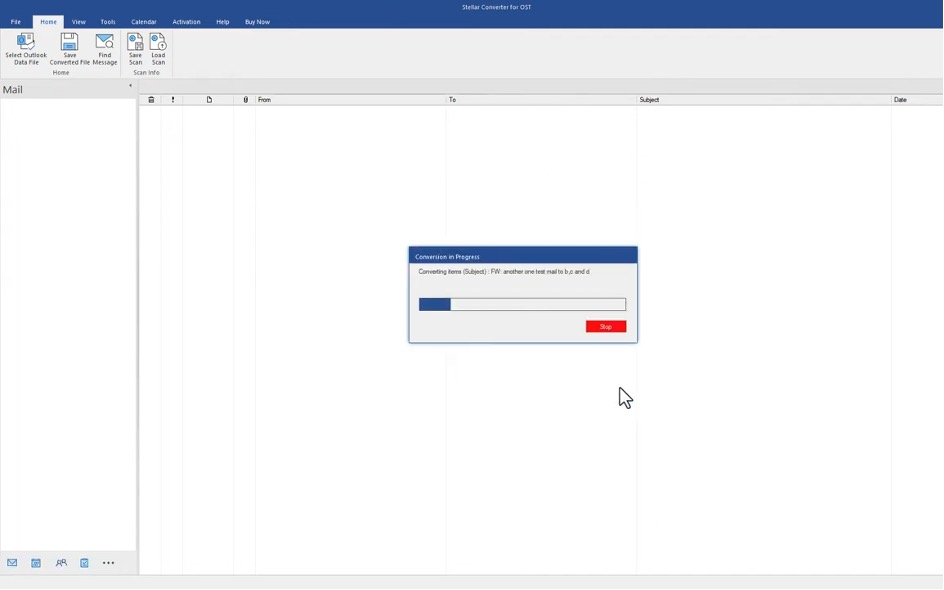
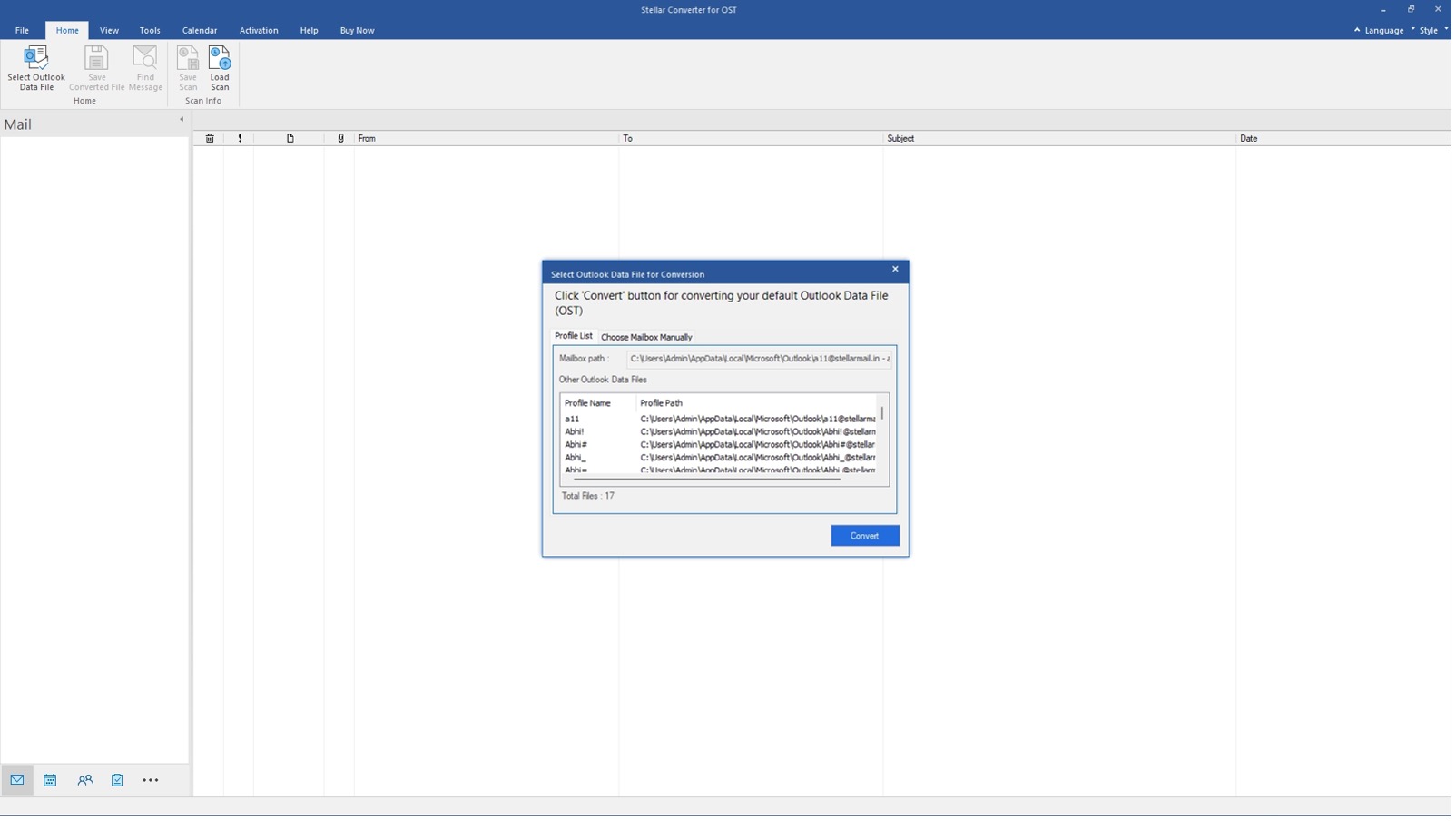
When we started the application, we could either select an OST file manually or have the application scan for all potential OST files. In this case, we chose the file, and the conversion completed in just a few seconds. Soon enough, we could see a detailed preview of the contents of this OST file. This included, of course, email messages, calendar entries, contacts, etc.
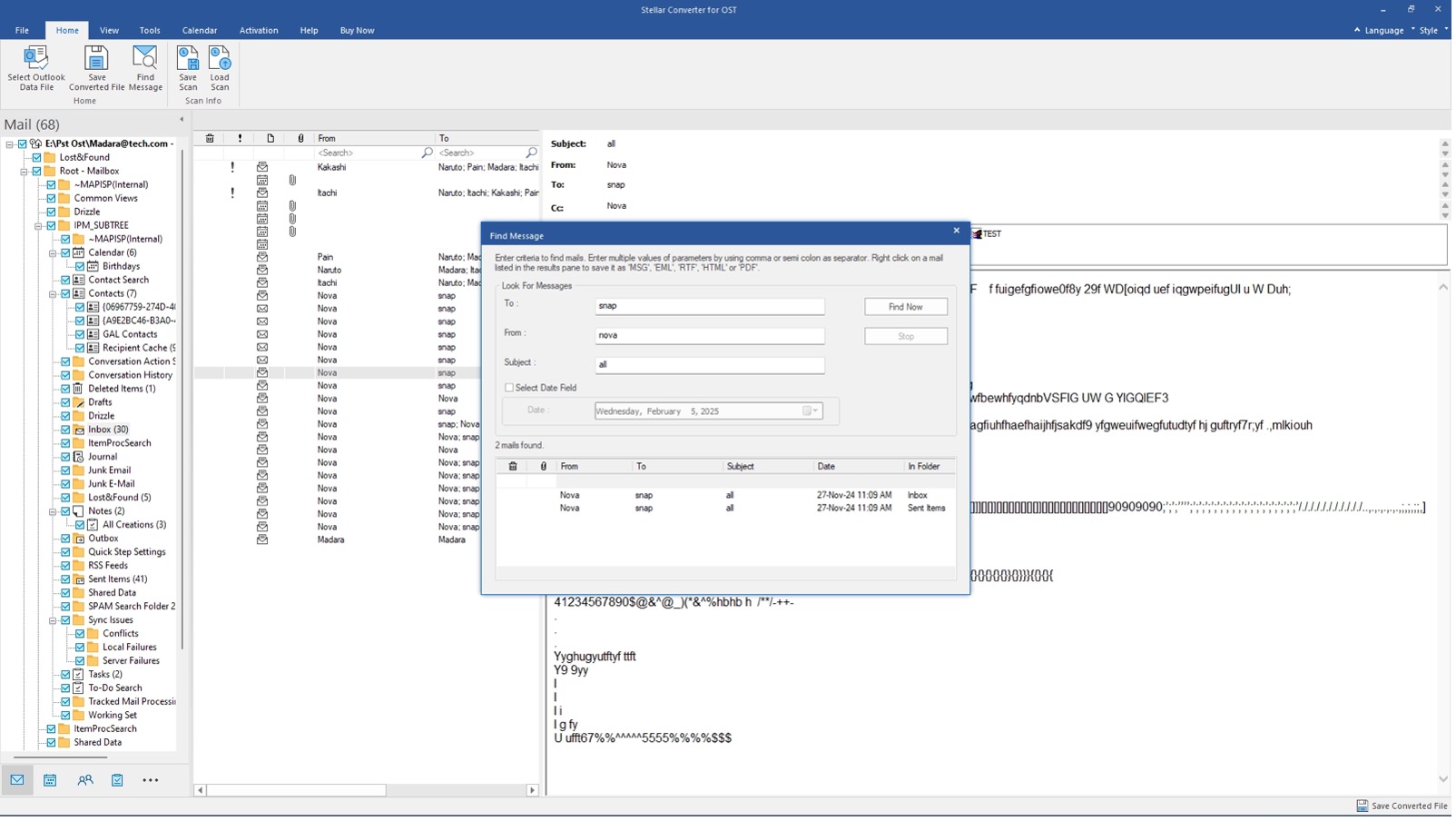
After this, we could review the PST file and export the contents to several formats, including PDF, HTML, and XML. The app also lets you convert the PST file into smaller files for better management. For instance, you may want to create a mailbox without adding the Deleted/Junk mail folder.
Overall, using Stellar Converter for OST seemed like an excellent plan in case of an inaccessible ost file.
Performance & Speed
As you might guess, the exact speed and performance of this application depend on the mailbox you are using as well. However, in our testing, we were using a medium-sized mailbox, and the speed was pretty impressive.
We did not have to wait long, and the preview function makes a big difference because instead of saving the entire OST file, you can select what to save. So, in our opinion, the preview function saved a lot of time. The app doesn’t consume much system resources either.
Availability & Pricing
Stellar Converter for OST is currently available for Windows devices and supports Outlook 2021, 2019, 2016, and earlier versions. It can easily handle OST files from different mailboxes, including Microsoft Exchange and IMAP.
Stellar offers three pricing plans for corporate, technician, and toolkit use. You can get the Corporate plan for $79, which gives you access to almost all the features for reading and exporting OST files to PST format. However, if you’re looking for batch conversion, compact splits, and migration options, you should get the Technician plan, which costs $149. You get 6 more tools with the Toolkit plan, which costs $199, and you can repair corrupted PST files and merge different files.
Pros and Cons
Pros
- Maintains 100% data integrity, preserving folder hierarchy, metadata, and attachments
- Converts orphaned, inaccessible, and encrypted OST files without the original Exchange profile
- Supports multiple export formats: PST, MSG, EML, RTF, HTML, and PDF
- Fast conversion speed — a 2.95 GB file fully converted in under 8 minutes
- Built-in three-pane preview lets users verify data before exporting
Cons
- The free demo only allows a preview
- Batch conversion and direct Office 365/Live Exchange export are locked behind higher-tier editions.
The Bottom Line
After extensive testing across multiple mailboxes and OST files, we are thoroughly impressed with what Stellar Converter for OST offers. If you use multiple email management apps and servers, it makes sense to have a tool like this to help you manage them. In the end, the price you pay for it is less than what an inaccessible mailbox could cause.

Leave a comment
Have something to say about this article? Add your comment and start the discussion.