



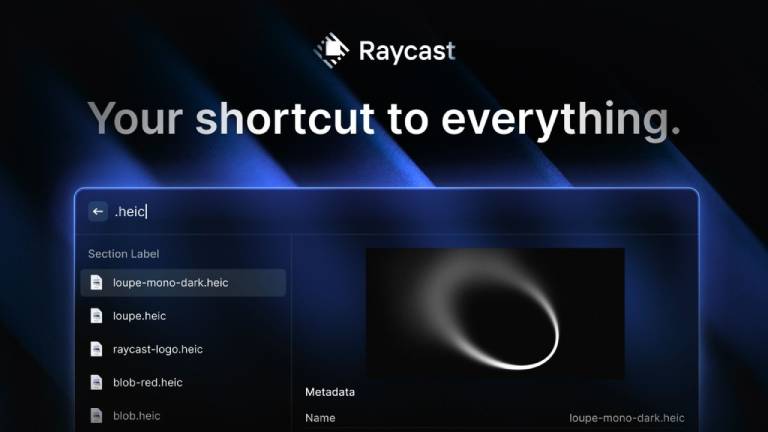
You’re missing out if you’re still clicking around as if it were 2005. Raycast is more than just an app launcher; its extensions are its key to productivity.
These 15 Raycast extensions, after I’ve spent countless hours optimizing my workflow? They are transformative rather than merely “good.” This is my carefully chosen toolkit, which will turn you into a Mac ninja. Forget generic lists.
My developer extensions are non-negotiable because I am firmly rooted in the digital world. They cut down on the small, cumulative seconds that add up to hours of concentration.
Here are My Best Raycast Extensions Every Mac User Should Have
For Code
1. GitHub

Really, what are you doing as a developer if you’re not using this? Issues, pull requests, and repositories are all open instantly. There will be a smooth transition from idea to action instead of a tab-switching frenzy. It functions similarly to a direct codebase portal.
2. Tailwind CSS Documents

This is revolutionary for all of my fellow Tailwind enthusiasts. I can look up any Tailwind class in Raycast without ever having to open a browser. It’s the best documentation quick-draw, guaranteeing that your styling remains blazingly quick.
3. Project Manager for Visual Studio Code (or Snippets)

This goes beyond simply launching Visual Studio Code; it involves immediately diving into your most recent projects or launching important code snippets. This extension renders context switching obsolete, which is a productivity killer. Your projects are just a keystroke away.
4. Package Managers (Yarn, pip, and npm)
This may seem specialized, but believe me when I say that being able to find and install packages without interfering with your work is helpful when you’re working on a project. It is the unsung hero that manages your dependencies.
For Productivity
These extensions are my wealth managers because time is money. They simplify the routine so I can concentrate on the important things.
5. Google Calendar

I can’t function without my calendar. I can view forthcoming events, add new ones fast, and even join meetings with this extension, all without ever having to open a tab in my browser. It’s the closest thing to having a personal assistant remind you of all of your important obligations.
6. Notion

My projects and ideas thrive in Notion. This extension makes it possible to quickly take notes, search databases instantly, and navigate between pages. Integrated right into your command bar, it’s the best brain dump and retrieval system available.
7. Clipboard Manager

Forget about macOS’s one-item clipboard with this advanced, feature-rich clipboard manager. Everything you’ve copied, including text, photos, and links, is well documented here. I’ve discovered extensions that let me add text, filter by type, and pin frequently used items. For all of your copy-pastes, it’s like having an endless amount of memory.
8. Emoji Search

Seems unimportant? Rethink your thought. The appropriate emoji can add personality, convey tone, and avoid misunderstandings in our increasingly digital communication. With the help of this extension, you can quickly find the ideal emoji and add a personal touch.
For Remote Work
Effective communication is essential when working remotely. Without the typical digital clutter, these extensions guarantee that I’m always present and connected.
9. Slack

Slack is the lifeblood of my team. I can quickly view unread mentions, send messages, and update my status thanks to this extension. It’s about striking the ideal balance between being responsive and reducing distractions for in-depth work.
10. Zoom

It’s inevitable to have meetings. With this, I don’t have to struggle with the Zoom app to start new meetings, join ones that are coming up from my calendar, or even join a link directly. More cooperation and less friction result from smooth transitions.
11. Loom

Loom is the best option for asynchronous communication. I can start screen recordings with a single command thanks to this extension. You don’t have to open the app, configure permissions, or become sidetracked. It’s about easily and visually communicating concepts and explanations.
System Ninjas & Utilities
These extensions make sure everything works flawlessly in the background and maximize my Mac experience.
12. Window Manager

You’re losing important focus if you’re not effectively managing the amount of screen real estate. With the help of this extension, I can use keyboard shortcuts to split windows in half, quarters, or even into custom layouts. For a neat and efficient workstation, it’s a minimalist’s paradise.
13. Battery Info/Optimizer

In addition to displaying the battery percentage, I use extensions that offer comprehensive health information, charge cycles, and even the ability to restrict charging in order to extend battery life. It’s a proactive measure to maintain the health of my Mac.
14. Spotify

Music helps me concentrate. I can play, pause, skip, search for tracks, and browse my library on Spotify with this extension without ever leaving my current program. Both the music and my work flow.
15. Pomodoro Timer
The Pomodoro Technique is incredibly useful for concentrated work sprints. I can easily navigate my work and break cycles with the help of this extension’s elegant, integrated timer, which is displayed in my menu bar. Discipline made simple.
Final Thoughts
These are my personal list of the top 15 Raycast extensions that have really changed the way I use my Mac. These aren’t merely tools; they’re workflow enhancers made to reduce lag and speed up all digital operations.

Leave a comment
Have something to say about this article? Add your comment and start the discussion.