---
title: "Raycast vs Alfred in 2026: Pricing, AI, Workflows and Requirements"
date: 2025-06-19
author: "Jeeva Shanmugam"
featured_image: "https://www.techlila.com/wp-content/uploads/2026/10/raycast-vs-alfred-pricing-ai-workflows-requirements-1.jpg"
categories:
  - name: "Macintosh"
    url: "/topics/computer/macintosh.md"
tags:
  - name: "Raycast"
    url: "/tags/raycast.md"
---

# Raycast vs Alfred in 2026: Pricing, AI, Workflows and Requirements

Raycast 2 requires macOS Tahoe and Apple Silicon, and that single rule now decides the Raycast vs Alfred question for many Mac owners before any feature does. Raycast’s pricing page lists Raycast Pro at **$8** a month billed annually, which is **$96** a year, while Alfred’s shop shows Alfred selling its Powerpack as a **£34** single-user v5 license. Both prices are current as of October 2026.

According to Homebrew, Raycast had **115,793** installs and Alfred **24,188** over 365 days. Alfred 6 is due this fall, with a free upgrade for anyone who bought a Powerpack in 2026. Raycast suits people who want AI, team sharing and a large extension store in one subscription. Alfred suits people who want a one-time license and settings that are never sent to the developer.

## Key Takeaways

- Raycast 2 requires macOS Tahoe and Apple Silicon, while Alfred 5.8 shipped on **September 11, 2026** with optimizations for macOS 27 Golden Gate.
- Per Raycast’s pricing page, Raycast Pro costs **$96** a year billed annually or **$10** month to month, and includes **500** AI credits a month.
- According to Alfred’s shop, The Alfred 5 Powerpack costs **£34** for a single-user license or **£59** as a Mega Supporter license with free lifetime upgrades.
- Homebrew logged **115,793** Raycast installs against **24,188** for Alfred over 365 days.
- Alfred’s Clipboard History keeps clips for 24 hours, 7 days, 1 month or **3 months**, and Alfred contacts its server only to validate a license and to check for updates.
- Alfred posted its first Alfred 6 sneak peek on **October 2, 2026**, and Alfred’s preview of Alfred 6 says its AI integration will let you choose your LLM and use your own API key.

## Editor’s Choice

- **Lowest entry price:** Raycast Free costs **$0** a month, and the core of Alfred is free to download and use forever.
- **Best one-time license:** Alfred’s **£34** single-user v5 license, which comes with a free upgrade to Alfred 6.
- **Heavy AI use:** the Max plan at **$480** a year with **7,500** AI credits a month.
- **Free clipboard history:** Raycast Free keeps **3 months** of clipboard history.
- **Free trial of Pro:** Per Raycast’s release notes, Raycast 2 gives signed-in users a **7-day** free trial of Pro, with no credit card required.
- **Best for teams:** Teams Pro at **$144** per user a year billed annually.

## Raycast Overview

Raycast Free includes Clipboard History, Quicklinks, Calculator, Snippets, Emoji Picker and Window Management, plus thousands of extensions, at **$0** a month. Raycast 2.0 is out of beta, and with it Raycast v2 replaces v1. The new version opened as a public beta on **May 14, 2026**.

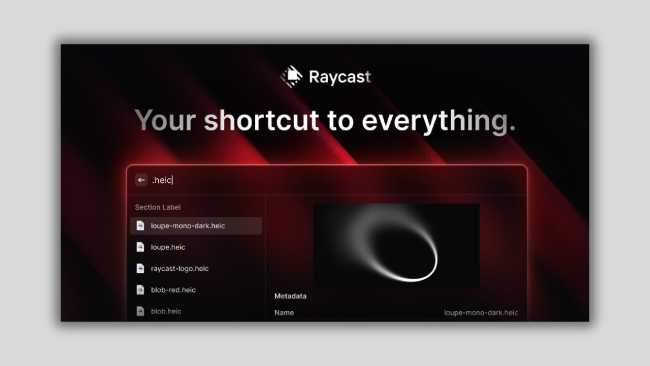
Raycast built its own file indexer instead of relying on Spotlight, and files, folders and contacts now show up next to commands and apps in Root Search. Settings has its own search too, covering every extension, command and setting. Dictation and AI Chat were free during the beta and are now part of Raycast Pro, with a 7-day free trial of Pro and no credit card required.

Pros- Core tools such as Clipboard History, Snippets and Window Management cost $0.
- A purpose-built file indexer replaces Spotlight for file results.
- AI works with your own API keys, Claude or ChatGPT subscriptions, without consuming AI Credits.
- A Windows version runs on Windows 10 and later.


Cons- Raycast 2 needs macOS Tahoe and Apple Silicon.
- Free keeps 3 months of clipboard history and 5 notes.
- Dictation and AI Chat moved behind the Pro plan.


## Alfred Overview

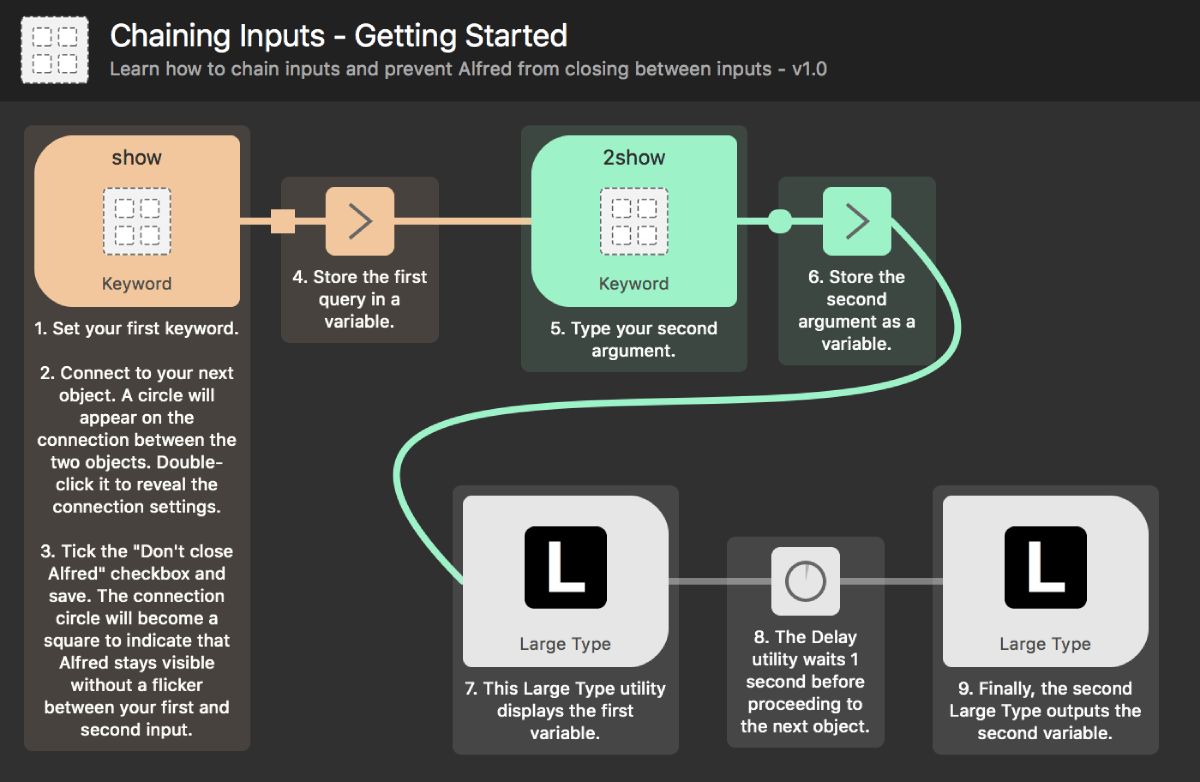
The core of Alfred is free to download and use forever, and the Powerpack adds workflows that link hotkeys, keywords and actions with no code. Alfred 5.8.1 shipped on **September 24, 2026**, and Alfred 5.8 was released to support macOS 27 Golden Gate.

[Alfred](https://www.alfredapp.com/) keeps its next major version in view, and its home page lists Alfred 6 for this fall. Clipboard History is part of the Powerpack, and you can keep clips for 24 hours, 7 days, 1 month or 3 months. Powerpack users can sync settings between Macs through Dropbox or a similar service.

Pros- The core launcher is free forever.
- The Alfred 5 Powerpack costs £34 for a single-user license.
- Preferences stay on your Mac and are never sent to the company.
- Workflow scripts can run in any language through the External Script option.


Cons- Clipboard History is a paid Powerpack feature.
- A Single User license covers one user on two Macs for the current version.
- Alfred 6 is announced but not yet released.


## Raycast vs Alfred Head-to-Head

Raycast wins on platforms and built-in AI, while Alfred wins on price model and data handling. Raycast Pro costs **$96** a year billed annually, against **£34** once for Alfred’s single-user license. Every row below comes from the Raycast and Alfred websites, plus Homebrew for Raycast’s Mac version.

| Factor | Raycast | Alfred |
|---|---|---|
| Current version | 2.6.2.0 | 5.8.1 |
| Platforms | Mac (macOS Tahoe, Apple Silicon), Windows 10+, iOS | Mac (macOS 10.14+, Intel and Apple Silicon) |
| Free tier | Raycast Free, $0 | Core of Alfred, free forever |
| Paid plan | Pro $96 a year or $10 a month | Powerpack £34 single-user v5 license |
| Built-in AI | Pro, 500 credits a month | Announced for Alfred 6, your own API key |
| Extensions | React, Node.js, TypeScript | Workflows without code, scripts in any language |
| Clipboard history | 3 months free, unlimited on Pro | Powerpack, up to 3 months |

*Source: Raycast, Alfred, Homebrew, October 2026*

The table splits on one line more than any other: the paid plan. Raycast charges every year or every month for AI and sync, and Alfred charges once for the version you buy. The sections below take each row in turn, starting with what each plan costs.

## Pricing and Plans Compared

Alfred charges once per major version and Raycast charges every year or every month, because its Powerpack is a one-time **£34** single-user license while Raycast Pro renews at **$96** a year billed annually.

- Raycast sells four individual plans: Free at **$0**, Pro at **$96** a year, Plus at **$192** a year and Max at **$480** a year, all billed annually.
- Over three years, Raycast Pro on annual billing adds up to **$288**.

The chart shows how steeply the AI tiers climb above Pro.

 ANNUAL PRICE ($ PER YEAR) · Source: Raycast pricing page, October 2026   Raycast Individual Plans, Annual Billing ($ per Year) ANNUAL PRICE ($ PER YEAR)  Raycast · 2026          500 375 250 125 0   0 Free  96 Pro  192 Plus  480 Max    SOURCE Raycast pricing page, October 2026    View the data| Plan | Value |
|---|---|
| Free | 0 |
| Pro | 96 |
| Plus | 192 |
| Max | 480 |


Paying month to month costs more. Monthly billing runs **$10** for Pro, **$20** for Plus and **$50** for Max, and the Pro plan is listed at **$120** before its annual discount.

 MONTHLY PRICE ($ PER MONTH) · Source: Raycast pricing page, October 2026   Raycast Monthly Billing by Plan ($ per Month) MONTHLY PRICE ($ PER MONTH)  Raycast · 2026          50 37.5 25 12.5 0   10 Pro  20 Plus  50 Max    SOURCE Raycast pricing page, October 2026    View the data| Plan | Value |
|---|---|
| Pro | 10 |
| Plus | 20 |
| Max | 50 |


### How much does the Alfred app cost?

Alfred itself is free to download and use forever. The Alfred 5 Powerpack costs **£34** for a single-user v5 license or **£59** for a Mega Supporter license with free lifetime upgrades. Those are the prices listed in October 2026.

The two personal license types Alfred sells today differ in how long they stay current, which matters with a new major version due.

| License | Price | Macs covered | Updates |
|---|---|---|---|
| Single User | £34 | 1 user, 2 Macs | Current version |
| Mega Supporter | £59 | 1 user, your own Macs | Free lifetime upgrades |

*Source: Alfred shop and license FAQ, October 2026*

> **Worth noting:** If you bought a Powerpack in 2026 or hold a Mega Supporter or Legendary Supporter license, you receive a free upgrade to Alfred 6. A Single User license otherwise covers one user on two Macs for the current version, so the free upgrade window is the main reason to buy before Alfred 6 ships.

## AI Features: Raycast AI vs Alfred 6

Raycast wins on AI today, because Raycast Pro includes **500** AI credits a month, Plus **3,000** and Max **7,500**, while Alfred’s AI integration arrives with Alfred 6 as a fully optional feature that uses your own LLM and API key.

 AI CREDITS PER MONTH · Source: Raycast pricing page, October 2026   Raycast AI Credits by Plan (Credits per Month) AI CREDITS PER MONTH  Raycast · 2026         Pro  500 Plus  3,000 Max  7,500  0 1.6K 3.2K 4.8K 6.4K 8K   SOURCE Raycast pricing page, October 2026    View the data| Plan | Value |
|---|---|
| Pro | 500 |
| Plus | 3,000 |
| Max | 7,500 |


Max’s **7,500** credits are **15** times Pro’s **500**. You can also use your own API keys, Claude or ChatGPT subscriptions with Raycast AI without consuming AI Credits, and Raycast supports local models through an integration with Ollama.

Raycast v2 adds a Profile you write about yourself and a Memory it builds from your chats, and Agents replace Presets. Raycast’s privacy policy says AI Memory is enabled by default for relevant versions of the service. If you only want a model behind a hotkey and already pay for one, both launchers end up in the same place: Raycast lets you bring the key now, and Alfred 6 is built around bringing it. Our list of [Raycast AI commands worth setting up](/raycast-ai-commands/) shows what the Pro allowance buys in practice.

## Extensions vs Workflows

Raycast wins for developers who write JavaScript, and Alfred wins for people who want automation without code. Raycast extensions are built with React, Node.js and TypeScript, while Alfred workflows link hotkeys, keywords and actions with no need to write a single line of code.

Alfred’s Run Script action can run any language through the External Script option and the right shebang. For figures on the workflow ecosystem, see the [growth of Alfred workflows](/alfred-workflow-statistics/). Alfred Gallery is the official source for Alfred workflows and hosts hundreds of them. On the Raycast side, Raycast lists thousands of extensions on every plan, including Free.

> **Why it matters:** Raycast’s API lets developers build extensions with React, Node.js and TypeScript and share them through its Store. That lowers the bar for web developers, while Alfred’s no-code canvas lowers it for everyone else, which is why the two ecosystems attract different builders.

The side-by-side [Raycast extensions and Alfred workflows breakdown](/raycast-extensions-vs-alfred-workflows/) walks through practical cases, and our picks of the [best Raycast extensions](/best-raycast-extensions/) cover the Store side.

## System Requirements and Platforms

Alfred wins on Mac compatibility today, because Raycast 2 states that macOS Tahoe and Apple Silicon are required, while Alfred’s home page lists version 5.8.1 for macOS 10.14 or later, built for 64-bit Intel and Apple Silicon. Alfred 5.8 shipped with tweaks for macOS 27 Golden Gate, and Alfred 5.7 was ready for macOS 26 Tahoe in **September 2025**.

On installation, the new Raycast replaces Raycast V1, with a handful of missing features to be added later. Raycast 2 rules out Intel Macs entirely, so on an Intel Mac, Alfred is the one of the two whose current version runs on the machine. The [macOS version share figures](/macos-market-share-statistics/) show how much of the installed base that rule touches.

Raycast reaches further beyond the Mac. Raycast for Windows is at version **2.6.2.0** and runs on Windows 10 and later, and Pro’s Cloud Sync covers Snippets, Notes and Chats across Mac, Windows and iOS devices. Alfred, by contrast, is built for macOS.

## Raycast vs Alfred Homebrew Installs

Raycast leads Alfred on measured adoption, since over 365 days Homebrew counted **115,793** installs of the Raycast cask and **24,188** of the Alfred cask, a lead of about **4.8** times. These are Homebrew installs only, not total users.

 Raycast installs vs Alfred installs · Source: Homebrew cask analytics, October 5, 2026    Homebrew Installs by Window, Raycast vs Alfred (Installs) RAYCAST INSTALLS VS ALFRED INSTALLS  Homebrew · 2026    Raycast installs  Alfred installs          150K 120K 90K 60K 30K 0   4118  1202  24351  6360  115793  24188   30 days 90 days 365 days  Raycast installs · 4118 Alfred installs · 1202 Raycast installs · 24351 Alfred installs · 6360 Raycast installs · 115793 Alfred installs · 24188   SOURCE Homebrew cask analytics, October 5, 2026    View the data| Window | Raycast installs | Alfred installs |
|---|---|---|
| 30 days | 4118 | 1202 |
| 90 days | 24,351 | 6360 |
| 365 days | 115,793 | 24,188 |


The gap narrows in the shorter windows. Over the last 30 days Raycast’s lead is about **3.4** times, and over 90 days it is about **3.8** times. One plausible reading is that Raycast 2’s Tahoe and Apple Silicon requirement slows new installs on older Macs, though Homebrew’s counts cannot show why people install.

The [Raycast and Alfred usage statistics](/raycast-vs-alfred-statistics/) add survey and usage figures that Homebrew cannot capture.

## Privacy and Data Handling

Alfred wins on privacy, because Alfred only contacts its server to validate a Powerpack license and to check for new software updates. Your Alfred preferences, usage and settings are stored locally and are not sent to the company or to any third parties.

Raycast describes a local-first architecture, but account, Teams sharing, Pro and AI features may transmit personal data to Raycast or have it processed there. If you enable Cloud Sync, Raycast saves AI Chats on its servers, encrypted at rest and in transit, and its agreements with AI providers prohibit them from training models on your AI interactions.

> **Key finding:** Alfred’s own Alfred 6 preview says the app runs fully private and local, with a download of less than 6 MB. Raycast offers a local route too, through its Ollama integration for local models. The difference is the default: Alfred keeps preferences on the Mac unless you sync them yourself, while Raycast’s account, Pro and AI features may send data to Raycast once you use them.

## Clipboard History, Snippets and Notes

Raycast gives more away for free here, since Raycast Free includes Clipboard History, Snippets and **5** notes while Alfred’s Clipboard History is a Powerpack feature. Retention limits differ by plan.

| Feature | Raycast Free | Raycast Pro | Alfred Powerpack |
|---|---|---|---|
| Clipboard history | 3 months | Unlimited | 24 hours to 3 months |
| Notes | 5 notes | Unlimited | Not listed |
| Sync across devices | Not included | Cloud Sync (snippets, notes, chats) | Preferences via Dropbox or similar |

*Source: Raycast pricing page, Alfred help and Powerpack page, October 2026*

Raycast Pro lifts clipboard history and Raycast Notes to unlimited. Alfred boosts your efficiency with hotkeys, keywords and text expansion. Alfred’s 3-month option may be enough on a single Mac; Raycast Pro’s unlimited history matters if you need clips older than three months.

## Teams and Enterprise

Raycast wins for teams, because Teams Pro costs **$144** per user a year billed annually and lists shared commands, quicklinks and snippets as unlimited. Alfred licenses are for personal use, with Corporate Licensing offered for team environments.

 ANNUAL PRICE ($ PER USER PER YEAR) · Source: Raycast pricing page, October 2026   Raycast Team Plans, Annual Billing ($ per User per Year) ANNUAL PRICE ($ PER USER PER YEAR)  Raycast · 2026          800 600 400 200 0   0 Free  144 Pro  240 Plus  624 Max    SOURCE Raycast pricing page, October 2026    View the data| Team plan | Value |
|---|---|
| Free | 0 |
| Pro | 144 |
| Plus | 240 |
| Max | 624 |


Raycast’s FAQ says the free Team plan never expires but is limited to **30** shared snippets, **30** shared quicklinks and **5** commands across all extensions.

 LIMIT (ITEMS) · Source: Raycast pricing page, October 2026   Raycast Free Team Tier Sharing Limits (Items) LIMIT (ITEMS)  Raycast · 2026         Shared quicklinks  30 Shared snippets  30 Shared commands  5  0 6 12 18 24 30   SOURCE Raycast pricing page, October 2026    View the data| Shared item | Value |
|---|---|
| Shared quicklinks | 30 |
| Shared snippets | 30 |
| Shared commands | 5 |


Enterprise adds SAML and SCIM, domain capture and an extensions allow-list.

## Release History and Roadmap

Raycast shipped its rebuilt app in 2026, while Alfred shipped point releases and announced its next major version. Raycast opened its rebuilt version as a public beta on **May 14, 2026**, and Alfred announced Alfred 6 for this fall on **September 10, 2026**.

 8 EVENTS · Source: Raycast blog, Alfred change log and Alfred blog, October 2026   Raycast and Alfred Release Milestones, 2025 to 2026 8 EVENTS  Raycast · 2026    Sep 15, 2025 Alfred 5.7 adds macOS 26 Tahoe support   Dec 9, 2025 Alfred 5.7.2 overhauls File Search fallback ranking   Apr 1, 2026 Alfred 5.7.3 released   May 14, 2026 Raycast v2 public beta opens   Sep 10, 2026 Alfred 6 announced for fall   Sep 11, 2026 Alfred 5.8 ships for macOS 27   Sep 24, 2026 Alfred 5.8.1 released   Oct 2, 2026 First Alfred 6 sneak peek  SOURCE Raycast blog, Alfred change log and Alfred blog, October 2026    View the data| Date | Value |
|---|---|
| Sep 15, 2025 | Alfred 5.7 adds macOS 26 Tahoe support |
| Dec 9, 2025 | Alfred 5.7.2 overhauls File Search fallback ranking |
| Apr 1, 2026 | Alfred 5.7.3 released |
| May 14, 2026 | Raycast v2 public beta opens |
| Sep 10, 2026 | Alfred 6 announced for fall |
| Sep 11, 2026 | Alfred 5.8 ships for macOS 27 |
| Sep 24, 2026 | Alfred 5.8.1 released |
| Oct 2, 2026 | First Alfred 6 sneak peek |


Alfred’s first sneak peek shows Alfred 6 will add Alfred UI, a fully macOS native UI toolkit for workflows. Alfred says version 5.8 includes preparation for a seamless transition to Alfred 6.

## Verdict by Use Case

Raycast is the better pick for AI, Windows and teams, and Alfred is the better pick for one-time pricing, Macs that cannot run macOS Tahoe, and privacy. Raycast Pro costs **$96** a year billed annually, and Alfred’s single-user Powerpack costs **£34** once.

> **Best for built-in AI:** Raycast, because Pro includes **500** AI credits a month and accepts your own API keys.

> **Best for Intel Macs:** Alfred, because Raycast 2 requires macOS Tahoe and Apple Silicon.

> **Best for a one-time purchase:** Alfred, because a **£34** single-user license includes a free upgrade to Alfred 6.

> **Best for teams and Windows users:** Raycast, because Teams Pro costs **$144** per user a year billed annually and the Windows app runs on Windows 10 and later.

> **Best for keeping data local:** Alfred, because it contacts its server only to validate a license and check for updates.

### Which is better, Alfred or Raycast?

Raycast is better if you want AI and a large extension store on an Apple Silicon Mac running macOS Tahoe, and Alfred is better if you want to pay once and keep your preferences on the Mac. Raycast 2 needs macOS Tahoe and Apple Silicon, so on an Intel Mac or one that cannot run macOS Tahoe, the answer is Alfred.

### Is Raycast better than Spotlight?

Raycast goes further than Spotlight once you add extensions, and for file search it no longer leans on Spotlight: Raycast now uses its own indexer instead of relying on Spotlight. Our [Raycast versus Spotlight comparison](/raycast-vs-spotlight/) covers that matchup in detail.

### What are some good alternatives to Alfred?

Raycast is the main alternative this comparison covers, and its Free plan includes Clipboard History, Snippets and Window Management at **$0**. For the wider field of free and paid options, see the [Mac launchers ranked as Raycast alternatives](/raycast-alternatives-for-macos/).

## Is Alfred still worth it?

Yes, Alfred is still worth it, especially before Alfred 6 arrives. An Alfred 5 Powerpack bought now includes a free upgrade to Alfred 6, and Alfred 5.8.1 shipped on **September 24, 2026**.

## Is Raycast still worth it?

Yes, Raycast is still worth it if your Mac meets its requirements. Raycast Free costs **$0** and keeps Clipboard History, Snippets and Window Management, and per Raycast’s release notes, signing in to Raycast 2 gives you a 7-day free trial of Pro with no credit card required.

## Conclusion

Raycast Pro costs **$96** a year billed annually, Alfred’s Powerpack costs **£34** once for a single user, and Homebrew counts **115,793** Raycast installs against **24,188** for Alfred over 365 days. Pick Raycast for AI, teams and Windows on a current Apple Silicon Mac, and pick Alfred for a one-time license and preferences kept on the Mac.

Alfred 6 is the one change most likely to move this verdict. If it ships this fall with its AI integration intact, the gap on AI narrows to who supplies the key.