

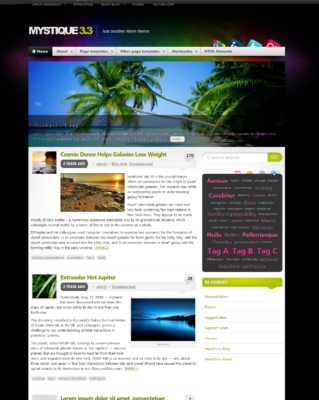
50 Most Wanted Mystique Theme Modifications, Hacks – Version 2.4.3

Update:

This tutorial was written for the Mystique WordPress theme up to 2.4.3 and since version 3.0 the themes code has change that much that these tutorials no longer work. For new modifications, hacks read this article, How to modify Mystique 3.0+ WordPress Theme.

Mystique is a free WordPress theme that attempts to top commercial templates in terms of design and functionality. In our earlier articles, we showed a way for users to add social icons to Mystique Nav bar. In this article, we will share with you a way by which you can modify various fields in Mystique theme. Customize each and every part of Mystique WordPress theme using this guide.

If you don’t like to edit code, then download Modified Mystique Theme – MystiqueRevised.

User CSS Code:

Note: Add following code to, Under Appearance -> Mystique settings -> User CSS.

1. Adjust the Position of Site Title/Site Logo

/*** LOGO/Site_Title and Navbar***/
#site-title {padding:35px 0 10px 0;}

Where 35px is the space above site title and the 10px is the space below site title or site logo.

2. Adjust Page Width

For some reason you want to change your default 960 (Grid System) page width to custom width then do following steps: First Under Appearance -> Mystique settings -> Design -> select Fluid (100%)/Custom option then add following code in User CSS.

/* Page Width */
body.fluid .page-content{
 max-width: 1060px;
}

Change value of 1060 accordingly and if you want to change sidebar size then Design -> Use column sizes option.

3. Set a Custom Featured Post Width and Height

If you adjust page width other than 960 (Grid System) then you have to adjust featured post width. You can also adjust featured post height using following code snippet. Change value of 174, 1060 accordingly.

/* Custom featured page width and height*/
#featured-content .slide-container, #featured-content ul.slides li.slide{ height:174px;
width:1060px;
}

4. Hide Tagline from Homepage

If you want to hide tagline from homepage but it should be display at browser page and so on.

/* Hide tag line from homepage */
#header .headline{ display: none; !important}

5. Change Site Title Color

/* Change Site title color */
#site-title #logo a{
color:#FFFFFF;
}

Default colour is White. Change value of FFFFFF if you want another color.

6. Change Site Tag Line Color

/* Change Site tag line color */
#site-title p.headline{
color:#C2DC15;
}

Default colour is Green. Change value of C2DC15 if you want another color.

Change Site Title Tag Line Color

7. Change the Hover Color of Blog Title

/* The hover colour of blog title */
#site-title #logo a:hover{color:#ed1e24;}

Default colour is Red. Change value of ed1e24 if you want another color.

8. Join Navigation Bar with Main Content

Join Navigation Bar with Main Content

/* Join navigation with main content */
.header-wrapper .shadow-right{padding-bottom:0;}

9. Black Navigation Style

/* Black navigation */
ul.navigation{background-position:left -464px;background-color:#000;}

ul.navigation li{background-position:right bottom;}

ul.navigation li a{text-shadow:none;color:#b3b3b3;}

ul.navigation li.active a, ul.navigation li.current_page_item a,ul.navigation li.current_page_parent a,ul.navigation li.current_page_ancestor a, ul.navigation li.current-cat a,ul.navigation li.current-cat-parent a,ul.navigation li.current-cat-ancestor a{background-position:left -164px;color:#fff;}

ul.navigation li a:hover,ul.navigation li:hover a,ul.navigation li a.fadeThis span.hover{background-color:rgba(255,255,255,0.1);}

ul.navigation li:hover li a{background-color:transparent;}

ul.navigation li li a:hover,ul.navigation li li a.fadeThis span.hover{background-color:#ed1e24 !important;}

ul.navigation li.active a span.pointer, ul.navigation li.current_page_item a span.pointer,ul.navigation li.current_page_parent a span.pointer,ul.navigation li.current_page_ancestor a span.pointer, ul.navigation li.current-cat a span.pointer,ul.navigation li.current-cat-parent a span.pointer,ul.navigation li.current-cat-ancestor a span.pointer
{background-position:center bottom;}

ul.navigation ul{background-color:rgba(0,0,0,0.66);border-color:#000;}

ul.navigation li.active ul, ul.navigation li.current_page_item ul,ul.navigation li.current_page_parent ul,ul.navigation li.current_page_ancestor ul, ul.navigation li.current-cat ul,ul.navigation li.current-cat-parent ul,ul.navigation li.current-cat-ancestor ul
{background-color:#656565;border-color:#656565;}

ul.navigation ul ul{border-top:1px solid rgba(255,255,255,0.5);}

Custom Colors for the Navigation Bar

Custom Colors for the Navigation Bar

/* Custom colors for the navigation bar */
ul.navigation li a:hover,ul.navigation li:hover a{background-color:#fc0;}
ul.navigation li.active a:hover, ul#navigation li.active:hover a{ background-color:#a6c61c;}

ul.navigation li.active a span.pointer, ul.navigation li.current_page_item a span.pointer, ul.navigation li.current_page_parent a span.pointer, ul.navigation li.current_page_ancestor a span.pointer{ display: none; }

ul.navigation li a.fadeThis span.hover{ background-color: #fc0; }

ul.navigation li.active a, ul.navigation li.current_page_item a, ul.navigation li.current_page_parent a, ul.navigation li.current_page_ancestor a{ background:#a6c61c; color:#fff; text-shadow:rgba(0,0,0,0.5) 1px 1px 1px; }

ul.navigation{ background:#c4db63 url(images/nav.png) repeat-x left top; }
ul.navigation li a{ text-shadow:rgba(0,0,0,0.5) 1px 1px 1px; color: #fff; }<strong></strong>

10. Decrease Site Title Text Size

To decrease size of site title text use following code. Adjust value of 300 accordingly.

/* Decrease site title text size */
#site-title #logo{font-size:300%;}

11. Change Size of Header

Change Size of Header

/* Change font size of header */
h1.title{font-weight: bold;font-size: 180%;margin:0 0 .2em 0;padding:.2em 0 0 0;text-shadow: #fff 1px 1px 1px;}

Adjust value of 180 accordingly.

12. Turn Widget Titles to Lower Case

In Mystique theme all widget titles are in uppercase. To change this use following code.

/* turn widget titles to lower case */
.block h3.title{text-transform:none;}

13. Border for Each Post

Border for each post

/*border for each post */
.post{
    border:2px solid;
    margin:0 0 40px;
    padding:15px;
    text-align:justify;
}

14. Change the Default Font Size of Text Inside Post’s

/* Custom font size inside post */
div.post-content{ font-size: 120%; }

15. Change the black background:

In Mystique theme, default background is black you can change it to other. Here we gave blue as an example.

/* Change black background */
body{background-color:blue;}

16. Change Background Color with Upper and Lower Color:

/* Change background colour with upper and lower colour */

body{
   background-color: white;
}

#page{
   background: #000; /* for non-css3 browsers or Opera */
   filter: progid:DXImageTransform.Microsoft.gradient(startColorstr='#000000', endColorstr='#CCCCCC'); /* for IE 6 & 7 */
   -ms-filter: "progid:DXImageTransform.Microsoft.gradient(startColorstr='#000000', endColorstr='#CCCCCC')"; /* for IE 8 */
   background: -webkit-gradient(linear, left top, left bottom, from(#000), to(rgba(0,0,0,0))); /* for webkit browsers */
   background: -moz-linear-gradient(top,  #000, rgba(0,0,0,0));} /* For gecko FF3+ */
}

17. Permanent Page Controls

To make the increase or decrease text size control button (Page Control Button) in the top right to permanently stay visible instead of having to mouse-over add following code. Some people want this great feature to be highly visible and not hidden like it is.

/*Permanent Page Controls */
#pageControls a{ display: block !important; }

Permanent Page Controls

18. Remove Page Controls Permanently

/* Remove page controls */
#pageControls{
    height:100px;
    position:absolute;
    right:0;
    top:0;
    width:0;
    z-index:4;

19. Alternate Header Image

To use following header image add given code below image.

Alternate Header Image

/* Alternate header image */
#page{background-image:url(http://localhost/wp-content/themes/mystique/images/_alt/header2.jpg);}

Replace localhost by your site URL.

20. Move Up the RSS Feed and Twitter Buttons

By default we found Twitter and RSS buttons are hidden by the navigation bar and are hard to see and are not easily accessible to readers, so move them up for user friendliness.

/* Move up Twitter and RSS buttons */
#header a.nav-extra{
   height:64px;
}

#header p.nav-extra{
   top:-60px;
}

Move Up the RSS Feed and Twitter Buttons

21. Hide RSS Button in Navigation Bar

/* Hide RSS button */
#header a.rss{display:none;}

22. Hide Twitter Button in Navigation Bar

/* Hide Twitter button */
#header a.twitter{display:none;}

23. Hide Post Information Bar

In your homepage if you want to hide post information like Date, Posted by, Category, comment then use following code.

/* Hide post information bar */
.post-date, .post-info{display:none;}

24. Always Show “REPLY | QUOTE | EDIT” in Comments

By default “REPLY | QUOTE | EDIT” will be shown when you hover mouse over them. To show them permanently use following code.

/* Always show “REPLY | QUOTE | EDIT” in comments */
#comments .controls{
   opacity : 1 !important;
   position: absolute;
   display: block !important;
   top: -3px !important;
}

Always show REPLY | QUOTE | EDIT in comments

25. Change Footer Background Color to Light Gray

Change Footer Background Color to Light Gray

/* Change footer background color to light gray */
#footer{background:#ddd;}
#footer-blocks .leftFade,#footer-blocks .rightFade{background-image:none;}

If you want other color then change value of #ddd, we are using #eeeeee value.

26. Change Footer Background Color to Dark Gray

/* Dark background footer */
#footer{background:#666;color:#ddd;}
#footer a{color:#fff;}
#footer-blocks .leftFade,#footer-blocks .rightFade{background-image:none;}

Change Footer Background Color to Dark Gray

27. Get Your Uploaded Background to Repeat

If you have uploaded custom background image and you want to repeat it then use following code.

body{background-repeat: repeat;}

(or repeat-x, repeat-y)

28. Adjust the Space Between Line and Paragraphs

/* Adjust space between line and paragraphs */
.post-content p{
   margin: 0 0 1.2em 0;
   line-height: 150%;
}

First property: Spacing between paragraphs (top/right/bottom/left).
Second property: Spacing between lines. Adjust values accordingly.

29. Decrease the Gap between Widgets

Some people don’t like the large gap between the the widgets. So here is the code to adjust the gap.

/* Decrease space between Widgets */
li.block{list-style-type:none;padding:0;margin:0;}
li.block, .arbitrary-block{margin:1em 0 1.2em;position:relative;}

Adjust the value of 1.2 accordingly.

Decrease the Gap between Widgets

30. Hide or Remove the Page Title

If you want to hide or remove post title on a single post page then add following code.

h1.title{font-size:0%;}

Hide or Remove the Page Title

31. Modify Appearance of Tags like ATOM Theme/Framework

Modify Appearance of Tags

/* Modify appearance of tags */
.post-tags a{
 -moz-border-radius: 10px 10px 10px 10px;
 border: 1px solid #EEEEEE;
 color: #AAAAAA;
 margin-bottom: 2px;
 padding: 1px 5px 2px;
 text-decoration : none;
}

.post-tags a:hover{
 background : #666666;
 border: 1px solid #666666;
 padding: 1px 5px 2px;
 color : #ffffff;
 -moz-border-radius: 10px 10px 10px 10px;
 text-decoration : none;
}

32. Turn Navigation Titles to Lower Case

In Mystique theme all navigation titles are in upper case. To change this use following code.

ul.navigation li  a{text-transform:none !important; font-size:115%;}

Also you can adjust font size of navigation titles. Change value of 115% accordingly.

Navigation Titles in Lowercase

33. Modify Appearance of Next and Previous Links

You can modify appearance of next and previous links so it will be easily visible and attractive.

Modify Appearance of Next and Previous Links

/* Change Previous and Next Links */
.single-navigation a{
   border: 1px solid #EEEEEE;
   color: #d96109;
   margin-bottom: 2px;
   padding: 1px 5px 2px;
   text-decoration : none;
}

.single-navigation a:hover{
   background : #666666;
   border: 1px solid #666666;
   padding: 1px 5px 2px;
   color : #ffffff;
   text-decoration : none;
}

34. Remove the Tags

Use following code to hide the tags.

/* Hide Tags */
div .post-tags{
  display:none;
}

35. Hide Post Information Bar

Add following code to hide post information bar.

/* Hide post information bar */
.post-date, .post-info{display:none;}

36. Text-Justify on Post and Page Content

If you want to justify the text and page content add the following code:

/* Text-Justify post and page content */
.post-content{text-align:justify;}

37. Fixed Custom Background Image

To fix custom background image add following code:

/* Fixed custom background image */
body{background-attachment:fixed;}

38. Increase Font Size Inside Pages

You can increase font size of pages using following code:

body p{
 font-size:15px;
}

Other Useful Code Snippet for Mystique Theme

1. Place the Description Directly below the Blog Title

Under Appearance -> Look in your style.css find

#site-title p.headline{float:left;border-left:1px solid  #999;margin:0 0 0 1em;padding:.2em 0 .2em  .8em;font-weight:normal;font-size:140%;line-height:64px;letter-spacing:0.4em;}

Delete:-   border-left:1px solid #999;
Add:-       clear:left;
Change:-  margin:0 0 0 0em;
Change:-  line-height:44px;
Change:-  padding:.2em 0 .2em .1em;

Adjust the numbers as you like.

2. Add Favicon to your Blog/Site:

For those who don’t know what is Favicon, “Favicon is a small icon (image) displayed at the beginning of the address bar of the browser. It is also called Favourite Icon, Page icon and url icon.” Most of the people use 16*16 pixel favicon(you can also use 32*32 pixel favicon) with “.ico” format. But, you can also use gif,png (image formats) as well.

The main advantage of creating and using favicon is, it makes it easy to find your blog or site when someone favourites or bookmarked your site/blog among several other sites.

Under Appearance -> Look in your header.php, find

<link rel="shortcut icon" href="<?php bloginfo('template_directory'); ?>/favicon.ico" />

and change it into

<link rel="shortcut icon" href="Your Favicon File URL HERE" />

Don’t forget to replace, .ico and .gif file urls. Visit www.iconj.com for free 18000+ animated favicons, online icon generator, favicon hosting and more.

Favicon in Mystique Theme

3. Get images in a post to open in lightbox, like this:

Lightbox Effect in Mystique Theme

Lightbox is default feature provided in Mystique theme. The lightbox will open any link that ends in .jpg, .png or .gif (it will asume it’s a image). So just make the images from the posts links. eg. thumbnails that link to the full size image.

4. To put a link in the top navigation bar, add following code to, Under Appearance -> Mystique settings -> Advanced > User functions.

<?php 
  function mymenu() {  
     echo '<li><a href="Link to Your Menu" rel="nofollow">Menu Title</a></li>'; 
  }
  add_action('mystique_navigation', 'mymenu'); 
?>

It is useful when you want to put a external link in navigation bar. Change “Link to your Menu” by your link and “Menu Title” by your title.

5. Make the Background Transparent

Under Appearance -> Look in your style.css, find

/*** MAIN LAYOUT ***/
.shadow-left{background:url(images/shadow.png) no-repeat left bottom;}
.shadow-right{background:url(images/shadow.png) no-repeat right bottom;padding-bottom:0px;position:relative;}
#main{background:#fff url(images/main-right.jpg) no-repeat right top;}
#main-inside{background:transparent url(images/main-left.jpg) no-repeat left top;min-height:380px;}

and change it into

/*** MAIN LAYOUT ***/
.shadow-left{background:url(images/shadow.png) no-repeat left bottom;}
.shadow-right{background:url(images/shadow.png) no-repeat right bottom;padding-bottom:0px;position:relative;}
#main{background:transparent;}
#main-inside{background:transparent;min-height:380px;}

6. Remove the Space between the Top Navigation Bar and the Actual Content

There is some space between the top navigation bar and the actual content. If you want to remove this space or you can join the content and the nav bar together. Under Appearance -> Look in your style.css, find

/*** MAIN LAYOUT ***/
.shadow-left{background:url(images/shadow.png) no-repeat left bottom;}
.shadow-right{background:url(images/shadow.png) no-repeat right bottom;padding-bottom:10px;position:relative;}

Change 10px to 0px if you want join the content and the nav bar together Or change it accordingly.

Remove the Space between the Top Navigation Bar and the Actual Content

7. Another Way to Decrease the Font Size of Posts Title

Under Appearance -> Look in your single.php, find

<h1 class="title"><?php the_title(); ?></h1><?php endif; ?>

Change h1 to h2, h3 as per your choice.

8. Another Way to Adjust the Position of Site Title/Site Logo

In Appearance -> Editor -> Open Stylesheet (style.css), find:

/*** LOGO/Site_Title and Navbar***/
#site-title{padding:4em 0 3.7em 0;}

By adjusting value of 4em and 3.7em you can adjust header logo position. 4 em is space above site title and 3.7em is space between site title and Navigation bar.

9. Another Way get More Space Between the Lines

In Appearance -> Editor -> Open Stylesheet (style.css), find:

p{margin:.6em 0 .3em;line-height:150%;}

By default value is 150%. You can change it to higher value as you need.

10. Include More Text in Feature Content Bar

If you have increase the width of feature content bar then you want to include more text in feature content bar. To do this you require FTP client, then under wp-content -> themes -> mystique -> extensions -> featured-posts -> featured-posts.php, find:

echo '<div class="summary">'.mystique_strip_string(420, strip_tags(strip_shortcodes($featured_post['post_content']))).'</div>';

Change the 420 to however many characters you wish to have in your featured post.

11. How to add “Go to Top” button

There are two ways to add this feature: Modifying header.php and by using plugins.

Modifying Header (header.php)

Under WordPress Dashboard -> Appearance -> Editor -> header.php, Look for

< ?php wp_head(); ?>

Below this line add following code:

&amp;lt;style type=&amp;quot;text/css&amp;quot;&amp;gt;
a.go-top{display: none;position:fixed;right:10px;bottom:10px;cursor: pointer;z-index: 99;padding: 5px 10px;background: #eee;text-decoration: none;}a.go-top:hover{background: #333;color: #fff;}
&amp;lt;/style&amp;gt;
&amp;lt;script type=&amp;quot;text/javascript&amp;quot; &amp;gt;
jQuery().ready(function(){
     jQuery( window ).bind(&amp;quot;scroll&amp;quot;,function(){
       if(jQuery(window).scrollTop() &amp;gt; 170){
            jQuery(&amp;quot;.go-top&amp;quot;).show();
	}
       else
           jQuery(&amp;quot;.go-top&amp;quot;).hide();
     });
  });
  &amp;lt;/script&amp;gt;

Then exactly after two lines i.e. after

add following code:

&amp;lt;a href=&amp;quot;#page&amp;quot; id=&amp;quot;goTop&amp;quot; class=&amp;quot;go-top&amp;quot;&amp;gt;Go to Top&amp;lt;/a&amp;gt;

Now, in your site you will see “Go to Top” button that appears in the bottom right corner of your screen that allows user to smoothly scroll up.

Screenshot of Go to Top Button

Click to preview the full image

Just scroll a little bit and you will see a “Go to Top” button appearing at the bottom of your page.

Using Plugins

If you want to add “Go to Top” button without modifying your template files then try any one of following plugin.

1) Scroll to Top Plugin

Scroll to top plugin will add a button that hovers in the bottom right corner of your screen that allow users to smoothly scroll up your page. Download and install Scroll to Top Plugin.

2) WP To Top

This plugin will add a “Back to top” link automatically to your blog. Download and install WP To Top.

3) Go To Top

Add a “Go to Top” link to your posts. This is a WordPress plugin which based on jQuery, jQuery Easing and Scroll to Top v3. Download and install Go to Top Plugin.

12. How to add +1 Google Button to Mystique Navigation Bar

+1 Google Button in Mystique NavbarOne of the latest and splendid innovative idea of Google is the Google Webmaster’s +1 Button which is to let your visitors or friends recommend your article for better visibility in search engines. Recently Google has changed their algorithm and emphasized on what people like and share.

We highly recommend every blog/website owners to add the Google’s +1 Button on their sites. Here we are sharing a way for adding +1 Google button to Mystique navigation bar.

  1. The Snippet of Code is available at:- http://www.google.com/webmasters/+1/button/
  2. Under WordPress Dashboard -> Appearance -> Editor. In the Templates Column look for “footer.php” file. In footer.php file search for </body> tag and add following code before body tag:
    &amp;lt;script type=&amp;quot;text/javascript&amp;quot; src=&amp;quot;https://apis.google.com/js/plusone.js&amp;quot;&amp;gt;&amp;lt;/script&amp;gt;

    then

  3. Under WordPress Dashboard -> Appearance -> Mystique Settings -> Advanced. Scroll down to User functions then add following code:
                    &amp;lt;?php  
                      add_action('mystique_navigation', 'googleplus');
                      function googleplus(){
                        echo '&amp;amp;nbsp &amp;amp;nbsp &amp;amp;nbsp &amp;amp;nbsp &amp;lt;g:plusone&amp;gt;&amp;lt;/g:plusone&amp;gt;';
                      }
                    ?&amp;gt;
                

That’s all you need to do and the +1 Google Button will appear on your website/blog.

We hoped that you enjoyed this long and resourceful article. If you like it please retweet and share it with your friends on Facebook, Twitter, Google+.


About Rajesh Namase

Rajesh Namase is the owner and creator of TechLila. He has a great passion in Internet technology, web development, and computer security. If you’d like to connect with him, use our Contact Page.

Rajesh has written 213 awesome articles for us at TechLila.


Comments

  1. Kishor Lad says:

    Thanks for sharing this amazing post. I’d like to say that this post is great. Thank you very much.

  2. Useful instructions! Thanks!
    Could you would tell us what plugins you are using on your Tips and Tricks blog?

  3. Hello. First of all this is a really helpful post, but i have one more question. When i change the block-title.png with one of mine, the image is being hidden. It;s not easy to explain, so take some pictures.
    This is the block-title.png i made

    and this is the result i got
    http://img209.imageshack.us/img209/4717/probny.jpg

    something is getting in front. I’ve changel almost the whole style.css but no luck.. Can you possibly help me;

  4. Spideymang says:

    Hello!! great tips for this theme

    Greetings from Mexico

  5. ElPresidente says:

    Very helpful, thanks a lot!!

  6. Hi all.i have manage to set my slider with post,but appers one post,not like yours….how can i make her to move,to show other posts?

    Tnx !!

    • You can mark posts as featured on the Posts page then those posts will display on slider. Also in Mystique settings ->Content there is option: Maximum number of posts to display, Slide delay and Don’t show posts older than … days.

      • Hei.TNX
        i have seen that option,but i don’t how to mark “featured posts”…can yu tell me?

  7. Heheh…i find out “click on the star”:)

    • Hey man, that’s the point :)

      • I used the code you put for the external link in the navigation bar and it totally messed up the whole site. Can you tell me where I can delete this code? What file is it held in?

        • Tell me file name where you add the code? I don’t say to add this code in function.php. Instead of add code, Under Appearance -> Mystique settings -> Advanced -> User functions.
          Adding code here never messed up any site. I think, you added this code in function.php :(
          I am using local server to change any theme file or doing any modification. I always advice others to use WordPress in local server before changing theme file or any plugin file.

      • I dont want a post to be show on slider. I want an image only show on slide at header.
        I already make featured image with big image (1050 x 700), but this image doesn’t show as same as Mystique demo.
        How to make this featured image to be slideshow?

  8. Hi Rajesh.

    Just want to say Thanks a million! I have made quite a few changes to my site, which wouldn’t be possible if it wasn’t for the helpful tips on your website! And I must add… I love the look of my website now. Could you please tell me how you change the color of your widgets? If you’ve already posted it and I’ve overlooked it, ‘I apologise’ :)

  9. Thank you so much for your awesome post, I’ve been looking for something like this for quite a while. It also taught me quite a bit that I was able to implement on my site besides what you gave.
    Two questions though: When I make the center transparent several of the mystique widgets appear differently and the corners are whitish and unsightly. Is there a fix? And with the mystique Lightbox feature is there any way to have pictures open OVER elements such as Youtube videos etc. ? It’s rather annoying to have to scroll down to unhide an image and I don’t want to disable such an awesome feature.
    Thank You!

  10. Hey Rajesh, great theme! I love Mystique, and decided to use a black background throughout my theme, but I can’t figure out how to black-out the comment header background color. Can you advise?

    Here’s an example of how it’s showing now:

    Thanks in advance,
    Ingrid

  11. Thanks for all the info, Rajesh. I see you have instructions to change the widget font to lower case. What about the page titles?

    • Do you mean, you want in Navigation bar pages title in lowercase :)

      • Yes, the navigation titles. I think they’re too big. :) How to change them to lowercase? Also, how did you change your theme to red?

        • Under Appearance-> Editor-> Stylesheet(style.css), find

          ul.navigation li a{min-height:32px;display:block;font-weight:bold;font-size:115%;text-transform:uppercase;text-decoration:none;text-shadow:#fff 1px 1px 1px;text-align:center;color:#4e4e4e;padding:0 13px 0 11px;position:relative;line-height:31px;}
          

          and change text-transform:uppercase; to text-transform:none;
          also you can adjust font. Change value of 115% accordingly :)

          You can change colour to Red under Appearance -> Mystique Settings -> Design -> Colour scheme select Red colour there.

      • I’m out of leauge here. Too much brain power on display!

    • Good point. I hadn’t tohught about it quite that way. :)

  12. thanks for these Info.

  13. hi, i am using this theme at the moment for baterya.com but i think css not loading completely on single post. I have also adjusted the width of columns at the mystique settings at my wordpress dashboard.. could you take a look on it and share some solutions to it…. i am no programmer so i do not how to look on it.. thank you..

    • Which version of theme you are using? Clear your Browser cache if you newly update the theme! Disable all plugins and then try! Sometimes maybe there is error in one of your plugin. Then enable plugin one by one.

      • hi, thanks for the solution.. i am using version 2.4.2… I was about to disable all plugins when i tried to resave the mystique settings.. and wahlah it is working now both on home and single post.. thanks.. nice theme..

  14. Very very ueful tips! Thanks alot!
    Could you plz tell me what plugins you are using on your this blog?…which plugin is that share the knowledge ,translater n connect with us in sidebar….thnx in advance…

    • I am using GTranslate plugin for translation, SexyBookmarks (by Shareholic) for share the knowledge and I am not using plugin for connect with us widget.
      Code for connect with us is send on your email check it and edit it for your website.

  15. thnx alot…..n could u plz tell me how to change the text in footer “Mystique theme by digitalnature | Powered by WordPress ” i’ve founded that the code is in shortcode.php…i tried to change it but i cant it completly….i know that u can help me…..so plz…..

  16. Hi Rajesh,
    I have been trying to find where the code is for the “post-info clear-block with-thumbs” class.
    I want to keep it but would like to remove the “Posted by” part.
    What template or file is this in?

    Thanks

  17. Perfect thanks Rajesh


    Rajesh Namase:

    Under Appearance -> Editor -> core.php. In this file just search “posted by” and comment corresponding line. Do this only if you know programming I advice you to do any changes in theme or plugin file, always use local server. It is secure and speedy. Best of luck

  18. Hey Rajesh, Mystique is an awesome theme but I want to add a custom background, it seems like all the images I’m using are either too big or too small… what are the correct dimensions for a custom background image?

  19. So nice of you to awnser questions Rajesh! :) Is there any way to center the navbar buttons, insted of making them align left?

  20. Wondering if anyone here would be able to help me with my problem (presumably with mystique). My search page is corrupted when a the search contains a phrase that occurs at the beginning of a long post title. Any ideas how to fix this? For my search.php and a clearer description please see my most recent post http://wordpress.org/support/topic/my-search-page-is-messed-up?replies=9#post-1883738

    • Which version of theme you are using? Clear your Browser cache if you newly update the theme!
      Disable all plugins and then try! Sometimes maybe there is error in one of your plugin. Then enable plugin one by one.

  21. Hey thanks buddy, i was looking for many of this…i have allready made some changes like
    1) link color
    2) Next and prev post color
    3) text selection color
    4) Menu hover style
    5) and few more changes
    but still many were there that i wanted to implement and found here…thanks once again

  22. Hi Rajesh,

    Is there a way to suppress duplicate entries of featured posts, so they don’t appear in the featured content area AND below in the regular news items?

    Thanks!

  23. How adjust footer width if adjust page width with 1060px and hide title ‘white’ widget. TQ..much Rajesh

  24. 1. plz tell me how to change the color of next and prev. post link color…..i wnna make ‘em like yours blue n underlined….
    2. my menu is not working means i’ve made a menu n arranged the pages n added some categories in it but it didn’t affected the navigation bar…plz tell me any solution…
    3. is there any way to put next n prev. buttons in the featured post..
    4. n plz tell me how to add name,e-mail n all boxes n captcha box also in Contact page like yours….
    5.n which plugin are u using for clearing page,browser etc caches…
    6.n my related post box is not coming with comment box..it’s only coming for 1post….any suggestions….

    Hope u’ll sive the solution for every problem..
    Thank you…

    • 1. Add this code in user css.

      /* Next and prev post name link */
      .single-navigation a {
          background-color: transparent;
          border: 0 none;
          color: blue;
          font-size: 14px;
          font-weight: bold;
          padding: 2px 4px;
          text-decoration: none;
          text-shadow: 1px 1px 1px #FFFFFF;
      }
      

      4. I am using FS Contact Form plugin for that.
      5. W3 Total Cache.

  25. LOVE your theme Mystique! Thank you for creating it, and this wonderful post. :)

    Is there any way to get the built-in lightbox picture that pops up to close by clicking anywhere on the picture, rather than just on the X?

    And is there any way to get the links in the “share this post!” to open up in a new tab/window?

  26. Also, my “reply” button on the comment info seems to be totally missing. Help!

  27. Why my widget footer not show in my web ? Plz help me..Thank you Rajesh

  28. Hi, first of all, you are running a great site, thank u for all info!
    Now I got 1 Q LOL, I set up my navigation to show categories in top menu, now i want to set up links to my pages in footer, but I ‘vh lost possability to edit footer ( under – content) It use to have some default code and as time passed by I added few more things, but now it is empty and not writeble at all. Can u help me with the advice?

    • Use FTP account and set permission to 755, OR there can be problem with one of the plugin. Try deactivating each plugin sequentially (One at a time) . Finally you can try reinstalling theme.

      • Ok, but it did not happened after I installed any plugin, I simple change order Mystique settings–>Top navigation shows / from page to categories, should i try to disable plugins anyway?

  29. Here is a link on site I am using for practice only it is empty but it shows links to pages in footer.

    http://www.graphicsamples.comule.com/

    So that is what i want to do instead have those in top menu. Only problem is that footer in my active site is not editable any more. Permisions are 777.

  30. please tell me the plugin you are using for popular post in the sidebar…

  31. Thanks. This is very useful tips for our theme. I will use this tips for my site to. Thanks :)

  32. I’ve searched everywhere, but still cannot find it… Where is the gray “>” in the sidebar lists? I’d like to change its color. Thanks!

  33. Hello,

    How do you remove the Tags under a post?
    thnx!

  34. Hi Rajesh
    plz tell me how to make the next n prev. pos links underlined n blue lyk urs…..

  35. Wow, Very nice tips! I love the black Nav bar.

  36. Hello Rajesh,

    How do you remove the Tags under a post?
    thnx!

  37. hello rajesh i recently saw your perfect theme and am currently using it but my recent twitter widget and and sidebar tabs widget is not working i hope you provide me a solution…

  38. my featured connect is also not sliding :(

  39. i figured out the sidebar and twitter update issue but now am facing another problem feature content doesn’t slide…

  40. thank you rajesh for your support on replying to my comment your theme is perfect for beginners and i think your the one who provided all the editing codes.

    i fixed the featured post with star button its really nice
    my recent twitter widget sometime works and sometimes it wont work…i hope you will come up with a solution..:)

    • I think there is no problem in Twitter widget because I found it working in my test website. May be you found problem because of slow connection or cache.

      • hmm so how to make it work ?

        and in my site when i click related posts beside comment it shows posted about 41 years ago how to fix this?

        • Check others website, it’s not theme problem, one of your plugin is conflicting OR maybe your server time is wrong OR try correcting Time zone in Settings-> General.

  41. Awsome source for mystique.

    I am looking for some of the hacks since I use mystique.

    One questions I have for you.

    1) How ever you managed to get mystique centered on the screen, mine is sitting left side – looks kind of dull.

    If you have a minute to look into this, I would appreciated a loot.

    tks

    Kosta

  42. Thank you for the hint.

    As far as I understand the theme depends on the wp version.

    I use 2.84 and had some nasty experience with an update.

    Thank you

    Kosta

  43. Hi there, I am trying to adjust the colour of the widget title backgrounds. I have edited the block-title.png and uploaded, but it does not display except for the left hand edge, the rest appears as the original .png.
    I have looked through the .css file with no luck.

    can you help?
    Mike

    • No, it works fine. Also we had added Pink Color scheme in MystiqueR2 Theme. Which is modified version of Mystique 2.4.2. We use same way to edit it and there is no problem. No necessary to edit .css file.

      • Cheers for the reply. I think the issue was I used an image with a left-right gradient, so that the resize sidebar function caused the image to look odd. Using an image without gradient now and works fine.

        Great theme by the way.

  44. Hi

    The “Move up the rss feed and twitter buttons” don’t works on my blog. What happens? Thank you (:

  45. 4. To put a link in the top navigation bar, add following code to, Under Appearance -> Mystique settings -> Advanced > User functions.

    function mymenu(){
    echo ‘Menu Title
    ‘;
    }
    add_action(‘mystique_navigation’, ‘mymenu’); 
    

    What would the code be for multiple links? Thanks in advance!

  46. Super duper like.What a post man.Searching like crazy,but finally got what I need.Thanks alot

  47. Thank you, really helpful.. :)

  48. Danielson says:

    Thanks for the great post. One question left:

    Is there any way to change the font color to black and the background to white ? I did that allready with the footer – like written in your post. I want to invert the complete site color because to me its better to read white letters on dark ground in posts (and in general). Couldnt find any way, modified the style.css many times…. Any ideas ? Maybe to easy ?

    Thanks & greetings

    • Find

      .post-content p{font-size:15px; margin:0 0 .8em 0;padding:0;} 
      

      in style.css and replace it with

      .post-content p{font-size:15px; margin:0 0 .8em 0;padding:0;color:#000;}
      

      The background is already white.

  49. Hello,
    First, I would like to thank you for all those tips ;)
    It is really helpful.

    I really appreciate the slider that highlight on the top of your site some popular posts.
    Can you explain to me how I can create the same kind of slider on my own Blog?
    I also have the mystique theme.

    Thanks a lot in advance

    • It is feature provided by Mystique Theme.
      Mark posts as featured on the Posts page (“click on the star”) then those posts will display on slider. Also in Mystique settings ->Content there is option: Maximum number of posts to display, Slide delay and Don’t show posts older than … days. :)

  50. Thanks for all the tips. I decided to change the theme on my blog and have used some of the tips you mentioned in this great post. There’s one thing I like to ask though, because I don’t Tweet, is there anyway I can get rid of the Twitter widget in the sidebar? I managed to hide the Twitter icon above the navigation bag but not sure how to get rid of the one on the side. Many thanks.

  51. Now that I’ve had more sleep, I’ve managed to get rid of the default sidebar and therefore the twitter widget. Thanks.

  52. urzadzenia gastronomiczne says:

    It’s everything here exactly what I was looking for :) I’m so happy that I step in right here.lol

  53. Rajesh, this is great info! Can you tell me how to make my drop down menu so it’s not transparent when you mouse over?

  54. Hi Rajesh, I’m back with another question. How can I add the words “continue reading” on the excerpts on my posts?

    Many thanks.

    • In Appearance-> Editor -> Open core.php file and search for
      // throw out trimmed: content to process, read more tag, post permalink, words length
      below this line there is more word replace it with Continue Reading

  55. Thanks Rajesh. I did as you said but nothing has changed.

    • We didn’t see any “more” tag in your homepage. In Appearance -> Mystique Settings -> Content -> Post previews -> check content box and select maximum 100 words (OR 50 words OR 200 words ), filtered. Then you will see Continue Reading in your homepage after each post :) OK?

  56. echo mystique_trim_the_content($content, __(‘Continue reading’,'mystique’), get_permalink($post-&gt;ID), $word_count);
    endif; ?&gt;
    

    This is what I did. Still no luck.

    • OK, I think one mistake is there. Try again this
      In Appearance-> Editor -> Open core.php file and search for
      // throw out trimmed: content to process, read more tag, post permalink, words length
      below this line there is more word replace it with Continue Reading

  57. Hello there Rajesh,

    I have a question about Mystique theme that I’ve been trying to solve for a few hours now but I can’t seem to find out how… I’m trying to make the “home” button in the navigation bar to say something different like “news”! I don’t mind the picture it has on the side, in fact I like it there, I just want to change the word!
    Can you make any suggestions as to how to do that? Also, is it possible for the button to link to the homepage of my website instead of the homepage of my blog? (I installed wordpress on a subpage of my website)

    Thanks a lot for any input!

    • Go to admin panel -> appearance- >editor and open core.php, go to line number 318 and
      replace with “www.yourpageaddress.com” and
      replace with <?php _e('News !','mystique');

      repeat the process for line number 320.
      Note : Before making changes, take a backup of core.php and then only edit the code.

  58. Great post! How can I add the featured slider to the index page?

  59. Rajesh, this is great info! Can you tell me how to make my drop down menu so it’s not transparent when you mouse over? – http://www.deepcreeklawyer.com

    • Find in User CSS (If you added code in User CSS for Black Navigation) or in default CSS.
      ul.navigation ul {
      background-color: rgba(0,0,0,0.65);

      REPLACE WITH

      ul.navigation ul {
      background-color: rgba(0,0,0,1);

  60. Hi

    I am trying to change a page’s title and keep it different from the menu title. I tried putting in an if condition in the single.php file

    But it doesn’t seem to work. Can you please help?


  61. Rajesh Namase:

    Find in User CSS (If you added code in User CSS for Black Navigation) or in default CSS. ul.navigation ul { background-color: rgba(0,0,0,0.65);REPLACE WITHul.navigation ul { background-color: rgba(0,0,0,1);

    would it be in Stylesheet (style.css)?

  62. my site is enabling 2nd sidebar automatically please help

  63. How would I make the background on the index (Home) page, and the single page white (ffffff)? Right now there seems to be a light grey gradient that goes to white on it.

  64. I’m looking for something to auto-resize my images/youtube fragments but to keep aspect-ratio via CSS or sortlike for Mystique theme.
    Thanks

  65. Hii. Can u please telll me how to include SEARCH on right side of header logo? I would like to include search as well as gtranslate on right hand side. Pleasee help with me with this. You can visit my website to get an idea.

    • We seen that you already add search on right side of header logo, to add translation code just copy code from GTranslate settings and add code where you want to display translator :)

      • Hii., yaa, i did some r n d and finally got the search bar there. Im thinking translate will crowd it a lot so ignored that :) But veryy nice mods here

  66. I saw a response but then it got deleted ?

  67. This Site is very good for a novice and for beginners. I’ve used at least a handful of codes from this page in my Mystique Theme. So thank you very much!

    Do you know if there’s a way to make the Widget Titles (and content/text) to decrease? That would help a lot regarding the total width of my page (don’t have to have it set to 1100gs).

    Keep it up!
    Chris

  68. ok thanks. I’d like to get thumbnails for youtube fragments next to my excerpts. I tried the wordpress plugin youtube thumbnailer but it does not work with Mystique. Any solutions ?

  69. Great blog with super modifications. I would, however, like to replace the category with a custom field in the post information bar. Do you have experience with this? Do I have to edit the core.php?

  70. I’m using BB-Codes in the Comments.

    On quoting Comments, I get plain HTML-Code, which is not allowed for normal Users.
    For example: Quoting an [img]-Tag makes

    How can I change this to get the originally Comment-text inside the Quote?

  71. Please i need your help!
    How to get space between images in single post? Check this:
    Greetz from Serbia!

  72. How change the H1 tags, I dont want the page links to be the same as my H1 tag for SEO purposes.

    Ie; I want my page link ‘home’ to stay as home for the index, but I want to change the H1 to something more relevant to my website.

    Thanks

  73. coolguy says:

    Hey can u say Pls me how to add a image beside the title of the site ????

  74. Is there a way to centre the menu items on the nav bar?

    At the moment they align left leaving alot of space on the right of the bar if you dont have many menu items.

  75. Hi, Rajesh there’s a little problem while, adding breadcrumb plug-in to blog so, could you help me out where to put breadcrumb code in the Mystique theme.

  76. lostkop says:

    These tips and tricks have helped me sooo much over the last few months. Have you tried using the google fonts wordpress WP-Google Fonts plugin with Mystique. The custom css has completely done my head in. Given that most mystique blogs are instantly recognisable I thought this might be a fun one to pursue.

  77. Thanks for the useful tipps. I want to change the background to a texture like you have. What image size should I choose? And how can I change the background without changing the header image?

  78. Pranjal says:

    Hi, Rajesh i’m facing a little problem, i don’t know whether it’s with mystique theme or wordpress , but when i tried to click on the author link it shows no author archives, instead it takes me to the homepage.

    Do you know any solution for this?
    Thanks

    • You are right, in my blog also it takes to homepage but in header part there is author information. Check deactivating plugins one by one. These is not a theme problem.

  79. I was curious how to hide the navigation bar on the top, but have a vertical navigation bar on the side instead. Kind of like this theme : http://wordpress.org/extend/themes/paperblock

    Thanks!

  80. Hi,

    I try to edit the post and sidebar witdth but all my modifications in style.css failed…
    What i need to do please

    Thanks

    • In Appearance -> Mystique Settings -> Page (content) width
      Select Fluid (100%)/Custom, if you want width other than 960gs.

      Add following in In Appearance -> Mystique Settings -> user css

      /* Page Width */
      body.fluid .page-content{
       max-width: 1060px;
      }
      

      To adjust sidebar width:
      In Appearance -> Mystique Settings -> Column sizes

  81. Hello and thank you for your tips, they have been very helpful.
    I want to know how to change the text in the template MORE highlighted

  82. mentalist3d says:

    Very good post, one of the most in-depth tips for customising Mystique I’ve seen yet. Some have certainly come in handy, thanks for sharing ;)

  83. Great post. I suggest you keep on improving this post. As you can see, this post has brought in lots of traffic ;) !

  84. i have been using mystique theme. But so is everyone else. Please tell me an easy way to modify the top navigation menu. I want to style the top menu. as in give it a rounded look.. just see these menu examples :

    or if i can switch to a vertical menu like this :

    PS- i know these examples are mootools menus… but i just wanted to give an example how i want to change the menu’s looks.

    if there is a way to apply ready made styles to mystique to change the menu’s looks keeping functionality the same

    • No there is no any ready made styles to mystique to change the menu’s looks keeping functionality the same. You have to edit style.css to do that.

  85. I know how to put this place in French, I can find or that is in the CSS file

  86. yes, I put you PLUS, in place of MORE

  87. InnoBrain says:

    Hi guys, there’s a way to center the logo?
    In this moment I’ve it aligned on the left side of the header but I want on the center.
    Thank you so much for this great work on the hacks.

  88. September Kurzyniec says:

    I like the helpful info you provide in your articles. I’ll bookmark your blog and check again here regularly. I am quite sure I will learn many new stuff right here! Best of luck for the next!

  89. thanks for u article, same theme

  90. Can you find a way to align the navigation menu items to the center ? I’m not really happy with some blank space in the left side.

  91. Very nice post. I just stumbled upon your weblog and wished to say that I’ve truly enjoyed surfing around your blog posts. After all I will be subscribing to your feed and I hope you write again very soon!

  92. KAMAL SONI says:

    Its really a very useful article.

  93. Gosh, this is a Bible for me. Thanks a lot for this post. I have figured to change the font type for the blog title by putting in font-family: what u want in front of the css for that but I cannot work around changing the font style for the widget titles (without disturbing the rest of the h3 titles and any way to change the font type of the body content in post. I want to switch it to Arial.

    Can you please suggest hacks for that as well.

  94. John Paul says:

    I just wanted to see how this comment system works.

  95. Alvin Kuan says:

    Any ideas how I can edit the [top] code? It seems that it isn’t working. Even for your site.

    • Exactly which top code are you talking about please specify it.

      • Alvin Kuan says:

        look at the bottom of your website. Below “Copyright © 2011 Tips and Tricks “. To the right of “RSS FEEDS”

        • Elaborate what do you want to say? I think there is no any error :)

          • Alvin Kuan says:

            It doesn’t bring you back to top when you click it?

            Also, how do I change the default “More” into the phrase I want? example: Read the rest of this entry”

            • There is no any problem with top button, working fine :)
              Edit core.php to change the default “More” into the phrase you want!

              • Alvin Kuan says:

                Oh, I guess you are using firefox? It’s not working on IE and Chrome. Nvm that.

                Exactly which line do I edit?

                • Search more in that file and change phrase that you want! First try editing in local or use firebug tool :)

                  • Alvin Kuan says:

                    I don’t know which “more”, there are 10 of them @.@

                    • // throw out trimmed: content to process, read more tag, post permalink, words length

                      echo mystique_trim_the_content($content, __(‘More >>’,'mystique’), 
                      

                      replace with

                      // throw out trimmed: content to process, read more tag, post permalink, words length

                      echo mystique_trim_the_content($content, __(‘Continue Reading >>’,'mystique’), 
                      

                      Always use firebug tool to change look or while editing code :)

                    • Alvin Kuan says:

                      It’s not working :(

                    • Means?

                    • Alvin Kuan says:

                      It’s still showing “More >”

                    • In core.php search “More &gt” and replace with your phrase.
                      In your website, there was “Read the rest of this story” instead of “more” then what’s your problem :)

                    • Alvin Kuan says:

                      I did that manually by typing in post.
                      But I dont want to be doing that all the time. I wan to change the default to “Read the rest of this story”

                    • Hi, related to this issue, I also would like to ask about Read More link.
                      Now I use excerpt for the post showing in home page, in Reading Setting is not use more than something words, but use only excerpt.

                      But this excerpt option will doesn’t show “Read More” link instead of other options (ex: max 200 words option).

                      How to make Read More link in excerpt post on home page?

                      THanks before

  96. Is there anyway to make the featured content slider float above the content and not be attached to it? I found the CSS but adjusting the container padding numbers only moves it more into the content. Thanks! My URL isn’t currently visible but I think you know what I mean.

  97. negative padding didn’t work but I was able to wrap it in a thing and raise it. (sorry my computer lingo is very poor). Also, Is it possible to display a thumbnail for some posts and for other posts display the full image on the homepage with no thumbnail? Some of my posts are only a large image with a very short description and look very bland with a small thumbnail and one sentence as a post.

    I am pretty new and don’t know how to do this.
    Thanks a lot! This theme is the end all for all themes, everyone should use it!

  98. Hi there,
    Where does tag exist in header.php?
    Why I cannot find this in mystique theme?
    please help me
    Thanks

    • Ups, the word “” that i mean doesn’t appear.
      I mean the “” tag in header.php.
      Where it does?

      THanks

      • Jiaah… I use the symbol so the word is dissapear automatically.
        I mean tag of “body” in header.php

  99. Hello, and thank you for a most informative post. I am going to put it to good use and alter mysite a lil bit.

    One thing I am trying to do is to add an image instead of the tag line of the site to the right of the title. Could you please help me with this, I would like to add my QR BUSINESS CARD to the top of the page and am trying to find out how, but I am not that php savvy so its proving quite difficult. My site is http://www.makkiconsultant.com

    thanks in advance
    Makki

  100. Hey how could I use the black navigation that you made, but I want all the tabs to shine on hover the same way as “current page” – I don’t like the “white-out” hover.

    Thanks so much you are doing an awesome job!!!!

  101. Hi,
    Is there any way I can use different header image for each page?
    Thanks in advance….

    • Hi,
      Is there any way I can use different header image for each page? Please help.
      Thanks in advance….

  102. Innobrain says:

    Hi to all, I’ve to center the logo on my site. I’ve tried to follow your guidelines but nothing happens…My site is http://www.concretamentesassuolo.it

    • I need the same thing. I need to center the site title and optionally the tag line. Admin, please help !

  103. Innobrain says:

    Hey guys, I’ve to center my logo. Is there anyone help me?
    http://www.concretamentesassuolo.it this is the site where I’ve to make this.

  104. Hey,
    I have tried very hard to edit my page headers/titles. When I create a page, I want the header to be different than the name of the menu item. For example “Service” menu item should have “What we do for you” as the header.

    I have tried plugins like Page Menu Editor and All in One SEO. Neither work. I’m not sure what I need to edit & where. I’ve searched header.php but I don’t know where I can edit the page header’s to make them different from the menu item.

    I have also tried custom menu – which doesn’t seem to work with mystique, at least not for me!

    Thank you so much for your hard work, you are the BOSS.

    Namase

  105. Which resolution is your site optimized for ? (The featured slider’s text goes out)

  106. Diana Tevebaugh says:

    Attractive section of content. I just stumbled upon your blog and in accession capital to assert that I get actually enjoyed account your blog posts. Anyway I’ll be subscribing to your augment and even I achievement you access consistently fast.

  107. Hy,
    how align the logo headline? http://www.karnhack.com
    Thanks

  108. how to make the viewer opens the image at 100%?

  109. how did you manage to open the lightbox images has good size, 100%

  110. Hi, do you know how to change the colour of the menu buttons when you hover over them? on my site at the moment, it’s grey when you hover over the buttons, but I want it to be red, to match the colour athestic of the site.

    thanks, and great theme :)

    Rob

  111. Thank you for this, I really enjoy Mystique but was very frustrated with the discussion group at digitalnature as I couldn’t search etc. Lots of great tips etc

    Please can you assist with the following (website http://timeoutbookings.co.za/ ) ;

    Has anyone got any tips on redesigning the top Menu Navigation to make it more attractive, I have played around with styles.css /*** TOP NAVIGATION ***/ but it still not great. I would like the menu items smaller and easier to navigate to as I have a number of items and its difficult to scroll to them

    I want to remove the feature post summary on top of each page

    How do I remove the space on top of my header image

    How do I remove the space between the header image and nav bar

  112. Wow, huge collection of tutorials. This is a must-visit post for those who want to configure Mystique

  113. Wow… Great work dude!!This post is like the holly grail of mystique modifications.Is there anyway to show the information ber at post page between the post headline and body? (by default it shows only on home,author,archive & search pages)

  114. Can someone tell me how to remove “Posted by” on the blogroll?

  115. Hi,
    Although it’s a great theme, I have an annoying problem with the comments. Instead of appearing for every comment, the “reply quote” buttons appear only for the admin comments.

    For the rest of the comments it only appears ONE time in the upper part of the comments section without any css to it. Here are the print screens.

    1st: mouse over 1st (or any other) comment, no css : http://i49.photobucket.com/albums/f286/somnuletz/halp1.png
    2nd: mouse over admin comment, with css:
    http://i49.photobucket.com/albums/f286/somnuletz/halp2.png

    What have I tried and didn’t work.
    -disabled and enabled all comments and css related plugins
    - overwritten the comments.php with the one from your modified theme

    Please help! it’s kinda “kitcshy”
    Thanks

  116. Hi!
    I want to enable comments popup feature but I have limited knowlegde in coding. Can someone tell me how to enable that feature? I want an link in the last by each post and after the post date/posted by bar.
    /Pierre

  117. You are genius! Thankx a lot!

  118. Thank you for this GREAT resource! I’m going to try to change to top menu bar color now. I have two other things I’m trying to change.

    1. Get the top social icons to open in a new window. I made it work by adding “_targetblank” to the code when inspecting the element but as soon as I closed the code box it didn’t save. I probably have to find the code in the CSS style sheet, which I haven’t done before.
    2. There’s a dark grey “about the author” box at the bottom of posts and I’d like to change the background color of that box from grey to something else.

    Can you walk me through how to make those changes please?

    Thank you!

  119. How do you make the menu bar flare back like it is wrapping around the header?

  120. Hi,

    can you please tell me how to add a leaderboard ad code in the header, above the top navigation so that it is aligned right with the title on the left and description below the title.

    Regards,
    Janet

  121. Can someone tell me how to remove “More” on the slider carousel at the main page?

  122. Hi, I am desperately trying to work out where to place the WP Featured Content Slider code in Mystique. I keep seeing Mystique themes with it, but can not find any real information on where to place the code. Really appreciate your help.

    • Thanks for posting my comment, but I feel a tad silly as this is already featured in Mystique! Only issue now is that the featured posts will not scroll. Any ideas out there? Thanks in advance.

      • Dilip Kumar says:

        Go to http://your-website/wp-admin/edit.php click on the selected posts star symbol(one on the right most column) to make it as a featured post.
        Now go to “Mystique settings >> content” then mark all the boxes on Featured Post options
        That should work, it worked for me.

  123. Hi,

    I tried some of the tips mentioned here and it works. Thank you very much. However, the featured content slider stopped working after that. Any clue what is happening?

    • May be problem due to one of your plugin! Try deactivating one by one :)

      • I’m not sure what exactly is the issue. I haven’t activated any new plugin, just made some changes you have suggested here to increase the width. But then I reset all the options and have setup the theme options from scratch, but still same issue. Now the default sidebar is not working either.

        Strange thing is, it is working perfectly fine on Opera, but doesn’t work on FireFox or Chrome.

        Can you take a look at my website?

  124. Hi! My blog posts are showing up at full length on the home page. I’ve seen blogs that have just a portion of the post showing on the home page for a clean, uniform look and then you click on the title to go to the full article. Is there a way to make this happen in the Mystique theme? Thanks!

    • In Appearance -> Mystique Settings -> Content -> Post previews
      In that last option is content => ” Select max. 100 words, filtered “

      • Thank you for the reply Rajesh! I must have a different version of Mystique, or maybe I don’t have all of the options because I’m using WordPress.com (not .org). Under Appearance I have themes, widgets, menus, extras, ipad, theme options, extras, background, header, typekit fonts and edit CSS. I looked under settings in case my menu is different and there isn’t a content or post previews there either. :(

  125. So no answer here?


    somnulescu:

    Hi, Although it’s a great theme, I have an annoying problem with the comments. Instead of appearing for every comment, the “reply quote” buttons appear only for the admin comments.For the rest of the comments it only appears ONE time in the upper part of the comments section without any css to it. Here are the print screens.1st: mouse over 1st (or any other) comment, no css : http://i49.photobucket.com/albums/f286/somnuletz/halp1.png 2nd: mouse over admin comment, with css: http://i49.photobucket.com/albums/f286/somnuletz/halp2.pngWhat have I tried and didn’t work. -disabled and enabled all comments and css related plugins – overwritten the comments.php with the one from your modified themePlease help! it’s kinda “kitcshy” Thanks

  126. Margareta says:

    Hey Rajesh.

    Just want to thank you again for providing some excellent modifications. It is really valued for a newbie like myself who not only has to deal with the aesthetic side of things but seo, linking and everything else that comes along with having your own website!

    Thank you heaps.

    ps. I’ve managed to implement quite a few of your examples with ease :)

  127. Hi, Rajesh.

    All I want to say is THANK YOU!! you save my life! Your tips and tricks is the BEST! I spend almost 4 days google around finding a way to customize my site, including youtube, asking advice ,but no one could help me as your site did for me . GOD! when I found your tutoring, is like heaven :D I’ve just finished my site fews hours ago within only an hour thanks to you :D
    Again, Thank you very much Rajesh!
    Great tutorial!

  128. howdo i change the language in the comments?

  129. Thank you very much for a fantastic guide, really appreciate it.

  130. incontri piccanti milano says:

    incredible informative and useful post. I have to mystique based blogs and there are a couple of things i always wanted to change couldnt though because of my limited programming skills. great instructions here!!! thanks

  131. This is great! Thank you so much, I have a question, my Nav Menu overlaps when you drop down. So if your hovering over the top bar, you can’t see the child menu’s (make sense?) How do I fix this?
    Erika recently posted – Do you like the new lookMy Profile

  132. Hello, How do I change the color of post and or pages

    i want it to look WHITE like nouvellepop.wordpress.com, and not grey like it is on nouvellepop.com

    please help!!! thank you!

  133. Rodrigo Morais says:

    Hello,
    Really thank you for the help you’re giving us.
    I have some problem.
    I want to change the tag line “more” to “read the text complete”. How I can do that?
    Because in the index of my homepage, as you can see, it shows the resume post and the tag “more” I want to change that.

  134. Mayur Jobanputra says:

    I’m trying to figure out how to change the featured posts area so that it shows featured posts from a category instead of the last 30 days. Do you know how to do this?

    Thanks!

  135. Great tips have used lots successfully. I looked for how to change font color but can’t find anything.

    How do I change the default font color (body of pages and body of posts) to black from grey?

    Thanks!

    • In WordPress Dashboard -> Appearance -> Editor -> Style CSS
      Look for

      body{background:#000 url(images/bg.png) repeat-x center bottom;font-size:13px;font-style:normal;color:#4e4e4e;}
      

      Change the value of 4e4e4e to the value that you want.
      Use HTML color picker to find your HTML color code.

  136. Steve Maz says:

    Really useful tips there, thank you.

    Im currently looking to find where i can increase the size of the featured image on the featured slideshow, and also how to remove the big grey border around the images. Any help would be apprecated as you seem to know this theme inside and out. Keep up the good work.

    • In WordPress Dashboard -> Appearance -> Editor -> Style CSS
      Look for

      #featured-content .post-thumb img { 
      

      remove border attribute and add
      height: 150px;
      width: 150px;
      Adjust figure 150 accordingly.

      Also remove

      then you will see white border around image if you want to remove that border then look for

      .post-thumb img {
          border: 4px solid #EEEEEE;
      }
      

      and remove it.

    • Shoot, who would have toghhut that it was that easy?

  137. Hey..Thankx..I needed some of the Mods for my website that runs on Mystique theme.. great workout…

  138. Hey Any1 know where can i change the letter size in post to lower?
    ty :)

  139. hey do u know how to show thumbnails with recent posts
    and also how to remove posted by author which comes below title in homepage…

  140. Hi buddy, thanks for this amazing article! A question – don’t you know how to rename “Home” on the nav bar and keep the house icon in the new mystique theme? Cheers! M

  141. OK, one more thing, is there an easy way to make the sidebar text/widets tabs smaller? So the center content is more pronounced?
    my site is http://www.badassbookreviews.com
    I like the 3 column layout with fluid screen, just wish the sides were smaller than the center kwim?

  142. Hiya,

    Quick question, I have the post border tweak done which shows fine on the home page, but on post pages the border is far to tight and is right next to the text.

    What can I do to sort this one out?

  143. Dude, i’m invisible or what? I asked you something TWICE and yet no answer. I understand you may not give a damn about the theme support, but you could at least leave me a reply.

  144. Boy that ralely helps me the heck out.

  145. Geez, that’s unbelielvabe. Kudos and such.

  146. Cheers pal. I do appreciate the wiritng.

  147. You?re a real deep tnhiker. Thanks for sharing.

  148. Frankly I think that’s absotluely good stuff.

  149. ???????? says:

    Thank you :) I like :)

  150. allindex says:

    Very fine. it’s need to custom blogger them. I apply it.

  151. Coolguy says:

    want to know how put comments into pages???

  152. Thanks a million. i am having trouble with the slider its a little bit oversized
    can you suggestme what to do

  153. Awesome site! Just found you.

    Can you describe how you added the banner ad below the navigation and above the feature panel? Perfect place for a large adsense ad.

    Thank you!

  154. Can you share the php code of the Google+ button on the navigation bar,
    Thanks in advance!!

  155. Hi again, thanks for the help already :)

    Is there a way to add custom twitter/FB/RSS buttons? or just the ones included in the template? (I have your update template) I’d like to keep them up on the right, but I don’t like the buttons included.

    Also, can you tell me how to make the post break line more pronounced? I want a clearer distinction between posts.

  156. Hey man

    Hope u can help me.

    Under every post I would like to have all the comments visible? Is that possible?

    Cheers Morten

    • In WordPress Dashboard -> Settings -> Discussion -> Other comment settings.
      There is option for break comments into pages, so give high value like 1000.

  157. why doesn’t mystique have the custom header and custom color tab anymore, why do we have to do we have to add HTML coding?

  158. Hey again…

    I think I need to reframe my question. At the index page, where i have all my post. Here i want to see the comments under the post, so that I dont have to click on “comments” to see them….

    So basicly can I get every comment visible beneath the post so I dont have to click on comment. Just like facebook ect.

    Cheers

  159. Coolguy says:

    is ther any someway to look mystique slideshow more gud??
    or ther any gud slideshow plugin ??

  160. beto valdes says:

    hi, thanks for this post! but i want to ask u if is a way to change the pic from the header with an swf file or animation in html5?

  161. Hey again.

    Sorry if this question is off topic but here goes anyway. I’ve created a child theme for my mystique theme and it appears to be working fine, however the tabs in my main nav bar aren’t there anymore and everything else looks exactly like the parent… I’m puzzled. If you have any suggestions regarding this issue, it would be truly appreciated.

    Cheers.

  162. Hi,
    i want to change the “static” header picture to a slideshow with the nextgengallery plugin.
    can someone please help me what changes i have to do.
    where must i write this [slideshow id=1]?
    in the style.css or better in the header.php?
    and where must i delete the static header picture ?

    thanks in advance

  163. Mert Alpaslan says:

    Hello Mr. Rajesh,

    Firstly, I’m very happy to see your website and losts of things helped me to improve my website. Thanks for every information. I hope you won’t stop to improve Mystique theme.

    I’d like to ask you that how do you slide preview posts? (Below the menu, posts slides right to left)

    Thank you.

    • Under WordPress Dashboard -> Appearance -> Mystique Settings -> Content.
      Scroll down to Featured posts.
      You can mark posts as featured on the Posts page (Click on star)

  164. Mert Alpaslan says:

    Hello again,

    I forget asking one more question. I’d like to change ‘More’ word under the posts to Turkish word. How do I?

    Thanks again.

    • Under WordPress Dashboard -> Appearance -> Editor.
      In Template column look for core.php file.
      In that file search for more.
      Following line is for your reference.

      echo mystique_trim_the_content($content, __(' 
      • Mert Alpaslan says:

        Hello Rajesh,

        I couldn’t find the line what you wrote. But I find this line and I sae It’s not a text but it’s png file. I think if I edit the png file, I can make it. Do I?

        #featured-content a.readmore{position:absolute;z-index:2;bottom:-2px;right:20px;background:transparent url(images/readmore.png) no-repeat center top;width:130px;height:35px;line-height: 32px;text-indent:20px;color:#ddd;}
        • Yeah, it is image. I had mistaken you as if you’re taking about more button which is below each post on Homepage.

          • camafive says:

            hi i have the same question, i do found the line that you said and i changed it and nothing happens. i think the problem is that my theme is in spanish. could you help me with that please

  165. I created a folder in wp content/themes directory of my theme. I named the new folder mystique child.

    Then into that folder I added a style.css file with the theme information as well as the imort function.

    See below…

    /*
    Theme Name: Mystique Child
    Description: Child Theme for Mystique theme
    Author: Margareta Koopu
    Template: mystique
    Version: 2.4.2
    */

    @import url(“../mystique/style.css”);

  166. Sidebar Tabs don’t work properly. Is there any extra settings?

    • I think there is no problem in theme, 1st disable all plugins. Even if problem persists then try deleting and then again installing Mystique Theme.

      • Hi Rajesh:
        Very thanks for your support.

        I disabled all plug-ins and it worked. Then I activated plug-ins one-by-one and the problem was with WordPress’s Jetack plug-in.

        Jetpack is really a good plug-in. Is there any way to sort it out.

        Thanks again.

      • Hi Rajesh:

        I noticed that my website opens in Internet Explorer but doesn’t align center.

        Can you help me?

        Rishi

  167. Hello again !

    I’m trying to put an article ahead on a category.
    For example, on a page about Barack Obama, i want to have an article saying who is Barack Obama and the other articles in the category “Barack Obama”.
    I tried using the grey header, but it’s a random slideshow of featured articles (whereas i would like to have a specific grey header for each category that would point the main article of the category)

    I also thought about creating a page, on which there would be the main article and then the rest of the category but editing a page don’t allow to list articles…

    Do you have an idea of how to do that ?
    Thank you in advance !

  168. PS : I also tried using the Description of the category, but it doesn’t allow to put HTML code in it.

  169. Hi Rajesh, first off I want to thankyou for such great customisations.

    I am having a seriously frustrating issue with posts. In particular, the little 64px by 64px thumbnail that appears next to my post title.

    I’ve tried looking and experimenting for a day now with no luck. If you go to my home page you can see what I mean. The little thumbnail of the bigger image below it.

    It appears to be a link to the original post. However I’d just like to remove this completely. How do I do this? Thankyou :)

    ~Jonny

    • Under WordPress Dashboard -> Appearance -> Mystique Settings
      Click on content tab. Uncheck Auto generate thumbnails option. Remove featured image from each post.

  170. Hi Rajesh, I am not able to see that Mystique settings link under theme option in my dashboard so I can’t customize it. What could be the issue?

  171. James REW says:

    at every end of mystique we have this :
    This entry was posted by Admin on 28/06/2011 at 6:34 AM, and is filed under zzzz. Follow any responses to this post through RSS 2.0. Both comments and pings are currently closed.Edit this entry.
    How to add “delete this entry” so the post creator can delete them from the font end.
    thks you can add this to the modification list…

  172. Hi Rajesh,

    I am trying to change the header image and I’ve tried all the different methods. Put a custom header in User CSS with your instructions on Alternate image, I’ve tried to modify style.css, I’ve put a header image in the Design section, but I am just unable to change the image effectively. My image is a rectangle one and first of all, I am not sure of the size the header image should have. Second, I would like some padding on top of the image (between top of page and beginning of header image) I just can’t find the code to edit that. Third, please tell me where exactly I should place my image. I have trying this for days and have seen all the forums too, but with no success. I am quite frustrated. Please help me!

    Thanks!

  173. Hi! Thank you for your great tips! I have been using Mystique theme for some weeks now, however, I realized that some texts are invisible and could only be read when i highlight them, to include the comments and some posts. How can I edit them?

    Thank you very much!

  174. something Im looking to have is the new comment box. I guess you dont know how to get it either or havent updated. Whatever the case might be, this guys @ http://israelvalenzuela.com/ do have the new comment box. Also, the same mystique theme @ http://www.esupportaid.wordpress.com has the new comment box as well. How come neither Me or You have it? Please let me know if you have any idea because I have tried it all. Including changng the theme.

  175. hey there. thanks for all these info, it has been very beneficial. i’ve a question though: i see that you hid just the author information from your information bar. but in this page there’s info about only hiding the whole information bar. how do we hide just the “posted by” info?

  176. Is there anyway I can shorten the width of my comment box so it looks more like yours without having to go to mystique settings?

  177. I have used the Mystique theme for 3 months.
    I want to adjust the font color on the side bar.
    How can I do that, please help me?
    Thanks.

  178. I have mystique 2.4.2 and I have a question, Are the modifications(hacks) are compatible with mystique 3.0.4?

  179. Hi Rajesh,

    Do you have the latest hack for ver 3.0? I’ve just update rfom 2.4 to 3 version.

    It was mess when I upgrade my website http://onhealthyliving.net from 2.4 to 3. All of sudden the website lost a lot of initial settings and I have to fix one by one.

    Thanks
    Gregory

    • This tutorial was written for the Mystique WordPress theme up to 2.4.3 and since version 3.0 the themes code has change that much that these tutorials no longer work. It needs a new hack developing but at the moment I haven’t the time to look into it.

  180. does dis tricks works on blogger platform

    • No, this tutorial only works with Mystique WordPress Theme. This tutorial was written for the Mystique WordPress theme up to 2.4.3 and since version 3.0 the themes code has change that much that these tutorials no longer work.

  181. I am using this too. Thank you for your sharing.

  182. Hey Rajesh,

    On my site the background image is moving when i’m scrolling, is it possible to stand the background still while i’m scrolling?

    Thanks.

    • Can you tell me which version of theme you are using?

      • WordPress 3.2.1. and MystiqueR2 2.4.2

        • Add this code in user CSS:

          body {
          background-color: #54A435;
          }

          body {
          background-attachment: fixed;
          background-image: url(“http://www.hollandsglorieonline.nl/wp-content/uploads/00027HG bumper.jpg”);
          background-position: center top;
          background-repeat: no-repeat;
          }

          background-attachment: fixed; is the important line you have to add.

  183. Rajesh plz help i dont merge above space of nave bar and image…
    this is the site what no space between header image and nav bar

  184. Are these hacks valid for Mystique 3.xxx also?

  185. Is there a CSS code to allow me to upload a larger header image to match me widening the rest of the site.. I want to get to 1200 pix wide

  186. Dominion Theatre says:

    I have just been applying some of your great tips to my Dominion Theatre website but in Chrome I have a problem… the tag line is shown to the right of the logo image instead of below. This drags the navigation bar further up the page and spoils the background header image position. Is there a way to set absolute header height? I thought about adding padding below site title but don’t think that is the right solution.

    • Dominion Theatre says:

      Actually I just set the tag line to 900 px to force it below the logo but this eems a bit of a hack so would prefer to set absolute header height if it’s possible?

      /* Change Site tag line width */
      #site-title p.headline {
      width:900px;
      }

  187. Hiya

    I’m new to te Mystique theme and have read the above hacks. I’m being a bit thick, but when i go to mystique and then css tab and add the code (i want to change widgets to lowercase) nothing happens. do i change this in editor? it says not to change anything and i don’t want to muck it up, so thought i’d double check. is what I’m doing right and why is it not changing?

    Thanks

  188. anthony starks says:

    Hello,
    how to make my got to top button same like yours, i put your code but my one is like a box.. how i curve it..

    also i add some links on my sidebar wedge and i want to smaller the font size of those liks..

    thank you

  189. hi

    i m using same theme on my site but i m facing a problem that if anybody try to comment on my site then he cant change its information like name , website email id etc for next comment..

    u can try to make comment on my site http://engineeringstuff.in

    then try to change “comment as ” u just jump to top.. plz tell me how to solve this problem

  190. Pozycjonowanie Kielce says:

    It’s really a nice and helpful piece of information. I am glad that you shared this useful info with us. Please keep us up to date like this. Thank you for sharing.

  191. Is there a way to remove the “website” field from the comments box? When users leave the box blank the comment is added with URL “http://website” which if not editted out appears as a link on the site.

  192. Thanks for the post.

    Do you know, if there is a chance to use the ligthbox feature rel=”lightbox[images]” in Mystique Theme to scroll the images of a post? Currently only one image is shown.

    Thanks Harald

  193. Amazing tips – thanks a lot!

  194. Hi. I’m using Mystique 3.0. How can i change this text size ? Look into the picture.
    http://i56.tinypic.com/k30tip.jpg

  195. Brilliant, thanks so much, I love it :)

  196. Hi again .How do I change the title font ?

  197. Ruan Natan Miranda says:

    Hello man,
    How Can I change text of the permanent page control “Increase or decrease text size” ?

    Thanks

    • Hi,
      This the new version of theme fails to provide this feature, and this feature is not necessary as user can increase or decrease the text using browser features (Ctrl + or Ctrl -)
      We recommend you to update your theme to new version – Mystique 3.1

  198. Hello, everybody,
    Here is the tip to reduce the space between site title text. use the following code in Mystique Options – CSS:
    /* Change space ofheader */
    #site-title{
    padding:.5em 0 1em 0;
    }
    increase or decrease .5 and 1 values with the values that you needed.

  199. Hi ! Please help me to remove “the comment feed for this post” from footer.
    I made a print http://i53.tinypic.com/2q04n5k.jpg . Please help me because i have a lot of errors because of it, i have errors in web master tools at Crawl errors. He put /feed at every post. For example

  200. Plz tall me how can I change the header description & second line
    “Just another WordPress site”
    “Powered by WordPress and Mystique theme by digitalnature “

  201. Hi. How to add adsense in the top right ? I have no widgets header…

  202. @Alex: like the add image in my blog at: ? If yes, you’ll have to make several changes as i did. moved tagline bottom of the site title, then changed some settings in CSS, etc. and finally edited header.php .
    make sure that you use a child theme to make changes. Have more questions feel free to mail me to: ravimallya at gmail dot com . You can also ask with this website (techlila.com)’s admin.

  203. which soting you are using and is mystique supports w3 total catch?

  204. Thanks for sharing this information and resources its really help full for me with the help of this we can improve our web design and development.

  205. Hi. How do I change the avatar that it is white when someone posts. I didn’t find any setting in mistique

  206. Guy Mickey says:

    Hey what font is the header? Thanks!

  207. I did what you said in that article, i used a Gravatar plugin for wordpress and only my avatar have a picture, the rest of users, don’t have one. why …?

Trackbacks

  1. [...] Bloggen du nå leser benytter seg av WordPress sin løsning for blogg og webpublisering. Programmet er gratis å ta i bruk. Temaet som benyttes for tiden er Mystique fra Digital Nature. Gode tips for å gjøre tilpasninger i nevnte tema er tilgjengelig via denne lenken. [...]

  2. 10 Free Wordpress Themes ! says:

    [...] Check out this article on how to customize this theme [...]

  3. [...] a try once and then you thought of leaving it as the Website or Blog is not completely under… More40+ Most Wanted Mystique Theme Modifications, HacksMystique is a free WordPress theme that attempts to top commercial templates in terms of design and [...]

  4. Fixa, dona och funderingar says:

    [...] För att fördriva tiden har jag passat på att modifiera mitt blogg-tema lite och jobbar nu med att få ordning på lite funktioner som irriterat mig. Rent visuellt har jag i stort sett bara modifierat lite CSS för att trimma i ordning det rena utseendet då jag tyckte att site-huvudet var för stort och att vissa funktioner var onödiga i dagsläget. Om ni är intresserade av modifikationer av den typen så kan ni ta en titt på Tips & Tricks 40+ Most Wanted Mystique Theme Modifications, Hacks. [...]